Set Top Box USER MANUAL
5
First Time Installation
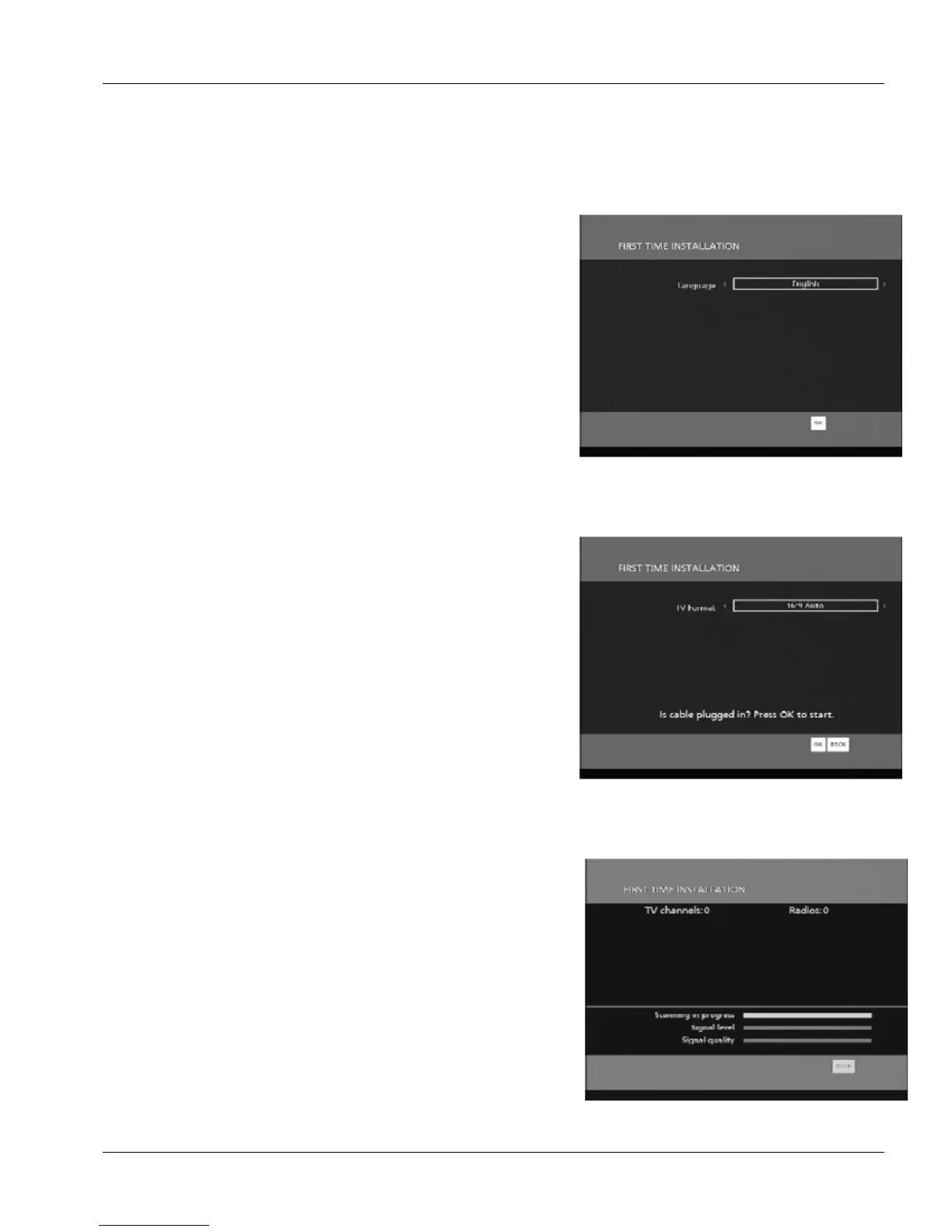
When using the Set Top Box for the first time you will be guided through the installation
process in order to configure smoothly the Set Top Box to your personal setup:
First select the language for all Set Top Box menus
(The number of supported language will be increased over
time
.)
Select the appropriate format of your TV to get opitimzed
picture quality. If you don’t know just leave to 16/9 Auto. This
can be changed later in the Set Top Box menu
Then check that your cable is properly connected to the Set
Top Box (see above) and press OK. Your Set Top Box will
automatically start to look for available channels. Do not
press any button until the Scanning is completed and a result
message appears.
If this phase fails please check the connection and try again.
If it fails again you may want to go to menu and use the
manual installation procedure (see below)


 To Next Page