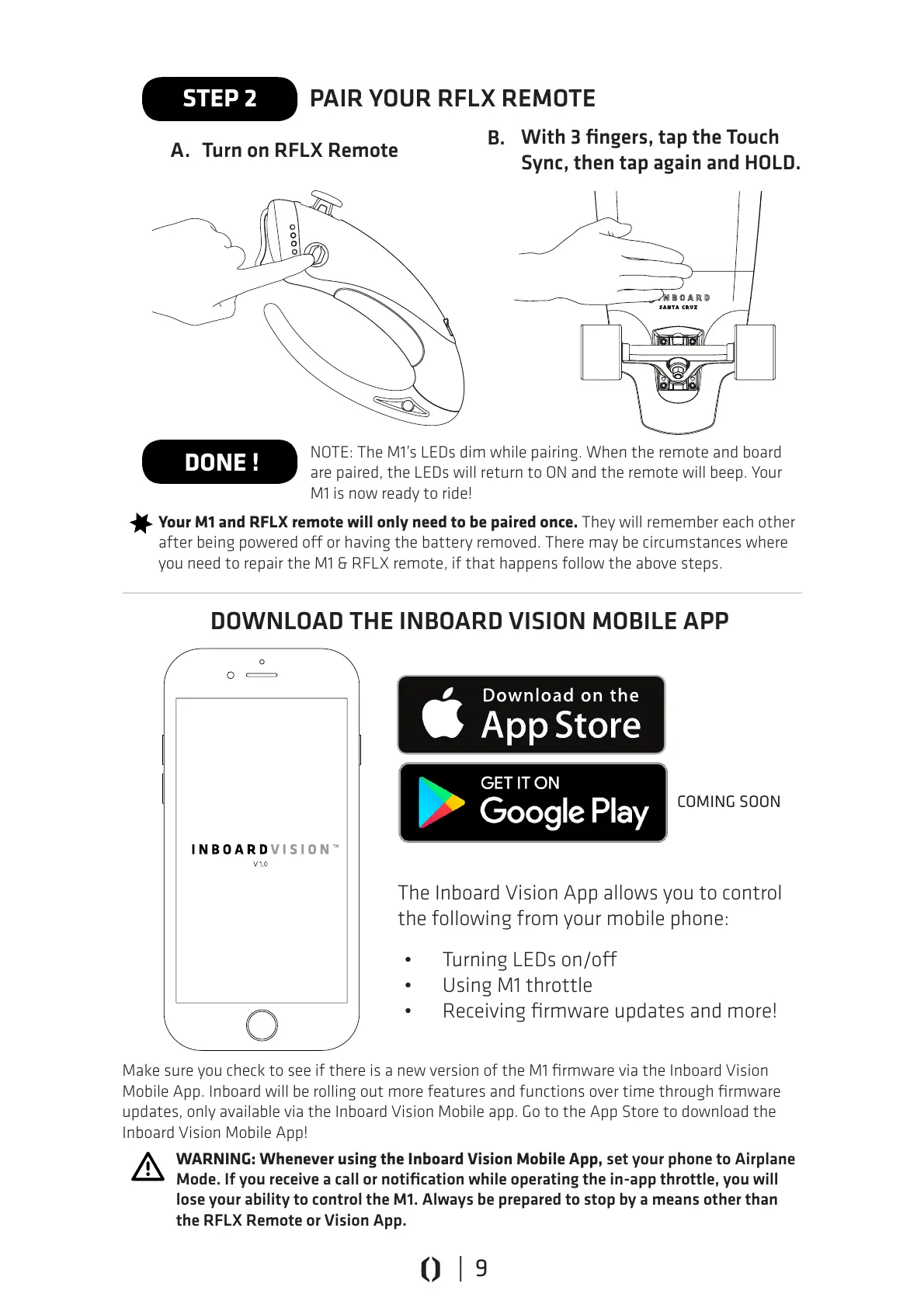
The Inboard Vision App allows you to control
the following from your mobile phone:
PAIR YOUR RFLX REMOTE
NOTE: The M1’s LEDs dim while pairing. When the remote and board
are paired, the LEDs will return to ON and the remote will beep. Your
M1 is now ready to ride!
Your M1 and RFLX remote will only need to be paired once. They will remember each other
after being powered o or having the battery removed. There may be circumstances where
you need to repair the M1 & RFLX remote, if that happens follow the above steps.
Make sure you check to see if there is a new version of the M1 firmware via the Inboard Vision
Mobile App. Inboard will be rolling out more features and functions over time through firmware
updates, only available via the Inboard Vision Mobile app. Go to the App Store to download the
Inboard Vision Mobile App!
WARNING: Whenever using the Inboard Vision Mobile App, set your phone to Airplane
Mode. If you receive a call or notification while operating the in-app throttle, you will
lose your ability to control the M1. Always be prepared to stop by a means other than
the RFLX Remote or Vision App.
STEP 2
DONE !
Turn on RFLX Remote
With 3 fingers, tap the Touch
Sync, then tap again and HOLD.
• Turning LEDs on/o
• Using M1 throttle
• Receiving firmware updates and more!
DOWNLOAD THE INBOARD VISION MOBILE APP
A.
B.
COMING SOON
| 9



 To Next Page