MICROCOM
®
TEMPERATURE CONTROLLER
INSTRUCTION MANUAL
Pg.
www.incoe.com
©INCOE
®
CORPORATION 4/2010
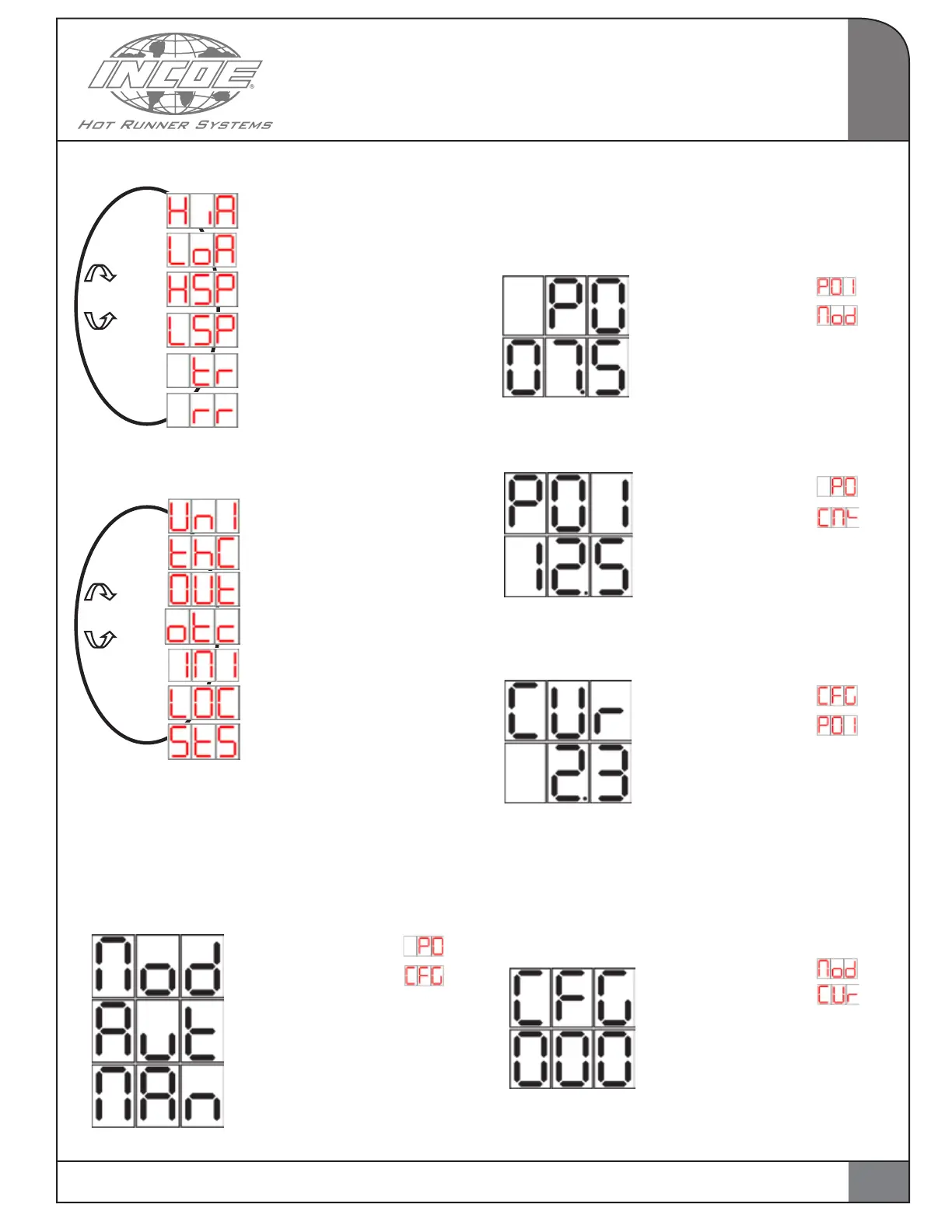
CFG 1 Menu (Double click to Exit).
High Alarm user select
Low Alarm user select
Maximum Setpoint user select
Minimum Setpoint user select
Time ramp user select
Ramp rate user select
CFG 2 Menu (Double click to Exit).
Temperature units selection
Thermocouple type selection
Output type selection
Operating mode if
thermocouple fault
Initialization of
controller parameters
Controller locking enabled
Controller state on
re-start selection
2.6 MAIN MENU:
The main menu is as follows :
Control mode selection AUTO or MANUAL
(AUTO by default):
Navigation via “Click & Rotate” switch:
If “Increase” display
If “Decrease” display
If “Selected” (Push 2 seconds):
It is possible to modify the
parameter value and choose
AUTO or MANUAL.
Confirm choice by pressing
again for 2 seconds.
Display of the percentage of power applied
to load (Heater) :
In manual mode, the value in the display
corresponds to the manual output setting.
Navigation via “Click & Rotate” switch:
If “Increase” display
If “Decrease” display
If “Selected” (Push 2 seconds):
no effect. Value in %.
Installed power display :
Navigation via “Click & Rotate” switch:
If “Increase” display
If “Decrease” display
If “Selected” (Push 2 seconds):
no effect. Value in Watts.
Current measurement display :
Navigation via “Click & Rotate” switch:
If “Increase” display
If “Decrease” display
If “Selected” (Push 2 seconds):
no effect. Value shown in Amps.
Configuration menu selection:
Selecting parameters in the configuration
menu ( if the configuration entered does
not correspond to any menu, then nothing
happens when validating).
Navigation via “Click & Rotate” switch:
If “Increase” display
If “Decrease” display
If “Selected” (Push 2
seconds): It is possible to
modify the parameter value
and choose 1 or 2.
Confirm choice by pressing
again for 2 seconds.
2
OPERATION
7
Rotate
Rotate


 To Next Page