User manual
12
CLEANING & MAINTENANCE
For any cleaning and maintenance, switch o and unplug the washing machine.
Do not use ammable uids to clean the washing machine.
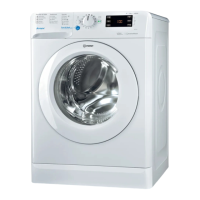
CLEANING THE EXTERIOR AND INTERIOR OF THE WASHING MACHINE
Exterior:
• Use a soft damp cloth to clean the outer parts of the
washing machine.
• Do not use glass or general purpose cleaners, scouring
powder or similar to clean the control panel – these
substances might damage the printing.
Interior:
• After each washing, leave the Lid open for sometime to
allow the inside of the appliance to dry.
• If you never or seldom wash your laundry at 90°C, we
recommend to occasionally run a 90°C programme
without laundry, adding a small amount of detergent, to
keep the interior of the appliance clean.
• Check the condition of the lid seal periodically and clean it
from time to time with a damp cloth.
CHECKING THE WATER SUPPLY HOSE
Check the inlet hose regularly for brittleness and cracks. If
damaged, replace it by a new hose available through our
After-sales service or your specialist dealer.
Depending on the hose type:
If the inlet hose has a transparent coating, periodically check
if the colour intensies locally. If yes, the hose may have a leak
and should be replaced.
For water stop hoses: check the small safety valve inspection
window (see arrow). If it is red, the water stop function was
triggered, and the hose must be replaced by a new one.
For unscrewing this hose, press the release button (if
available) while unscrewing the hose.



 To Next Page