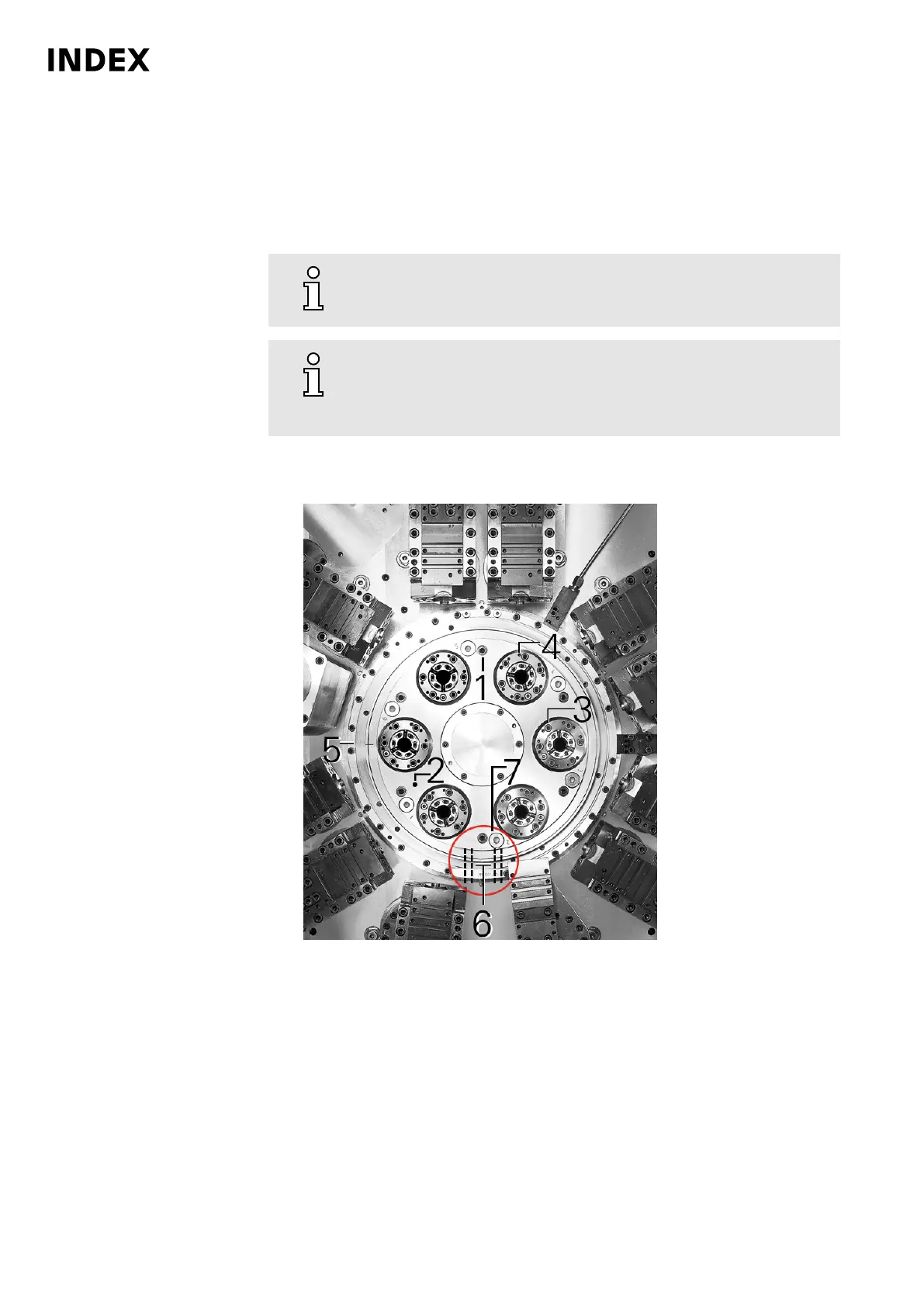
AM100 - Clean cooling lubricant outlet on spindle carrier
Orientation
If the cooling lubricant outlet is blocked on the spindle carrier, excess cooling
lubricant can no longer drain from the space behind the spindle carrier cover.
To avoid resulting damage to the machine, the cooling lubricant
outlet must be cleaned regularly.
If debris (chips) is clearly visible behind the blanking plug ( 7 ), the
area behind the spindle cover must be cleaned. To carry out this
activity, you must contact the INDEX hotline, INDEX Service or an
INDEX representative.
Procedure
1.
Example: Spindle carrier cover with cooling lubricant outlet MS22-6
1
Mounting screws for spindle carrier cover
2 Spindle carrier cover
3 Mounting screws for clamping element holder
4 Jacking screws M5/M6
5 Housing
6 Drain holes
7 Blanking plug
Remove blanking plug (7). Always remove the bottom blanking plug (7)
depending on the position of the spindle drum.
2. Inject oil through the hole (7) in the spindle carrier cover (2). This oil should
soon exit from the drain holes (6). If the injected oil does not soon exit from
the drain holes, the drain holes must be cleaned.
Maintenance Summary - Care activities
28
Maintenance Instructions
MS40-6
DIM021EN - 03.06.2020



 To Next Page