4.
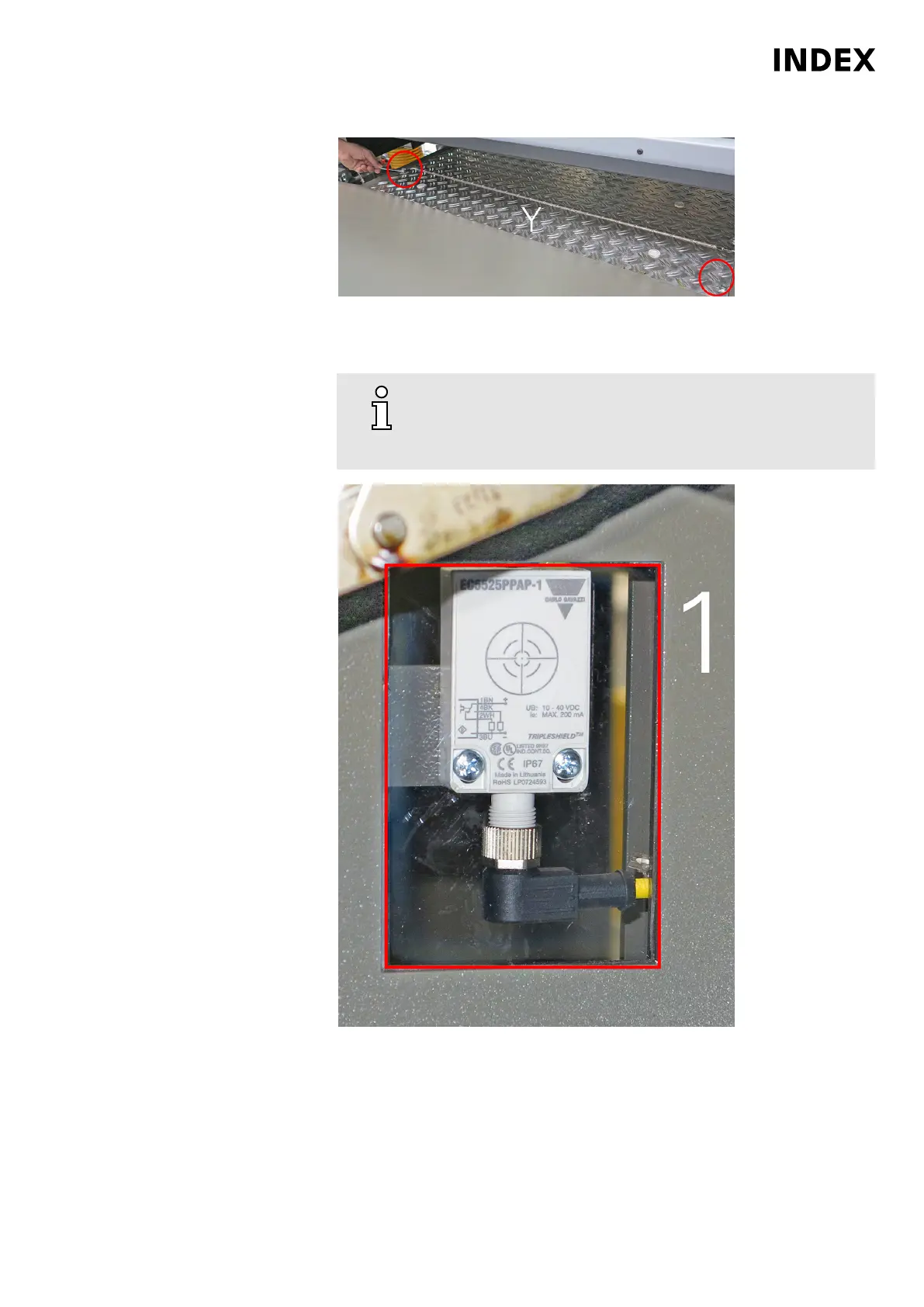
Figure 2: Cover (Y) of the vacuum rotation filter
Unscrew and remove the cover (Y).
5.
Wipe the window pane (1) on the inside carefully with a soft
cloth. Make sure that no debris such as chips or the like
adhere to the rags or paper towels, which may scratch the
window pane. .
Figure 3: Window pane on the sensor (view from inside)
Reattach cover (Y) and fasten with screws.
Maintenance Summary - Care activities
31
Maintenance Instructions
MS40-6
DIM021EN - 03.06.2020



 To Next Page