41
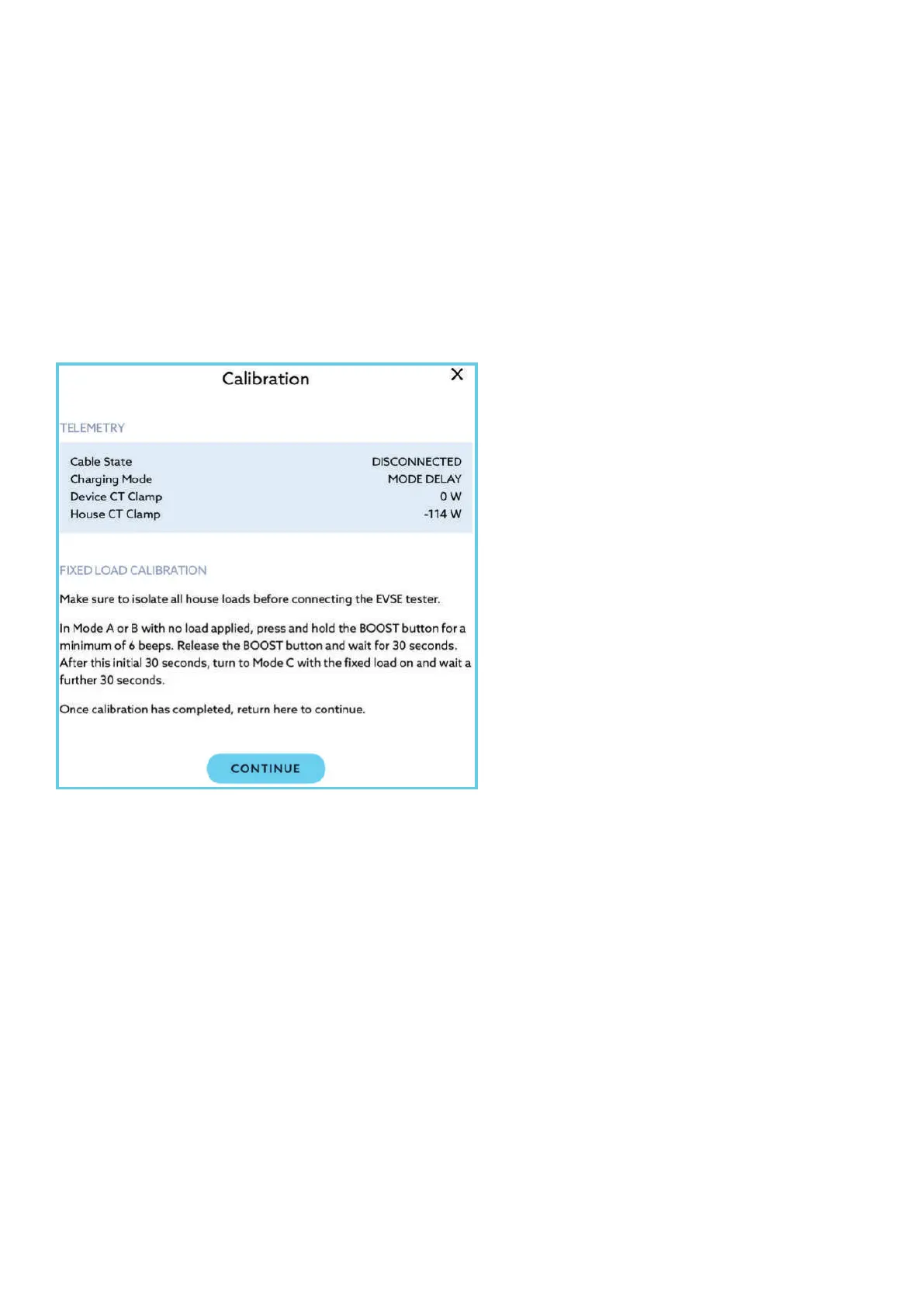
In order to complete Fixed Load calibration, the following conditions need to be true:
1. An EV is not present
2. All house loads, other than the Smart PRO, are isolated.
3. You have an EV Charging Station Test Adapter with a 3-pin plug output
4. You have a minimum 2kW fixed load such as a Fan Heater or Kettle
5. Smart PRO is plugged into the EV Test Adapter (either via the tethered cable
or the customer’s own intermediate charging cable)
To initiate Fixed Load Calibration:
1. First isolate all house loads at the consumer unit, other than the Smart PRO.
2. Plug in the EV Charging Station Test Adapter to either the Smart PRO’s
in-built socket or the tethered charging cable.
3. Plug into the test adapter’s three-pin socket either a fan heater or kettle
(of 2kW load or greater).
4. Set the “CP Signal Output” to either Mode A or B (no load applied).
5. Trigger calibration by pressing and holding the ‘BOOST’ button for a minimum of 6
beeps. This will trigger the fixed load calibration. Release the Boost button and time
a minimum of 30 seconds.
6. After this initial 30 seconds, turn the “CP Signal Output” to Mode C (with the fixed
load turned on) and wait a further 30 seconds.
7. Re-energise any house load and then measure/ verify whether calibration was
successful against the external CT clamp reading within the Installer App
(5% tolerance).
Fixed Load Calibration- When load curtailment is required,
but no EV is present


 To Next Page