Web interface
sh. 14 of 26
4 Web interface
4.1 Display of web interface
To access the web interface and the recorded data of the PROFInet-
INspektor
®
, open the web interface using the internet browser and the IP
address of the device (Default: 192.168.212.212).
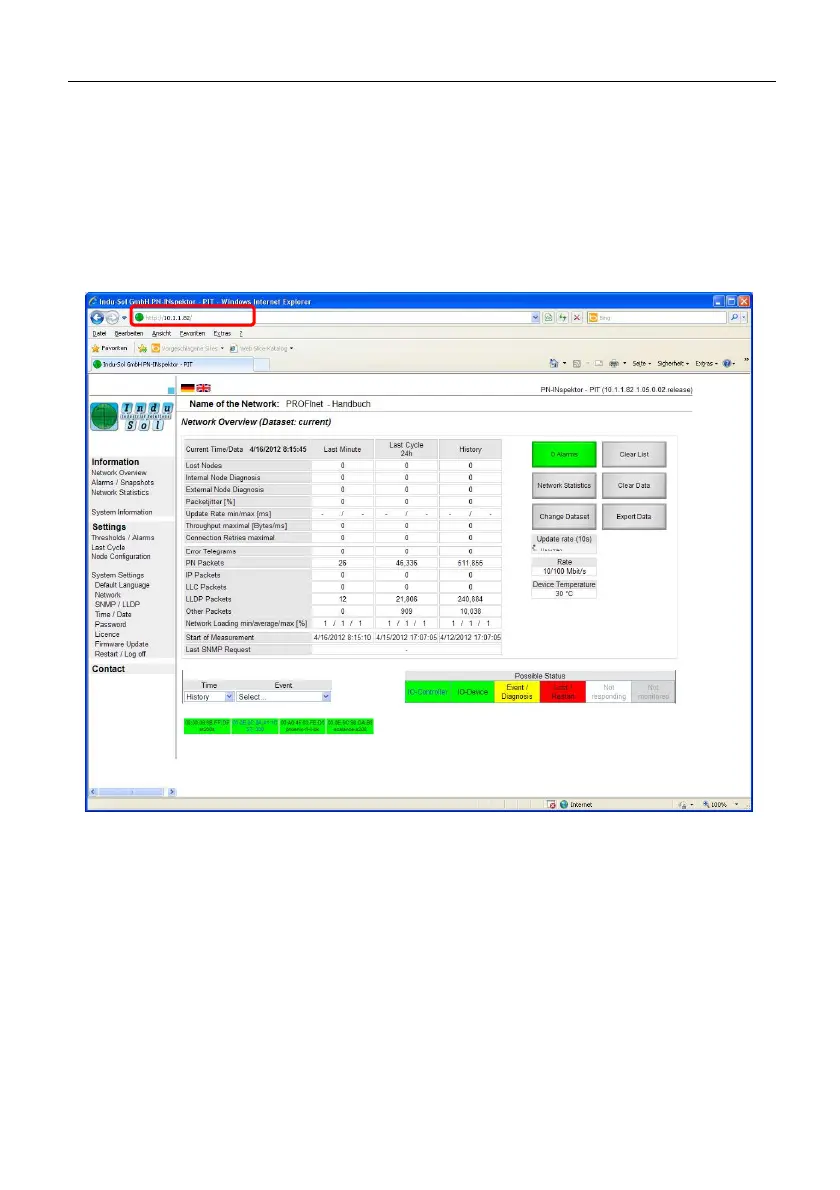
Fig. 1: Web interface
It is now possible to view and check the most important parameters of the
PROFINET system to be analyzed.
Said parameters are given in the central table of the website.
Shown are all PROFINET devices involved in the PROFINET traffic. The
default display gives the MAC address and the name of the device (if a
PROFINET restart has been made). In the ”Events” dropdown menu the
parameters given in the table can be allocated to the individual subscribers.



 To Next Page