68
Control panel locking
To avoid modification of the setting of the cooking zones , particularly when cleaning, the control
panel can be locked (with exception to the On/Off key [ 0/I ]).
Action Control panel Display
Lock the hob Press [ ] during 6s lock light on
Unlock the hob Press [ ] during 6s lock light off
Power limitation configuration (depending on model)
The total power of the hob when delivered is the maximum power.
Before start the procedure:
• Disconnect the hob from the electrical network: removing the fuse or turning off the circuit
breaker.
• Connect the hob on the network: replace the fuse or re-plug the circuit breaker.
• Start the procedure in less than 2 minutes after the connection of the hob on the electrical
network
• Do not switch on the hob by pressing key [ 0/I ].
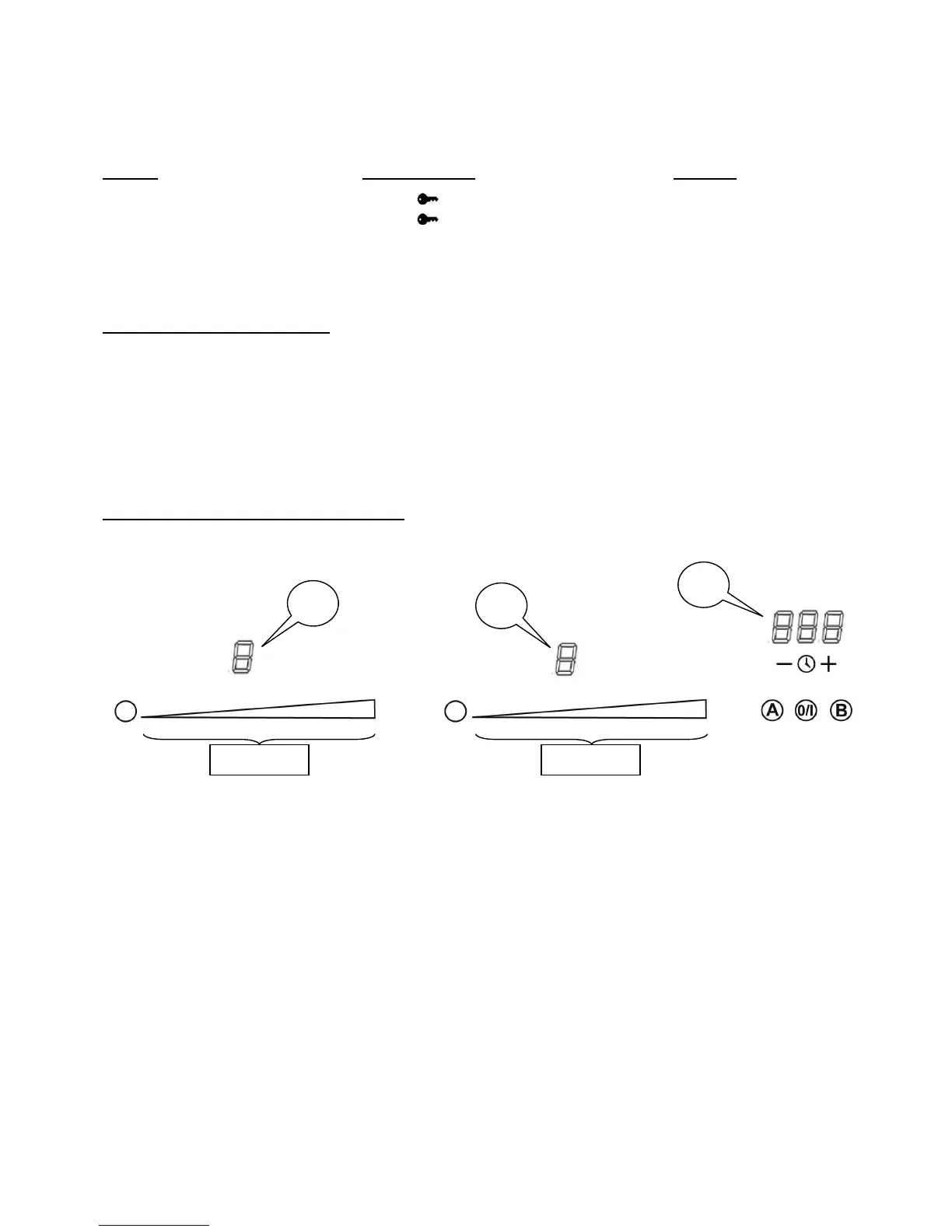
Modification of the power limitation:
1) Press and keep the finger on keys [ A ] and [ B ] until you hear a “Beep”.
2) Then, press and keep the finger on each “SLIDER” until you hear a “Beep” and “CF6”
appears on the timer (1)
3) The configuration code appears in display (2).
4) Choose the adapted configuration with the “SLIDER” situated under the code by
pressing the beginning to decrease or the end to increase.
- config 0: 16A
- config 1: 13A
- config 2: 10A
6) Then, press and keep the finger on keys [ A ] and [ B ] until the display segments (2)
and (3) move clockwise for a few seconds.
Your hob is now ready to be used.



 To Next Page