18
Adjustable blade opening /
blade overlap setting
Always keep your hands away from the cutting head when the device is
powered on.
Access “settings” mode
You can set the adjustable blade opening and the adjustable blade overlap ratio relative to
the hook at your convenience. To do that you must access the pruning shears “settings”
mode.
The "settings" mode can be accessed at all times except when the pruning shears are in
"standby" mode.
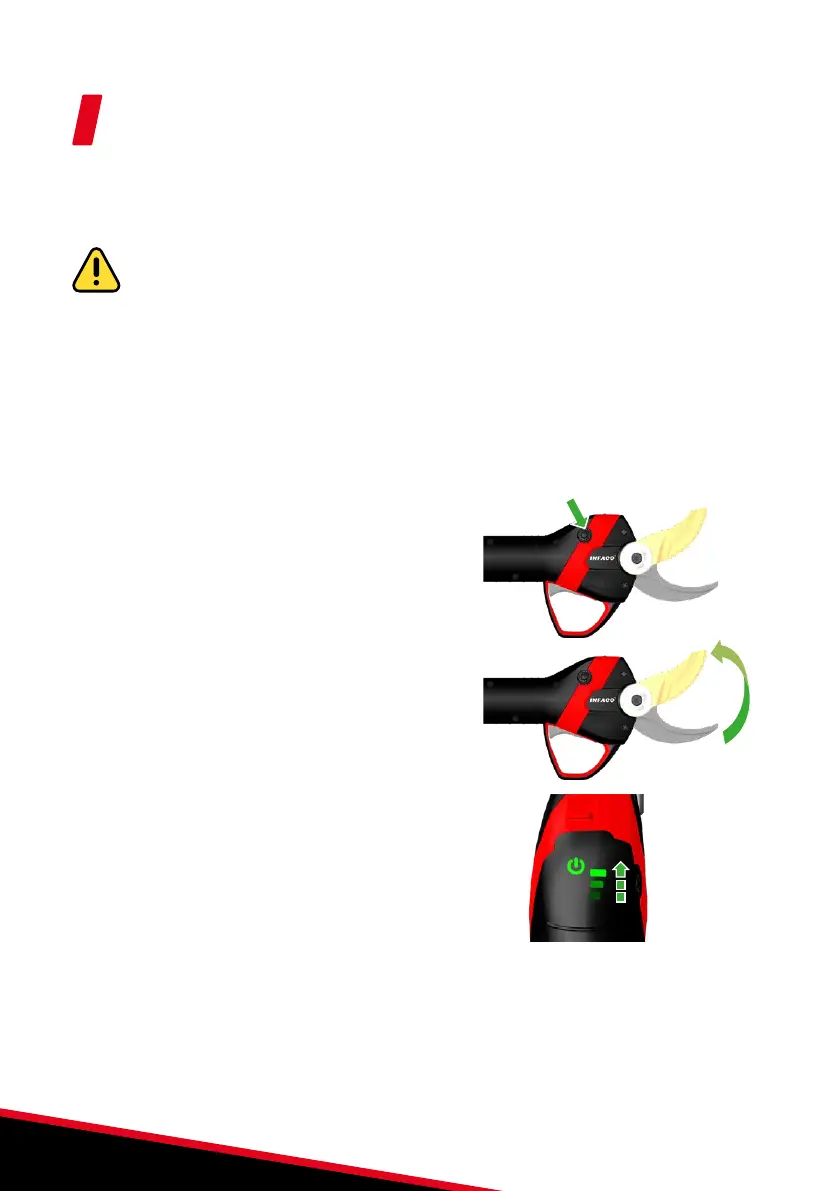
1. Press the "settings" button on the
pruning shears for 3 seconds until the
bar graph LEDs flash.
2. The blade opens fully.
3. The pruning shears are now in settings mode.
If settings mode is accessed by mistake, pressing the "settings" button again for 3
seconds exits the mode without modifying the saved parameters.
3s


 To Next Page