OSD INSTRUCTION
Press the set button to access “Main Setup” mode of OSD.•
Select the desired feature by using Joystick S/W with Up / Down direction.•
Change the status of the selected feature by using Joystick S/W with Left / Right direction.•
When you finish the camera setup, put the arrow indicator to “Exit” and press “Joystick S/W”•
Remark : “⏎“ indicates Sub-Menu existing. Press “Set Button” to access “Sub-Menu”.
Select the function by using Joystick S/W with Up /Down direction.•
Change the status by using Joystick S/W with Left / Right direction.•
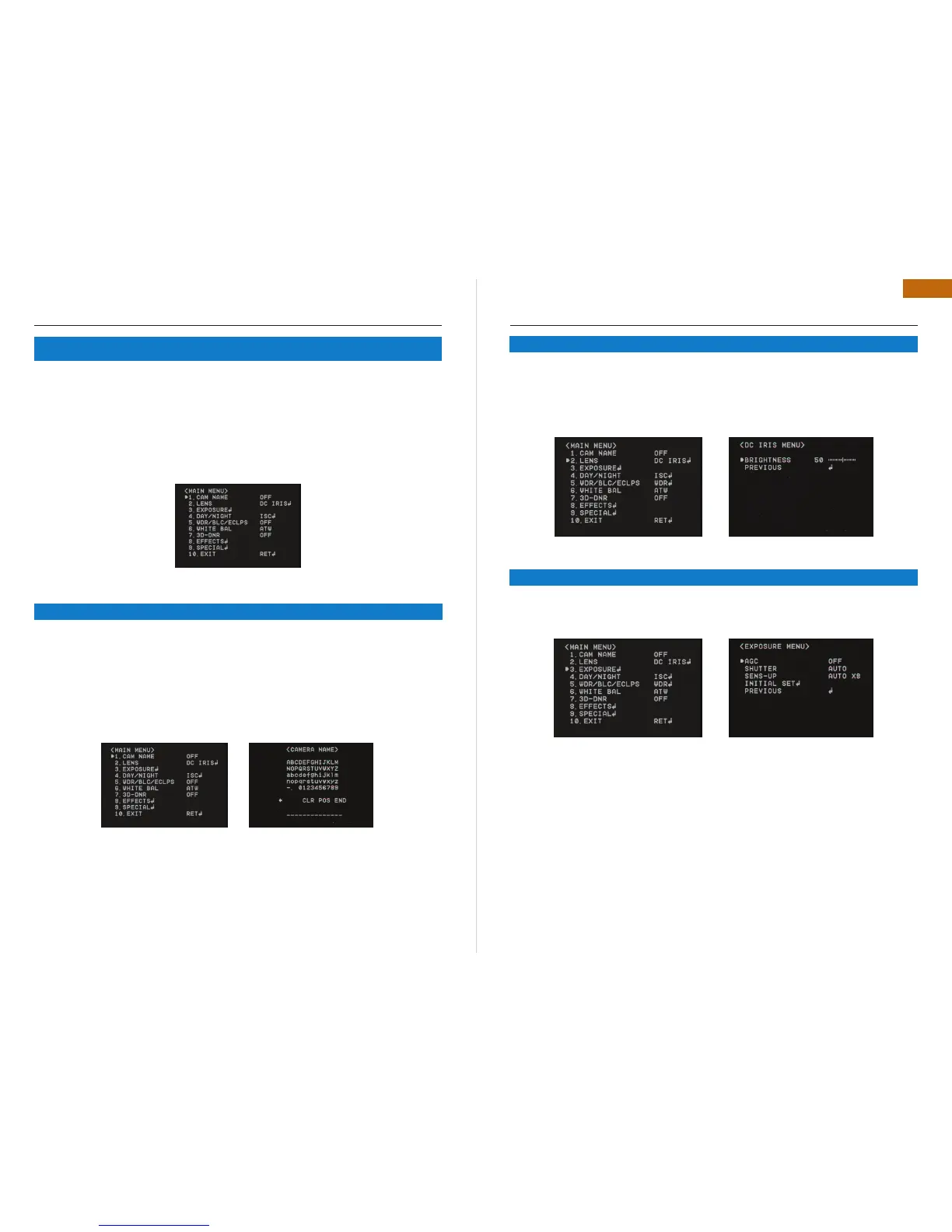
Entitle Camera Name (ID) and it will be appeared on the screen.•
Select CAM Name by using Joystick S/W with Up/Down direction•
Set it to ON by using Joystick S/W with Left / Right direction. Then press SET BUTTON.•
Remark : If the CAM Name is OFF, no Name will be displayed on the monitor.
Use Joystick S/W with 4 direction to select a desired letter and press “SET Button”.•
Repeat this process each by each. 15 letters can be edited.
After entering the title, move the cursor to POS and press SET Button. Select the position •
to display the title on the screen by using Joystick S/W with 4 direction . Press SET Button.
When the position is determined, select END and press SET Button to return the SPECIAL
Menu.
5. OSD INSTRUCTION
5.1 CAM NAME
OSD INSTRUCTION
DC IRIS: Select this mode when DC Auto Iris lens is used. Press the joystick S/W to enter the
sub menu. The brightness can be adjusted.
MANUAL
Select this mode when Manual Lens is used.
Select “Exposure” by using Joystick S/W with Up / Down Direction.•
Press “ Set Button” to enter “Exposure Setup”•
AGC (AUTO GAIN CONTROL)
The higher gain level, the brighter pictures, but the higher noise.
Off : Deactivate AGC function•
Low / Middle / High : Set the desired AGC Level.•
SHUTTER : AUTO / MANUAL SHUTTER CAN BE SELECTABLE
A. FLK : Select this when picture flickering. The picture flickering can be caused by a clash •
with the frequency of the installed lighting.
ESC : Select this to control the shutter speed automatically. In terms of ESC, the shutter •
speed is automatically controlled depending on the ambient illumination of the subject.
Manual : You can control shutter speed manually from 1/160~1/90000 Also control from X2 •
~ X512.
5.2 LENS
5.3 EXPOSURE


 To Next Page
 Loading...