If you have troubles in operating your camera, refer to the following table. If this guidelines do not
enable you to solve the problem, contact an authorized technician.
PROBLEM SOLUTION
Nothing appears on the screen Check the power cord and line connection •
between the camera and the monitor are
fixed properly.
Check that you have properly connected •
VIDEO cableto the camera VIDEO Output
jack.
The image on the screen is dim Is lens stained with dirt? Clean your lens •
with soft, clean cloth.
Set the monitor to proper condition.•
If the camera is exposed to too strong light, •
change the camera position.
Adjust the lens focus properly•
The image on the screen is dark. Adjust the contrast feature of the monitor.•
If you have an intermediate device, set the •
75U / Hi-z properly.
The camera is not working properly, and the
surface of the camera is hot.
Check that you have properly connected the
camera to an appropriate power source.
DAY/NIGHT menu does not work Check that AGC of EXPOSURE Setup menu
is OFF.
SENS-UP function does not work Check that AGC of EXPOSURE Setup •
menu is OFF.
Check that Shutter of EXPOSURE Setup •
menu is A.FLK or Manual
Color is not correct Check the setting of WHITE BAL Setup menu.
The screen flickers continually Check that direction of camera turns toward
the sun
TROUBLESHOOTING
6. TROUBLESHOOTING 7. DIMENSION & PARTS
DIMENSION & PARTS
This instruction is based on current specifications and can be changed without prior notice to improve quality.
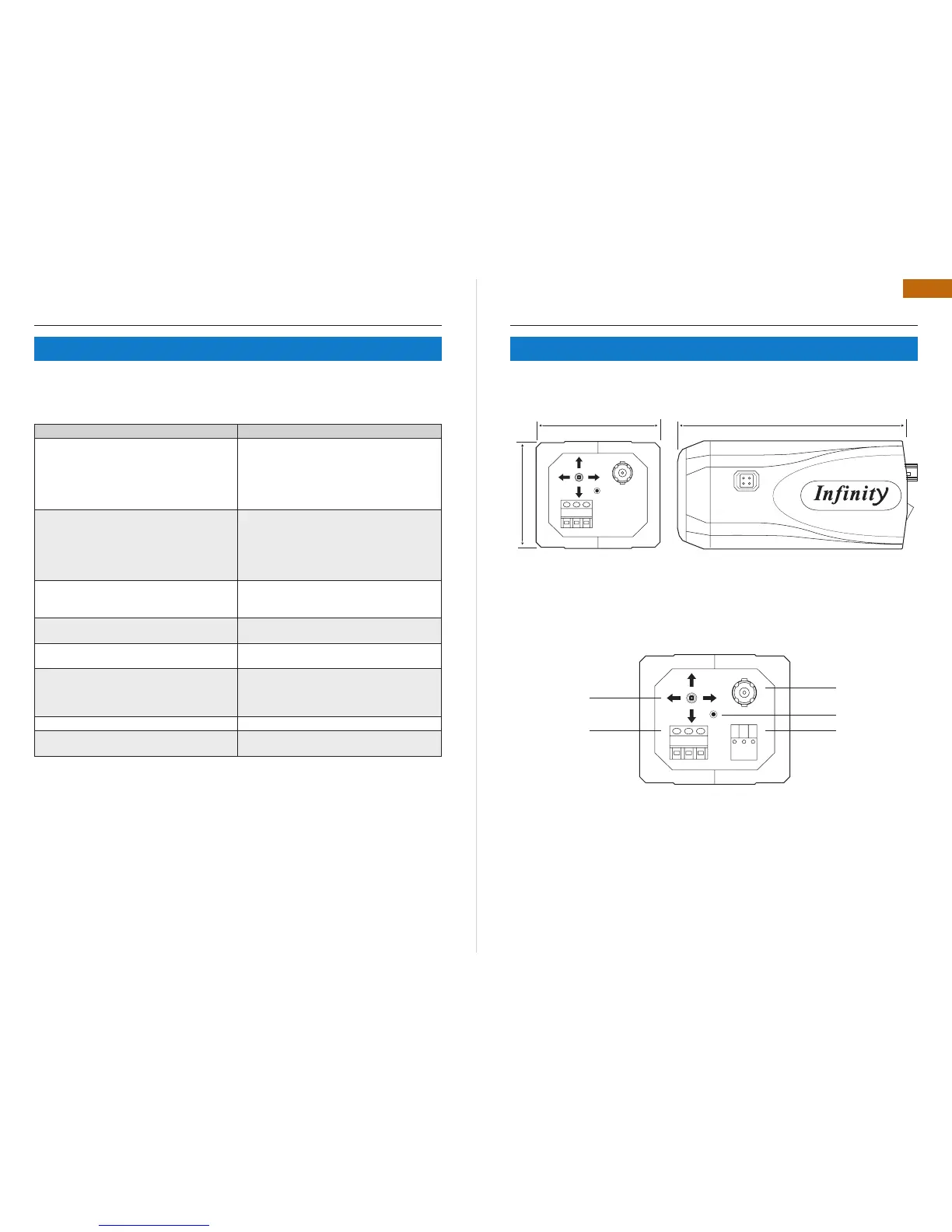
55 mm
64 mm 116 mm
PARTS NAME
DIMENSION
Power in port
Joystick s/w
(Set button)
Alarm Relay
(Option)
Power led
Video out port



 To Next Page