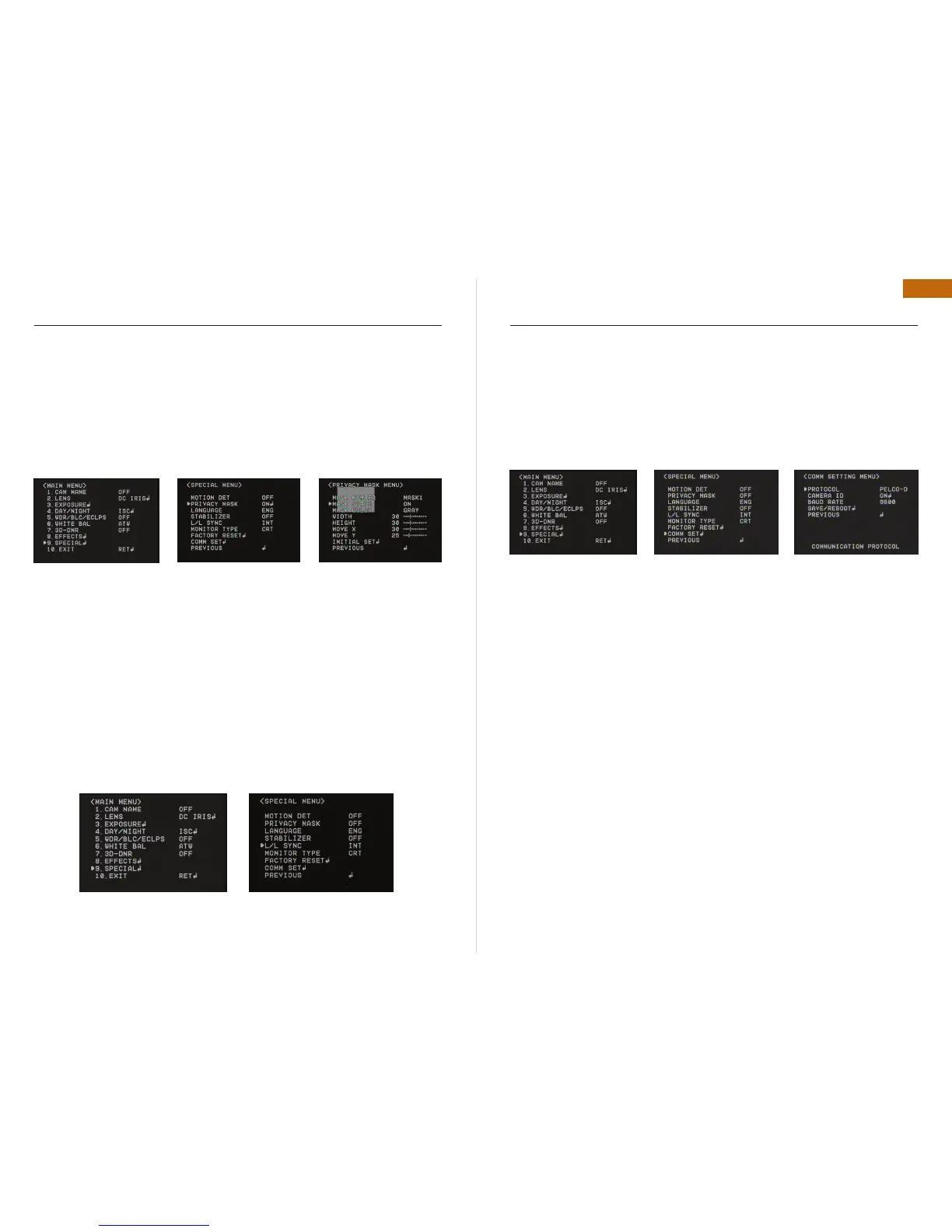
PRIVACY MASK (PM)
Masking an area that you want to hide on the screen•
Mask Number : Select PM area to activate. 8 Areas can be programmable.•
Mask STAT : Determine PM area selected.•
Mask Color : Determine area color. Gray, White, Red, Green, Blue, Yellow, Black colors are •
available.
Width / Height : Set the size of PM•
Move X/Y : Determine the coordinate of Horizontal / Vertical Axis for PM Position•
Initial Set : To return the default setting , which is defined in “PM” Menu•
Previous : Go back to “Main Menu”.•
LANGUAGE
You can select the menu language according to your requirements.
STABILIZER (DIGITAL IMAGE STABILIZER)
Mitigate any picture movement by external factors as wind.
L / L SYNC (LINE LOCK SYNCHRONIZATION)
In areas where the supply is at 60Hz, you can synchronize the output phase of multiple cam-•
eras using the power synchronization function (Line-Lock) without using a synchronization
signal generator.
INT : Internal Synchronization•
L/L : Power Synchronization type, Line-Lock•
Remark : In case of using DC12V, SYNC menu is fixed to INT mode. In case of using AC24V at
60Hz frequency, you can use the L/L.
OSD INSTRUCTION
MONITOR TYPE
Change the setting value of video appropriate to your monitor.•
LCD / CRT Monitor types are selectable.•
FACTORY RESET
Go back to Factory Defaults for all setting values of OSD.
COMM SET (НАСТРОЙКА СВЯЗИ)
To set up the camera communication status when controlling the camera with external control
device.
Protocol : pelco d protocol is supported as default.•
Camera id : you can give camera id from 0~255 with your desired position.•
Baud rate : you can select baud rate from 4800 ~ 57600.•
Save / reboot : in order to activate this function, save your desired setting value and reboot •
the camera in order.
Previous : go back to «main menu».•
EXIT
Press Set Button in the EXIT menu to save the current settings and exit Main Menu.
OSD INSTRUCTION


 To Next Page
 Loading...