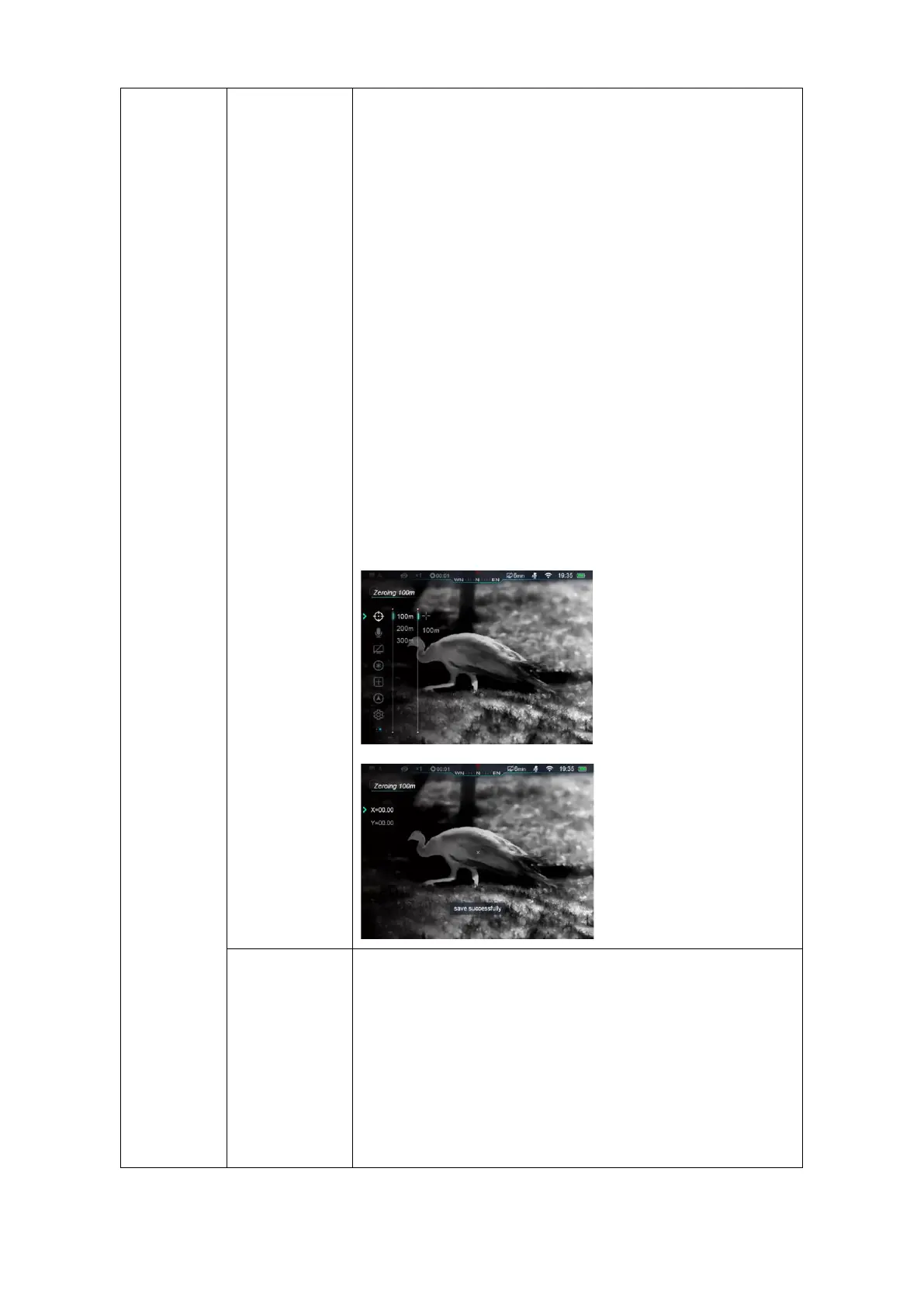
⚫ Press ↑or ↓button to switch moving directions:
X or Y-axis. Press M button to confirm, selected
icon blinks;
⚫ Press or Hold Down ↑and ↓button to move cursor,
press↑button to move cursor right or up and ↓
button to move left or down. Press once, the
reticle moved one pixel while hold down once to
move reticle 10 pixels.
⚫ When reticle in the right position, press M button to save its
position, icon stops blinking. Users can switch X or Y-axis
again;
⚫ Move cursor to the real impact location, hold down M button
to save the position of reticle and exit to Main Menu;
⚫ Select ‘Zeroing Range’;
⚫ Press M button to enable resetting zeroing range;
⚫ Press ↑and ↓button to set every digits of range
values, press M button to switch among numbers;
⚫ While finished setting, hold down M button to save and exit
to zeroing settings, while ranges changed either.



 To Next Page