22
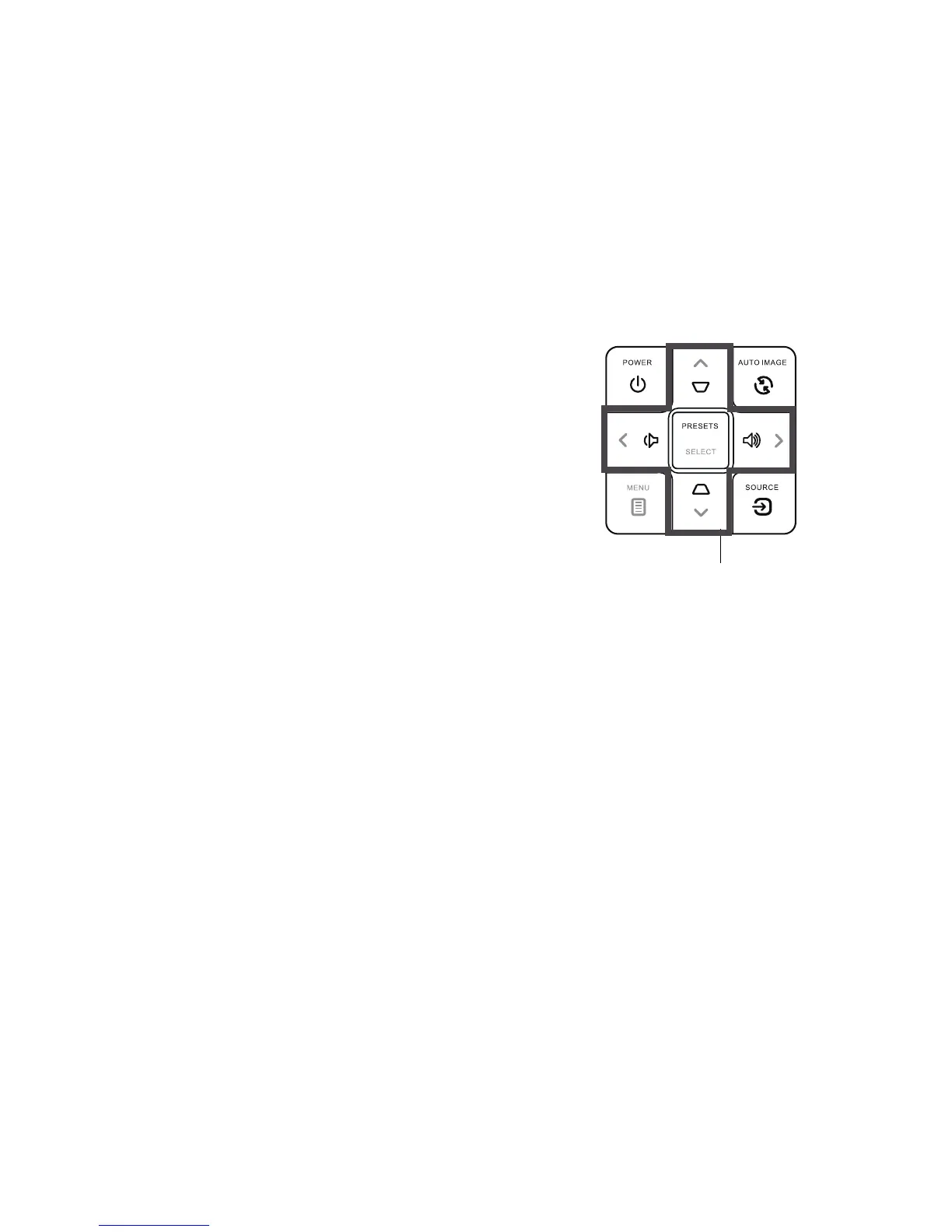
Using the keypad buttons
Most buttons are described in detail in other sections, but here is an overview of
their functions:
Power–turns t
he projector on and off (page 8).
Auto Image–rese
ts the projector to the source (page 22).
Presets / Select–cycles
through the available preset settings (page 26) / confirms
choices made in the menus (page 25).
Keystone–adjusts squareness of the image (page 9).
Menu–o
pens the on-screen menus (page 25).
Up/Down/Left/Right arrows–navi
gates to and adjusts settings in the menus
(page 25).
Volume–adjusts sound (page 21).
Source–
brings up a menu with all possible sources, allowing the user to change the
active source (page 8).



 To Next Page