9
Connecting a Computer
NOTE: Many laptop computers
do not automatically turn on their
external video port when a sec-
ondary display device such as a
projector is connected. Refer to
your computer manual for the
command that activates the exter-
nal video port. Activation com-
mands for some laptop computers
are listed in the Appendix of this
manual on page 42 and in the
Service section of our website.
1
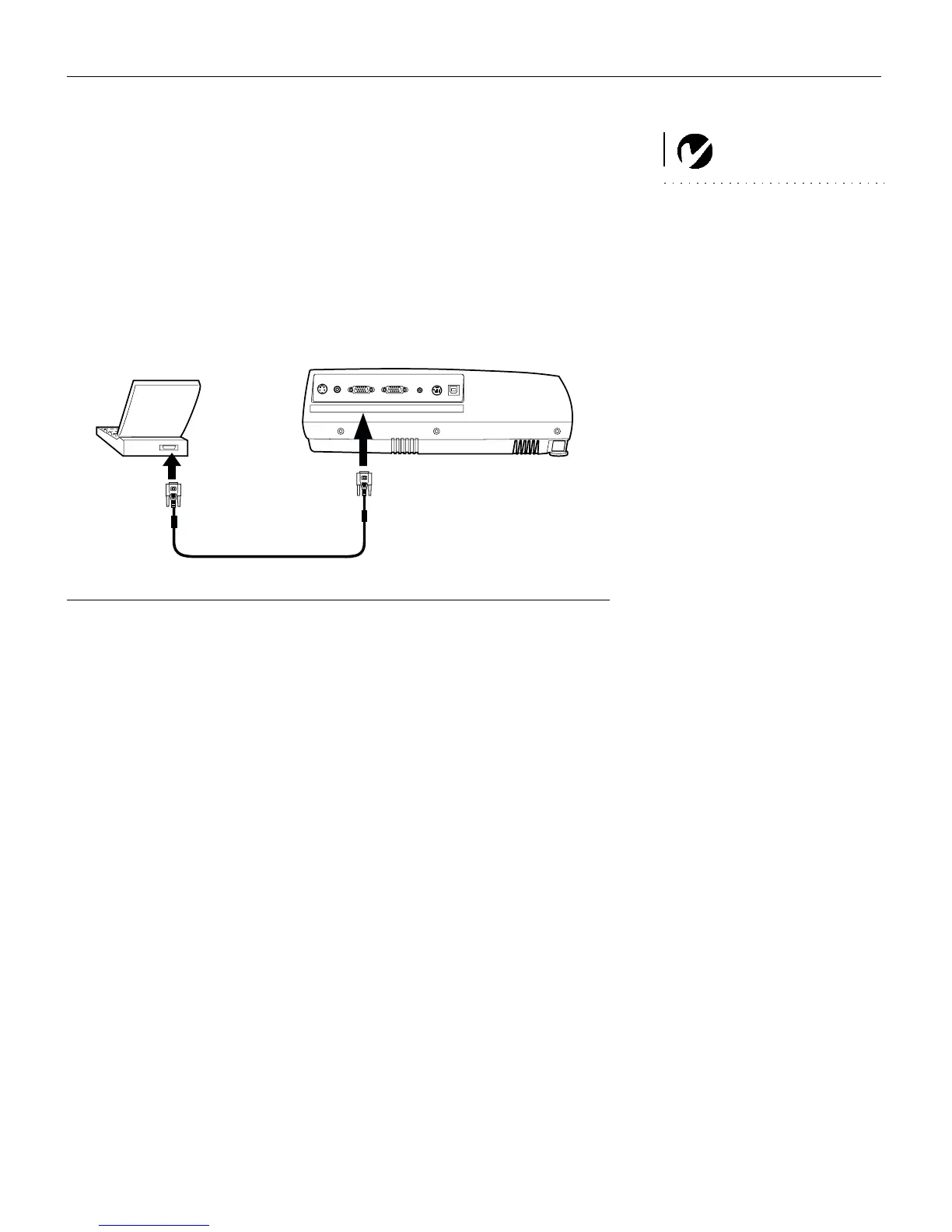
Plug one end of the computer cable into the blue “Computer
VGA”
connector on the projector.
2
Plug the other end of the computer cable into the monitor con-
nector on your computer. If you are using a desktop computer,
you need to disconnect your monitor cable from your com-
puter.
FIGURE 6
Connecting the projector to a computer
Do you want to play your computer’s audio on the projector?
1
Plug either end of the audio cable (ordered separately) into
the audio connector on your computer.
2
Plug the other end of the audio cable into the “Audio in” con-
nector on the projector.
Do you want to display the image on your desktop computer’s moni-
tor as well as on the projection screen?
1
Plug the monitor’s cable into the “Monitor VGA” connector
on the projector.
S-Video
Video
Computer VGA
Monitor VGA
Audio in
PS2/RS-232
USB
computer cable



 To Next Page