EasyManua.ls Logo

InFocus M260 - Setting up Email Account; Sending and Receiving Emails

InFocus M260
22 pages
Print Icon
To Next Page IconTo Next Page
To Previous Page IconTo Previous Page
Loading...
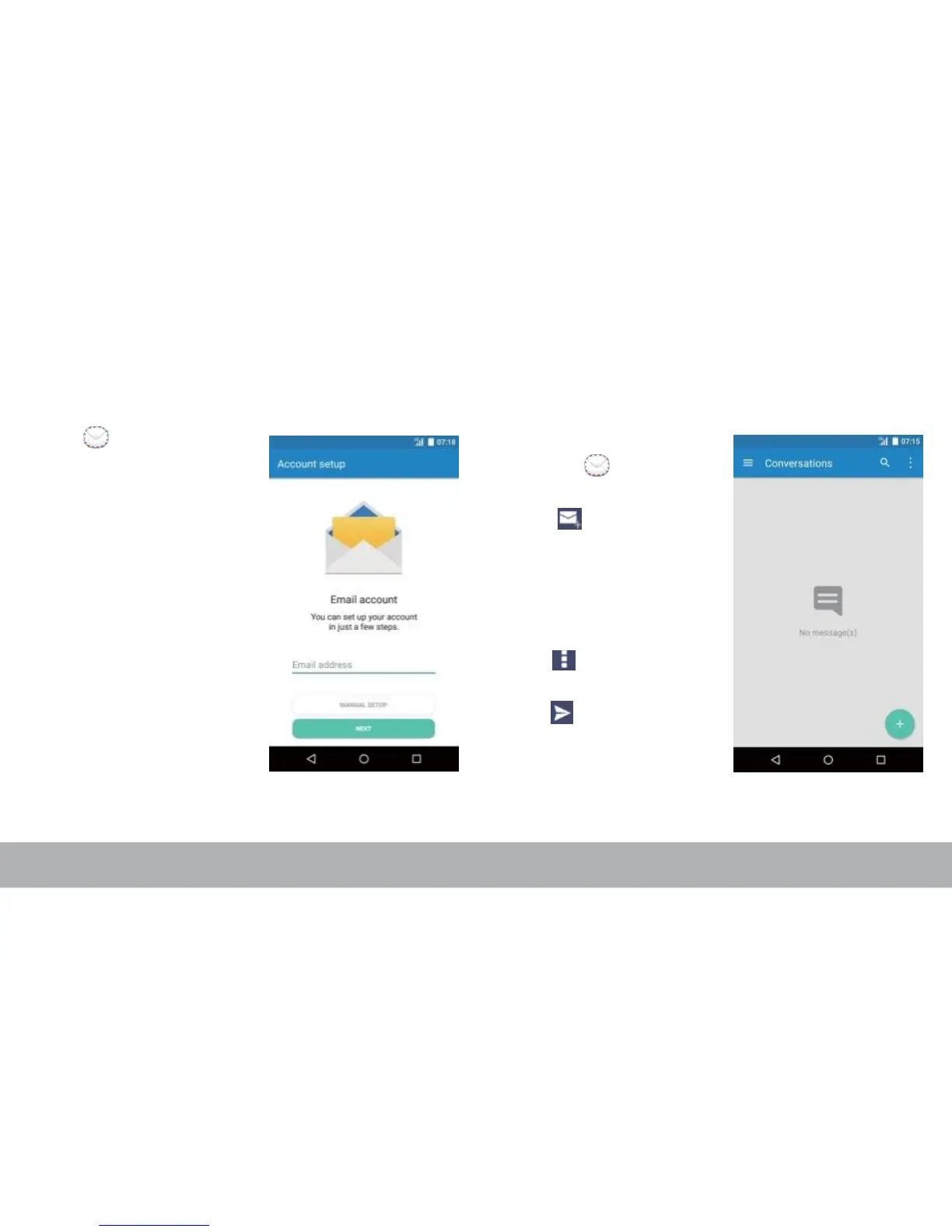
Setting up Email Account Sending and Receiving Emails
1. From the Home screen,
tap .
2. Enter your Email
address and Password
and tap Next.
3. Set the Inbox checking
frequency settings and
tap Next.
4. Enter Name and
Account display name.
5. Tap Next. Once the
account setup is
complete, the device will
automatically retrieve
your emails.
Composing and sending emails
1. From the Home screen,
tap, tap an email
account.
2. Tap .
3. In the To field, enter the
recipient’s email
address.
4. Enter the Subject.
5. Compose your email.
6. Tap to add an
attachment.
7. Tap to send an email.

Related product manuals