5
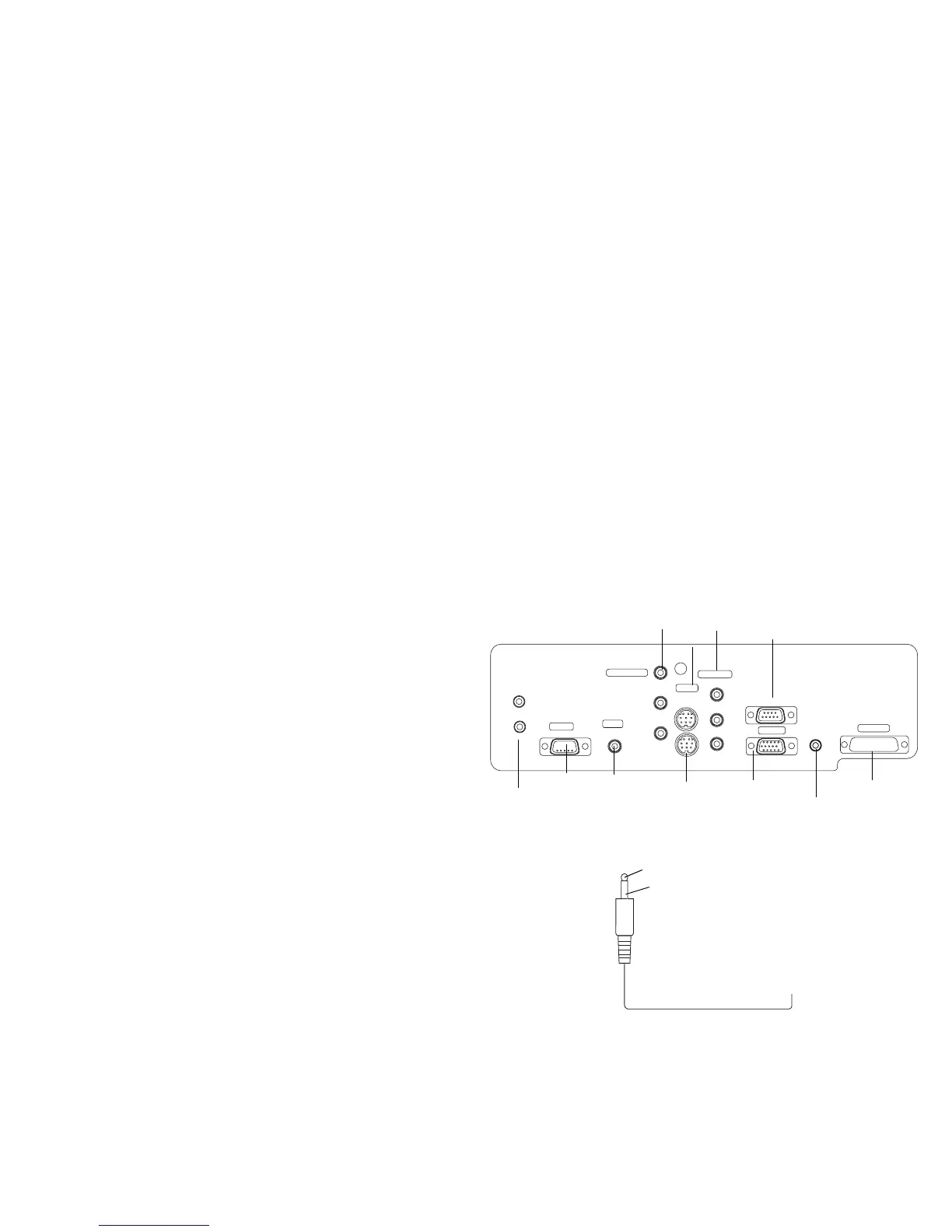
Connector Panel
The projector provides eight discreet video connectors:
• one red-green-blue RCA (SD/ED/HD component)
• one red-green-blue BNC (SD/ED/HD component)
•two S-video
•one composite RCA
• one M1-DA (HD, RGBHV, HD component, DVI, and computer)
• one VESA (HD, RGBHV, HD component, and computer)
• one D5 (SD/ED/HD component, RGB SCART)
It also has a mini-jack input for a Niles or Xantech-compatible IR repeater
and an RS-232 connector for serial control. The Command Line Interface
(CLI) specifications and commands are listed in the Appendix starting on
page 27.
Two 3.5mm mini-jack triggers provide 12 volt current. Screen trigger pro-
vides a constant output while the projector is on. For example, if you con-
nect your projection screen to the screen trigger, when you turn on the
projector the screen will move down; when you turn the projector off, the
screen will return to the storage position. Screen mask provides a 4:3 aspect
trigger. When you select 4:3 in the Aspect Ratio menu or from the Resize
button on the remote, a 12v signal will be sent after a five second delay. Use
this trigger for screens with 4:3 aspect curtains. When you switch back to
16:9 format, the curtains open to reveal the entire screen.
For details on each connector type and their inputs, see page 26.
.
Y
Y
Pr
Pr
Pb
Pb
screen mask
screen trigger
IR in
8
D5
M1-DA
1
7
video
4
5
s-video
3
component
component
6
vesa
2
serial control
IR in
status
composite
component
video (BNC)
serial
(RS-232)
D5
video
12v triggers
video (RCA)
VESA (HD15)
DVI (M1-DA)
component
video (RCA)
S-video
IR input
3.5mm mono plug for
+12v
ground
to screen relay (see screen manufacturer
for details)
12 volt current
connection








 To Next Page