6
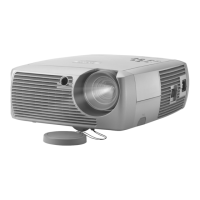
Positioning the projector
There are a number of factors to consider when determining where to set up
the projector, including the size and shape of your screen, the location of
your power outlets, and the distance between the projector and the rest of
your equipment. Here are some general guidelines.
1 Position the projector on a flat surface at a right angle to the screen.
The projector must be within 10 feet (3 m) of your power source. To
ensure adequate cable access, place the projector at least 6 inches
(0.15m) from a wall or other objects. Place the projector at least 5.6 feet
(1.7 m) from the projection screen.
If you install the projector on the ceiling, refer to the installation guide
that comes with the Ceiling Mount Kit for more information. To turn
the image upside down, see page 16. InFocus recommends use of an
authorized InFocus ceiling mount. The Ceiling Mount Kit is sold sepa-
rately.
2 Position the projector the desired distance from the screen.
The distance from the lens of the projector to the screen, the zoom set-
ting, and the video format determine the size of the projected image.
Go to www.infocushome.com/support for a complete image size calcula-
tor.








 To Next Page