EasyManua.ls Logo

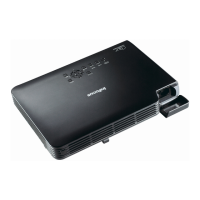
InFocus Work Big IN15 - User Manual

InFocus Work Big IN15
24 pages
Print Icon
To Next Page IconTo Next Page
Loading...
Contents
1
English
English
Unpacking ....................................................................................................................................... 2
Using the User Documentation on the CD-ROM .......................................................................... 2
Register with InFocus ................................................................................................................... 2
Important Lamp Information.......................................................................................................... 2
General Guide ................................................................................................................................. 3
Remote Controller General Guide ................................................................................................ 5
Preparing the Remote Controller .................................................................................................. 5
Replacing the Remote Controller Battery ..................................................................................... 6
Getting Ready ................................................................................................................................. 7
Setting Up the Projector................................................................................................................ 7
Screen Size and Distance ............................................................................................................ 7
Adjusting the Projector Elevation Angle........................................................................................ 8
Rear Projection (From the Back of the Screen)............................................................................ 8
Connecting a Computer to the Projector ...................................................................................... 9
Connecting to a Standard Video Device....................................................................................... 9
Turning On the Projector ............................................................................................................ 10
Turning Off the Projector ............................................................................................................ 12
Projector Basics ........................................................................................................................... 13
Selecting the Input Source.......................................................................................................... 13
Adjusting the Projected Image.................................................................................................... 13
Keystone Correction (KEYSTONE) ............................................................................................ 14
Using the Setup Menu.................................................................................................................. 15
Troubleshooting ........................................................................................................................... 16
Indicators .................................................................................................................................... 16
Projector Troubleshooting........................................................................................................... 20
Service and Support..................................................................................................................... 22
User’s Guide
This manual covers only basic operations, including how to set up the projector, and basic
projector operations. For more detailed information, see the Reference Guide on the CD-ROM
that comes with the projector.
Warning
z Please read the safety instructions booklet before setting up the projector.
Infocus IN15_UG_E.book Page 1 Tuesday, October 23, 2007 5:37 PM

Other manuals for InFocus Work Big IN15

Questions and Answers

  • Y
    ystaffordAug 20, 2025
    Why my InFocus Work Big IN15 Projector does not turn on?
    • C
      Catherine DavisAug 20, 2025
      If your InFocus Projector isn't turning on when you press the power button, there could be a few reasons. First, ensure the AC power cord is correctly connected to both the projector and the power outlet. If the POWER/STANDBY indicator is off, this is likely the issue. If the TEMP or LAMP indicator is flashing or lit, it indicates an error; consult the 'Error Indicators and Warning Messages' section under 'Indicators'.
  • A
    allison85Aug 22, 2025
    What to do if InFocus Work Big IN15 does not project image?
    • U
      upittmanAug 22, 2025
      If your InFocus Projector isn't displaying an image from your connected device, verify that the connected computer or video device is turned on and is actively outputting a video signal. Also, ensure that you have selected the correct input source on the projector that corresponds to the device you are trying to project from.
  • M
    Matthew WalkerAug 25, 2025
    How to fix high internal temperature on InFocus Work Big IN15?
    • D
      deborah43Aug 25, 2025
      If your InFocus Projector displays a warning about the internal temperature being too high, press the [ESC] key to clear the message. Then, check the projector's intake and exhaust vents for any blockages, ensuring there's sufficient space around the projector. If dust has accumulated, turn off the projector and carefully remove it.
  • D
    Deborah EdwardsAug 26, 2025
    Why does my InFocus Work Big IN15 Projector keep turning off due to high temperature?
    • D
      David CochranAug 26, 2025
      If your InFocus Projector keeps turning off due to high temperature, press the [ESC] key to clear the warning. Inspect the intake and exhaust vents for any obstructions, making sure there's enough space around the projector. If you find dust, power off the projector and remove the dust. Then, disconnect the power cord, wait for all indicators to go out, reconnect the cord, and turn the projector back on.
  • J
    Jose SanchezAug 28, 2025
    What to do if InFocus Work Big IN15 turns off due to overheating?
    • L
      Lisa FullerAug 28, 2025
      If your InFocus Projector has automatically shut off due to internal overheating, check the intake and exhaust vents for any blockages and ensure there's sufficient space around the unit. Remove any accumulated dust from the vents. After this, confirm the POWER/STANDBY indicator is lit amber (without flashing), then attempt to power the projector back on.
  • L
    levinedanaAug 30, 2025
    What to do if InFocus Work Big IN15 Projector turns off due to memory error?
    • D
      Danielle GomezAug 30, 2025
      If your InFocus Projector has automatically shut down due to a memory error, check that the POWER/STANDBY indicator is lit red (without flashing) and that the fan has stopped. Disconnect the power cord, wait for all indicators to go out, then reconnect the power cord and turn the projector back on.
  • A
    Adriana PetersAug 31, 2025
    Why does my InFocus Work Big IN15 Projector turn off due to a fan problem?
    • M
      mark49Sep 1, 2025
      If your InFocus Projector has automatically turned off due to a fan problem, confirm that the POWER/STANDBY indicator is lit red (without flashing) and that the fan has stopped. Unplug the power cord, wait for all indicators to go out, and then reconnect the power cord and turn the projector back on.
  • J
    Julie VillegasSep 3, 2025
    What to do if my InFocus Work Big IN15 turns off due to a system problem?
    • J
      Julie BrownSep 3, 2025
      If your InFocus Projector has automatically turned off due to a system problem, ensure the POWER/STANDBY indicator is lit red (without flashing). Then, disconnect the power cord, wait for all indicators to go out, reconnect the power cord, and turn the projector back on.
  • B
    Brandon HernandezSep 5, 2025
    Why did my InFocus Projector turn off automatically due to digital noise?
    • K
      Kevin RaySep 5, 2025
      If your InFocus Projector automatically turned off, possibly due to external digital noise, check that the POWER/STANDBY indicator is lit red (without flashing) and that the fan has stopped. Disconnect the power cord, wait for all indicators to go out, then reconnect the power cord and turn the projector back on.
  • K
    Kevin NicholsSep 7, 2025
    What to do if a system problem occurs on InFocus Projector?
    • B
      benjaminfosterSep 7, 2025
      If a system problem has occurred on your InFocus Projector, potentially causing issues with some functions, turn off the projector, disconnect the power cord and wait for all indicators to go out. Then, reconnect the power cord and turn the projector back on. Press the [ESC] key to clear the warning message.

Summary

General Guide

General Safety Warnings

Crucial safety precautions regarding projector operation, heat, and ventilation.

Lamp Rupture Warning

Warning about potential lamp rupture and safety measures to follow.

Getting Ready

Projector Setup and Placement

Guidance on locating, positioning, and ventilating the projector for optimal performance.

Connecting a Computer

How to connect the projector to a computer using the RGB input terminal.

Connecting a Video Device

Instructions for connecting standard video devices via the VIDEO input terminal.

Turning On the Projector

Step-by-step guide to powering on the projector and initial indicator status.

Turning Off the Projector

Procedure for properly powering down the projector and its cool-down process.

Projector Basics

Selecting the Input Source

How the projector automatically detects and selects input signals like RGB or Video.

Keystone Correction

Explains keystoning and how to use automatic and manual correction features.

Using the Setup Menu

Troubleshooting

Indicator Status and Troubleshooting

Details on projector indicators, error messages, and common problems with solutions.

Service and Support

InFocus Work Big IN15 Specifications

General IconGeneral
BrandInFocus
ModelWork Big IN15
CategoryProjector
LanguageEnglish

Related product manuals



