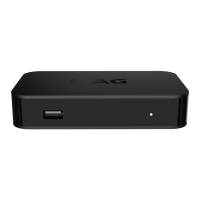
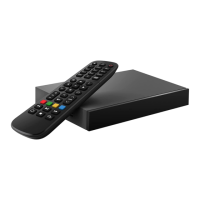
This document serves as an instruction manual for the Infomir MAG322 and MAG322w1 Set-Top Boxes, providing essential information regarding their function, technical specifications, usage, and maintenance.
Function Description
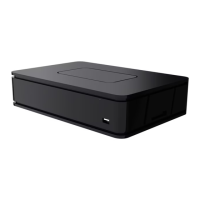
The MAG322 and MAG322w1 are set-top boxes designed to select digital audio and video channels from transport streams, decode them, and display them on a TV. The MAG322w1 model includes a built-in Wi-Fi module for wireless connectivity. The device supports automatic software updating to improve its functional capability, with updates provided by the manufacturer and service provider. Users are advised not to use the product for watching during software updates and to avoid switching it off until the update is complete.
Important Technical Specifications
Physical Parameters:
- Models: MAG322, MAG322w1
- Weight: 144 grams
- Dimensions (approximately): 87 mm depth, 132 mm width, 26 mm height
- Operation Temperature and Humidity: 1°C - 40°C; 5% - 93% RH
Ethernet Interface:
- Connector: RJ-45 shielded
- Cable: UTP and STP 5 categories
- Speed: Auto-choice, 10/100 Mbit/s
- Indicators: Green – Activity, Yellow – Connection
Wi-Fi Interface (only for MAG322w1):
- Built-in Wi-Fi module: 802.11 b/g/n
- Speed: 150 Mbps
- Operating frequency bands: 802.11 b/g/n 2400-2483.5 MHz
- Output power: 802.11 b/g/n <20 dBm
USB Interface:
- Video codecs: MPEG-1/2, MPEG-4, H.264/AVC HP@L4.2, H.265/HEVC Main and Main10 profile (up to 1080p at 60 fps), Xvid, 3D video supporting
- Audio codecs: MPEG-1 layer I/II/III, WMA, AAC-LC, HE-AAC v1, HE-AAC v2
- Dolby Digital™ Support: Yes
- Video modes: 1080i, 1080p, 720p, 576p, PAL, NTSC
- Subtitles: DVB, PGS, SRT, SSA/ASS, SUB, Teletext subs, WebVtt
Audio-Video Interfaces:
- Audio Connectors: TRRS (On adapter cable: White=Left channel, Red=Right channel)
- Audio Output: 2 V RMS nominal, Loading: 10KΩ
- Composite Video Interface: TRRS (Yellow connector on adapter cable)
- Video Output: 1Vp-p
- HDMI: Yes
Power Supply Interface:
- Connector: DC cylindrical 2.5 mm x 5.5 mm
- Type: Plug-and-socket, DC current, center plus
- Input: 12V ± 10%
- Power Consumption: Less than 7.5W in typical conditions
Outer Power Supply Unit:
- Type: Pulse with universal inlet
- Input: 110-240 VAC, 50-60 Hz. 0.5A max
- Output: 12V 1A
Package:
- Type: Cardboard box
- Dimensions (approx.): 60 mm height, 225 mm width, 95 mm depth
- Shipping weight: 435 grams
Usage Features
Unpacking and Installation:
- Handle the product with care after unpacking; avoid dropping, shaking, or other impacts.
- The product is designed for horizontal placement on a flat surface.
- Do not place the product on slippery surfaces, where it may be exposed to vibration, or where it risks being damaged.
- Avoid placing the product on soft surfaces like carpets or beds, as this can block ventilation openings and cause overheating.
- Ensure sufficient clearance around the product for ventilation if placed within furniture.
- Do not expose the product to direct sunlight, open flames, or convectors.
- Avoid placing the product on surfaces that generate heat (e.g., video recorders, amplifiers) and do not place anything on top of the device.
- Keep liquids away from the product.
- Do not touch or move the product during operation. Switch it off if you need to move it.
- The product is intended for indoor use only.
- Ensure the power supply cord is not deformed, jammed, or obstructed.
- For AC/DC Adapter, the socket outlet must be near the equipment and easily accessible.
Power Supply Unit:
- Use only the power supply unit provided by the manufacturer.
- The power supply unit is fitted with a plug suitable for your country. If connecting in a different country, obtain a power supply unit adapted for that region from the manufacturer.
- The outer power supply unit may get warm during operation. If it becomes hot, switch off the device immediately and contact the supplier for replacement.
Protection from Atmospheric Electricity:
- During thunderstorms or if the product will not be used for a long time, disconnect the power supply cord, Ethernet, video, and audio cables to protect against lightning discharges and power surges.
Usage with Plasma Displays:
- When using with plasma screens, avoid pausing the picture for more than 5 minutes to prevent "burn-out" pixels on the screen. This is a characteristic of plasma screens, not a product defect, and the manufacturer is not responsible for damages caused in this manner.
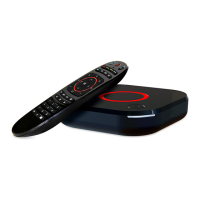
Remote Control (RC):
- The RC requires two AAA batteries (R03, LR03, UM-4, 286).
- Do not mix different types of batteries or old and new batteries.
- Do not use rechargeable batteries.
- Remove batteries if the RC will not be used for several weeks to prevent leakage.
- Dispose of old batteries responsibly.
- Caution: Do not attempt to recharge batteries. Immediately remove any leaking batteries and handle with care to avoid skin or eye burns.
Programmable Remote Control Unit (optional):
- If your package includes an RC with five programmable buttons (marked with blue print color), these can be programmed to control other devices (e.g., TV, amplifier).
- Programming Steps:
- Press and hold "On/Off" and "A/V" buttons simultaneously for 2 seconds. The green light of the "On/Off" button will stop blinking and light steadily, indicating the RC is ready to learn.
- Press the button you wish to program (the green light will start blinking).
- Place the infrared lamps of both RCs opposite each other. Press the desired function button on the other device's RC and hold for 2 seconds.
- After two quick green blinks, you can program other buttons.
- Repeat the procedure for all buttons you want to program.
- Press "On/Off" and "A/V" buttons to save the programmed data; the green light will fade off.
- Reset: Press "SETUP" and "OK" buttons simultaneously and hold for 2 seconds. The red LED will flash 5 times, indicating a reset.
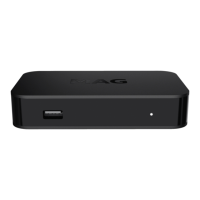
Front Panel:
- USB port
- IR-receiver
- Indicator of stand-by mode / Indicator of Remote Unit Buttons pushed
Back Panel:
- Power Supply
- S/PDIF (optional)
- 4-pin 3.5 mm jack (Composite video output, Stereo line output)
- HDMI port
- Ethernet LAN port
- USB port
- Fn button (Reset to factory settings / Load from the first U-boot / Select alternative NAND / "Emergency" – Load the basic software from USB/DHCP)
Connecting to MAG322, MAG322w1:
- HDMI Connection (best quality): Connect the HDMI cable from the device to your TV's HDMI input.
- AUDIO/VIDEO Input Connection (good quality): Use an adapter cable (TRRS to RCA) to connect the device's 4-pin 3.5 mm jack to your TV's RCA audio (Red, White) and video (Yellow) inputs.
- Warning: Always switch off all devices (TV, amplifier, etc.) and disconnect the power supply unit from the socket before connecting or disconnecting any cables. If an amplifier is not connected, leave digital audio outputs disconnected.
Maintenance Features
Maintenance of Product:
- The product should not be disassembled. Disassembly attempts can be dangerous and will void the product guarantee.
- Maintenance should only be performed by qualified specialists at warranty processing centers.
- The product has protective sealing. Breaking or changing this sealing will void the product guarantee.
Cleaning:
- Clean the product and accessories with a dry cloth or tissue only.
- Before cleaning the shell, switch off the power supply from the AC socket.
- Persistent spots on the shell can be cleaned with a slightly wet cloth or cleaning tissue.
- Do not use cleaners, polishes, benzyl, solvents, abrasive items, or liquid/aerosol detergents for cleaning the product and accessories.
- EU Compliance: The device complies with Directives 2014/30/EU, 2014/35/EU, 2014/53/EU, 2009/125/EC, 2011/65/EU, and 2012/19/EU. The Declaration of Conformity is available at www.infomir.eu.
- FCC Compliance Statement: The device complies with Part 15 of the FCC Rules for Class B digital devices. It must not cause harmful interference and must accept any interference received.
- FCC Caution: Unauthorized antennas, modifications, or attachments could damage the device and violate FCC regulations. Changes not expressly approved by the responsible party could void the user's authority to operate the equipment.
- FCC Radiation Exposure Compliance (only for MAG322w1): This equipment complies with RF exposure limits for an uncontrolled environment. It should be installed and operated with a minimum distance of 20 centimeters between the radiator and your body. The transmitter must not be co-located or operating in conjunction with any other antenna or transmitter. The MAG322w1 contains FCC ID: 2AATL-F89FTSM13.
Warranty:
- Warranty Term:
- Europe, MEASA, Oceania: 2 years from date of sale (max 2.5 years from manufacture date).
- USA, Americas, Russia, Ukraine, and other regions: 1 year from date of sale (max 1.5 years from manufacture date).
- The warranty covers manufacturing defects and material faults. Defective parts will be repaired or replaced free of charge at a warranty processing center.
- Warranty Conditions:
- Valid only with a properly filled Warranty Service Coupon. If the date of sale is missing, the warranty term is counted from the manufacture date (serial number).
- The warranty processing center reserves the right to refuse service if documents are not presented or information is incomplete/unreadable.
- Does not cover compensation for loss due to product rearrangement.
- Invalid if the model or serial number is altered, erased, removed, unreadable, or the warranty seal is broken.
- Does not cover adaptations, alterations, or devices/accessories not specified in the coupon.
- Does not cover damage from improper maintenance (e.g., use not according to purpose or manual), incorrect mounting/maintenance, incorrect software installation by service operator, repairs by unauthorized centers, accidents (lightning, flood, fire), incorrect ventilation, or transport (unless by ASC).
- Does not restrict statutory rights of customers.
- Manufacturer is not responsible for personal data safety (logins, passwords, subscriptions, settings, portals, media files, content, software) installed by the customer or third parties.
Copyrights and Trademarks:
- All rights reserved by Telecommunication Technologies LLC. No part of the manual may be copied, reprinted, transferred, or modified without prior written consent.
- Software Use Agreement: By using the software, you agree to its terms. If you do not agree, return the device to your service provider.
- License Provision: Telecommunication Technologies LLC and your service provider grant a non-exclusive, non-transferable license to use the software and documents with the product only. Users are prohibited from changing, extending, decompiling, disassembling, redesigning, or otherwise accessing the software source code, or deleting/uploading product software.
- Ownership: The manufacturer and licensors retain all ownership rights, including patent, copyright, trademark, and intellectual property for the software.
- Warranty for the Software: The company disclaims all warranties, express or implied, regarding the software, including fitness for a particular purpose or non-infringement of third-party rights. The company does not guarantee that the software will be error-free or that defects will be corrected.
- Trademarks: Инфомир, Infomir, MAG are trademarks of Infomir Group. HDMI is a trademark of HDMI Licensing, LLC. Dolby, Dolby Audio, and the double-D symbol are trademarks of Dolby Laboratories. DCP is a trademark of Digital Content Protection LLC. Redesigning and disassembling are illegal. Infomir disclaims proprietary interest in other marks and names.
Terms of Using:
- Safe and Efficient Using: The device does not contain harmful or hazardous substances.
- Accessories: Use only accessories supplied or recommended by the manufacturer. Using unapproved accessories may be dangerous and will void the product guarantee.
- Water and Moisture: To avoid damage or electrical shock, do not expose the product or accessories to liquids, rain, or high moisture. Do not use in places where it may contact liquid or vapor.
- Impact of Electrostatic Discharges (ESD): The device is exposed to ESD, which can cause reboots and temporary black screens. After a reboot, the operating mode will automatically restore. The reboot duration depends on local network parameters (approx. 30-40 seconds or more). Users must wait for the device to restart automatically.

 Need help?
 General

 To Next Page