EasyManua.ls Logo

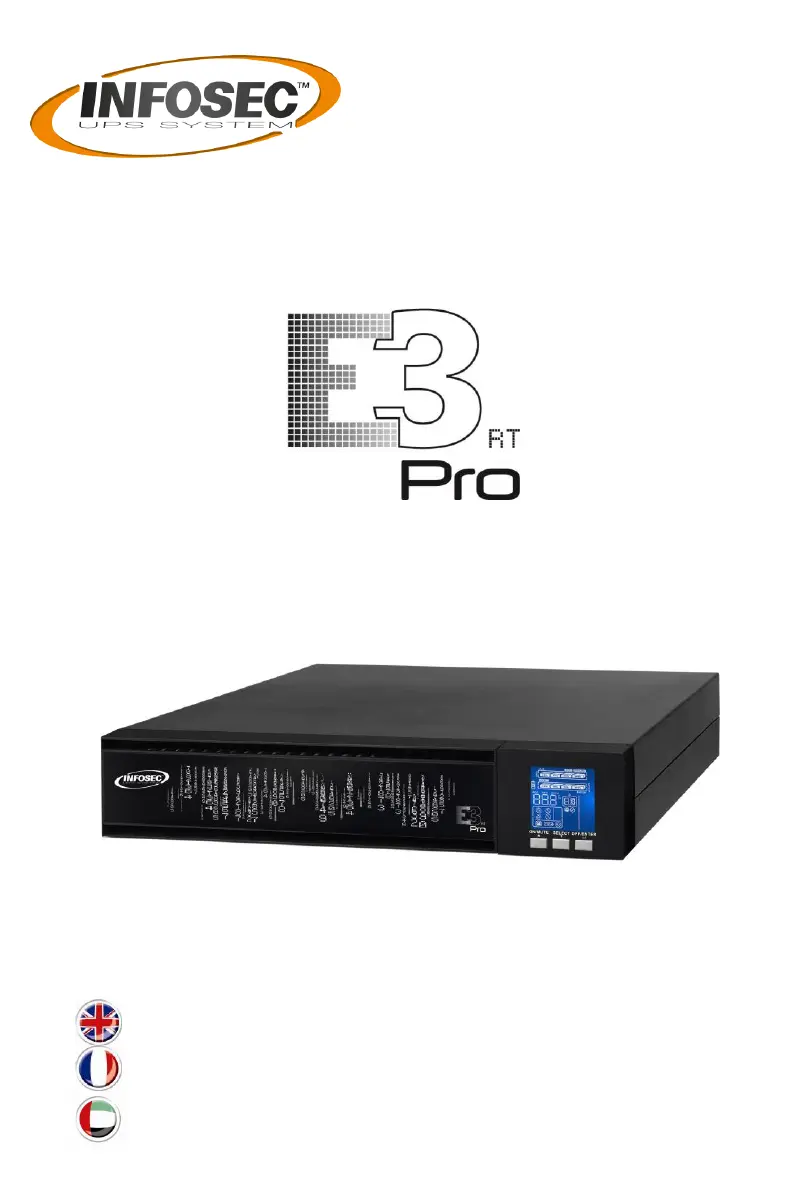
INFOSEC UPS SYSTEM E3 PRO RT 3000 VA - User Manual

INFOSEC UPS SYSTEM E3 PRO RT 3000 VA
73 pages
Print Icon
To Next Page IconTo Next Page
Loading...
USER MANUAL / MANUEL UTILISATEUR

User guide ________________________ 2
Notice d’utilisation ________________ 28
______________________________55
1000 / 2000 / 3000 VA

Questions and Answers

  • M
    Michael JordanAug 8, 2025
    Why is the INFOSEC UPS SYSTEM beeping twice every second?
    • J
      Jeffrey Bennett Jr.Aug 8, 2025
      The INFOSEC UPS SYSTEM is beeping twice every second because it is overloaded. Try removing some of the devices connected to the UPS. In some cases, the UPS might be locked in Bypass mode after repetitive overloads, feeding connected devices directly from the mains. In this case, remove excess loads, then shut down the UPS and restart it.
  • B
    bernardericAug 13, 2025
    What to do if my INFOSEC UPS SYSTEM shows fault code 43?
    • V
      Veronica WilliamsAug 13, 2025
      Fault code 43 on your INFOSEC UPS SYSTEM indicates that the UPS shut down automatically due to an overload at the output. Remove some of the connected devices to reduce the load and then restart the UPS.
  • S
    Shelby JordanAug 17, 2025
    What to do if my INFOSEC UPS SYSTEM shows fault code 14?
    • W
      wenglishAug 17, 2025
      Fault code 14 on your INFOSEC UPS SYSTEM indicates that the UPS shut down automatically because of a short circuit at the output. You should check the output wiring and the devices connected to the UPS to see if any of them are causing a short circuit.
  • C
    Caitlin GordonAug 21, 2025
    Why is the battery backup time shorter than nominal value on my INFOSEC UPS SYSTEM?
    • Y
      ylawsonAug 21, 2025
      If the battery backup time on your INFOSEC UPS SYSTEM is shorter than expected, it could be due to the following reasons: * The batteries may not be fully charged. To resolve this, charge the batteries for at least 5 hours before checking the capacity again. * The batteries might be defective.
  • W
    William LamAug 26, 2025
    What to do if my INFOSEC UPS SYSTEM displays warning code in LCD panel when turn on?
    • W
      William BrownAug 26, 2025
      A warning code displayed on the LCD panel of your INFOSEC UPS SYSTEM upon startup indicates that the internal temperature is too high. You can wait for the internal temperature to cool down before turning the UPS back on.
  • K
    Kevin SullivanAug 29, 2025
    Why is the INFOSEC UPS SYSTEM beeping every second?
    • J
      Jennifer DuffyAug 29, 2025
      If your INFOSEC UPS SYSTEM is beeping every second, the external or internal battery may be incorrectly connected. Ensure that all batteries are properly connected.
  • S
    Sandy FriedmanSep 3, 2025
    How to fix INFOSEC UPS SYSTEM when there is no indication and alarm even though the mains is normal?
    • D
      Drew CrosbySep 3, 2025
      If your INFOSEC UPS SYSTEM shows no indication and alarm even when the mains is normal: * Check that the input power cord is firmly connected to the mains. * Ensure the AC input power cord is correctly plugged into the AC input, and not the UPS output.

INFOSEC UPS SYSTEM E3 PRO RT 3000 VA Specifications

General IconGeneral
Capacity3000 VA
Output Power2700 W
Output Frequency50/60 Hz
Form FactorRack/Tower convertible
DisplayLCD
Operating Temperature0-40°C
Battery TypeSealed Lead Acid
Battery RuntimeVaries based on load
TopologyOnline Double Conversion
Communication InterfaceUSB, RS232
ProtectionSurge protection, overload protection, short circuit protection

Related product manuals