6
4. Purchase with Installments
3
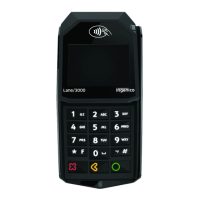
• With Installments : press
the green key, enter the
number of installments,
and then press the green
key, again.
• Without Installments :
Press the red key for
purchase without
installments.
Installments
Available upon request - Subject to approval
1
Please enter the
transaction
amount and then
press the green
key.
Enter Amount
2
If the customer wishes to pay using their
digital wallet, ask them to bring their
device closer to the POS.
Card Reading
Contactless
Chip
Magnetic
stripe
4
If PIN is requested,
hand the POS to the
customer
to enter their PIN
and press the green
key.
PIN
• Merchant Receipt:
After the approval of
the transaction, it is
automatically printed.
• Customer Receipt:
Please press the green
key to print the
customer receipt.
5
Completion & Receipt
Tap the customer's card over the POS
or insert it into the reader.



 To Next Page
 Loading...