10 11
Manual Settlement
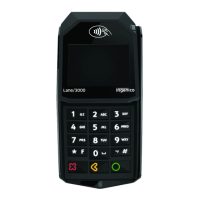
If your terminal is set to Manual Close, press [ ] to access the Main Menu,
use the scroll keys to navigate to Settlement and press [ ] to select. Then
follow the prompts displayed on the terminal display.
Timed Auto Settlement
**
If your terminal is set to Timed Auto Settle, it will automatically settle transactions
in the current batch at a specic, predetermined time, within a 24-hour period.
If the terminal is unplugged or turned o before the set time, the auto settlement
will occur when the terminal is turned on again.
The Information You Need,
When You Need it.
For Guides and Helpful Information:
chasepaymentech.ca/welcome
Call Merchant Support 24/7:
1.800.265.5158
Chase and the Octagon logo are registered trademarks of JPMorgan Chase Bank, N.A. © 2019 JPMorgan Chase
& Co.
WK-QRG-IN-TETRA-EN-0319



 To Next Page
 Loading...