EasyManua.ls Logo

Ingersoll-Rand 1400 - User Manual

Ingersoll-Rand 1400
24 pages
Print Icon
To Next Page IconTo Next Page
Loading...
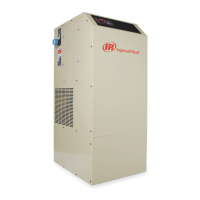
NIRVANA CYCLING REFRIGERATED DRYER
MODELS 1000-1600
OPERATORS MANUAL
C.C.N. : 80442791
DATE : DECEMBER 2006
REV. : A
Ensure that the operator reads and understands the
decals and consults the manuals before maintenance
or operation.
Ensure that the Operation and Maintenance manual is
not removed permanently from the machine.
Ensure that maintenance personnel are adequately
trained, competent and have read the Maintenance
Manuals.
a

Questions and Answers

  • M
    Mark JohnsonAug 19, 2025
    Why is there a high pressure drop across my Ingersoll-Rand 1400 Dryer?
    • T
      Tammy FoxAug 19, 2025
      A high pressure drop across your Ingersoll-Rand Dryer can occur for several reasons. First, ensure that the inlet and outlet valves are completely open. If not, open them fully. Blocked inlet and outlet filters can also cause this issue, so change the filter elements. Other potential causes include a stuck compressor relay/contactor, which would require replacing the relay/contactor, or a bad microprocessor control relay, which would also require replacement. Inspect the probe and check readings against an independent source (e.g., temperature analyzer/pyrometer/ice bath) both in the exchanger well and to ambient if the probe is not completely in the thermal well. If the problem persists, turn the dryer off and consult your local distributor.
  • J
    Javier HermanAug 22, 2025
    What should I do if my Ingersoll-Rand Dryer displays an unrealistic temperature?
    • H
      Holly Mercado DVMAug 22, 2025
      If your Ingersoll-Rand Dryer is showing an unrealistic temperature, start by inspecting the probe cable and terminal connection to ensure they are secure. A loose connection or a defective probe can cause this issue. If the connections are good, the probe itself may be defective and need replacing.
  • P
    paulevansAug 26, 2025
    How to fix erratic temperature readings on my Ingersoll-Rand 1400?
    • B
      Brandon MorenoAug 26, 2025
      To address erratic or inaccurate temperature readings on your Ingersoll-Rand Dryer, begin by inspecting the probe to ensure it is completely in the thermal well. Also, check the readings against an independent source, such as a temperature analyzer, pyrometer, or ice bath, both in the temperature well and ambient. If the probe placement and external readings seem correct, the probe itself may be defective and require replacement.
  • J
    jyoderAug 28, 2025
    What causes an unrealistic pressure display on my Ingersoll-Rand 1400 Dryer?
    • H
      hmitchellAug 28, 2025
      An unrealistic pressure display on your Ingersoll-Rand Dryer can be caused by a transducer issue. Inspect the transducer cable and terminal connection to ensure they are properly connected. If the connections are secure, the transducer itself may be defective and need to be replaced.
  • M
    Mark JacksonAug 31, 2025
    What to do if my Ingersoll-Rand 1400 Dryer controller display appears to be malfunctioning?
    • B
      Brittany HensleyAug 31, 2025
      If the controller display on your Ingersoll-Rand Dryer appears to be malfunctioning, first check the fuses to see if any are blown. If the fuses are intact, contact your local distributor for further assistance, as it may indicate a board failure.
  • T
    thomas73Sep 3, 2025
    Why is there air bleeding from the condensate drain outlet port of my Ingersoll-Rand Dryer?
    • C
      Christopher WolfeSep 3, 2025
      If you notice air bleeding from the condensate drain outlet port of your Ingersoll-Rand Dryer, it could be due to debris trapped under the seal. Try pressing and holding the test button to clear it, which will open the drain valve. If the issue persists, the seal may be damaged and need replacing with a Service Kit.
  • J
    John GomezSep 6, 2025
    What to do if the condensate drain doesn't fire on my Ingersoll-Rand 1400?
    • A
      Angela WilliamsSep 6, 2025
      If the condensate drain on your Ingersoll-Rand Dryer isn't firing, start by checking that the installation is in accordance with this manual and revise it accordingly. If the inlet/outlet pipe internal diameter is too small, causing an air-lock or back pressure, replace it with larger diameter piping. If there is excessive use of bends/elbows in the inlet/outlet pipe work causing air-lock/back pressure, reduce the amount of bends and elbows. If the outlet pipe is too long/too high causing back pressure, reconfigure the condensate piping. If more than one condensate source is connected, providing an alternative path for condensate, reroute the condensate to eliminate the secondary path and install check valves as required.
  • E
    Erin ColeSep 9, 2025
    What does it mean if the condensate drain LED is off on my Ingersoll-Rand 1400 Dryer?
    • B
      Brenda TorresSep 9, 2025
      If the condensate drain LED is off on your Ingersoll-Rand Dryer, check the power supply. Press the test button for a minimum of 2 seconds and observe. Locate and eliminate any supply fault.
  • H
    hawkinskimberlySep 12, 2025
    What to do if the condensate drain bowl of my Ingersoll-Rand 1400 Dryer doesn't fill and seems air-locked?
    • M
      Michele HartmanSep 12, 2025
      If the condensate drain bowl on your Ingersoll-Rand Dryer doesn't seem to fill with condensate and appears air-locked, and you're using the bottom inlet, ensure the top port is used as an air bleed. Connect the top inlet to a higher point in the system; this will function as an air bleed for the drain.
  • J
    Jeffrey BrownNov 15, 2025
    What to do if there is moisture downstream from my Ingersoll-Rand 1400 Dryer?
    • J
      Jamie HughesNov 15, 2025
      If you notice moisture downstream from your Ingersoll-Rand Dryer, several factors could be the cause. First, a defective service unit can cause condensate drain failure, so consider replacing the service unit. Excessive flow can also be a factor; check the inlet and outlet pressure and the system design capacity and correct any issues causing excessive flow. Ensure the dryer by-pass valve is completely closed. Check the power supply and fuses/circuit breakers to ensure the dryer is receiving power. High suction pressure can also cause moisture, so check and clean the condenser. If the suction pressure gauge reads 0 psig, there may be a refrigerant leak; turn the dryer off and contact your distributor. If the compressor isn't running but the fan is, inspect and clean the condenser. High amb...

Summary

Receiving, Inspection, and Safety

General Safety and Operation Precautions

Lists essential safety rules and precautions for operating and maintaining the air dryer.

Safety Notice Definitions

Explains the meaning of different safety symbols and terms (Warning, Caution, Notice) used in the manual.

Principles of Operation

Dryer Control System

Introduces the microprocessor control system, its features, and access levels.

Basic User Interface

Explains the keypad layout and basic functions of the dryer's control panel for user operation.

Dryer Set Points and Alarms Summary

Details user-adjustable set points and provides a summary of potential dryer alarms.

Adjusting Dryer Set Points

Provides step-by-step instructions for modifying user-adjustable set points on the controller.

Alarm Functions and Descriptions

Explains the various alarms, their display messages, and their operational impact.

Installation and Initial Start-Up

Electrical Connection Procedures

Outlines the procedures and precautions for connecting the dryer to the electrical power supply.

Initial Start-Up Procedures

Provides essential notices and warnings before initiating the first start-up.

Start-Up Sequence Steps

Details the sequence of events and checks during the initial start-up process.

Scheduled Maintenance

Technician Mode Operations

Troubleshooting Guide

Problem and Action Guide

A detailed table listing common problems, symptoms, causes, and corrective actions.

Wiring Diagrams

Replacement Parts List

Engineering Specifications

Ingersoll-Rand 1400 Specifications

General IconGeneral
BrandIngersoll-Rand
Model1400
CategoryDryer
LanguageEnglish

Related product manuals