The Action Camera can only be turned on after it is firmly installed.
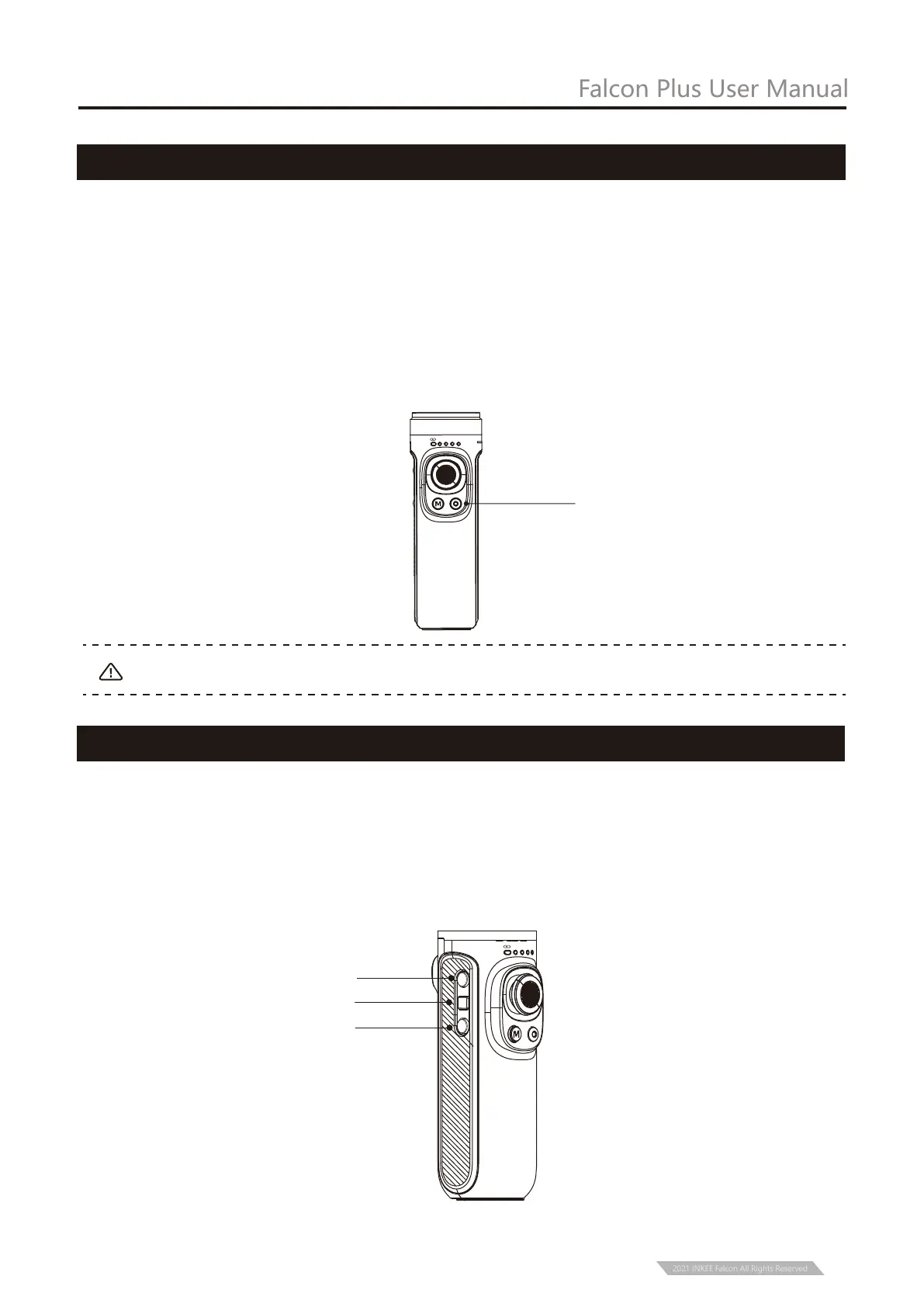
① Under the condition of power on or off, Long press two seconds the power button to turn
on or turn off the gimbal.
② Under the condition of power on or off, single press the power button to display the
power of stabilizer.
③ In the boot state, double press the power button into standby mode, and then single
press any button to restore the working state of the stabilizer.
④ In the boot state, continuously and quickly press eight times to clear the remote-control
pairing. Too slow will trigger standby.
Power Button
Falcon Plus User Manual
Power Button
Note:
5
Shutter Button
PF HL
FPV
FL
Shooting Button
Time-lapse Button
REC Button
Shooting Button: Single press to shoot
REC Button: Single press to start recording or stop.
Time-lapse Button: Single press the button to start time-lapse shooting or stop.
PF
HL
FPV
FL
2021 INKEE Falcon All Rights Reserved


 To Next Page