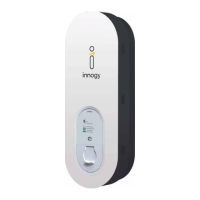
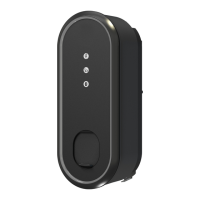
Configuration for private use
Technical commissioning and configuration must be
carried out entirely by an electrician. Have the PUK of your
eBox at hand for this purpose.
You will find the PUK on the back of these instructions for
use. Keep the PUK and the instructions for use in a safe
place and also pass them on to any subsequent owners of
the eBox.
After technical commissioning by the electrician, you as the
user can configure, control and manage your eBox via app.
You have the option of using the innogy eCharge+ app or
your provider’s app:
Via innogy eCharge+ app
Please download the innogy eCharge+ app from the Apple
or Google Play Store. You can configure your eBox in the
menu item “Charge at home”. Please follow the instructions
in the app.
Via third-party app
For details on how to use your provider’s app, please
contact your eBox dealer.
Configuration for commercial use
Technical commissioning and configuration must be
carried out entirely by an electrician.
You have the option of connecting your eBox to the innogy
eMobility backend or a third-party backend of your choice:
Via innogy eMobility backend
With your purchase of the innogy eOperate software service,
your product’s system was automatically configured to your
specified e-mail address. Please use the eOperate portal for
any configuration and administration. You have received the
initial password by e-mail. If you no longer have it, you can
reset your password at eoperate-portal.com.
Via OCPP/third-party backend
Please contact your backend provider if you have any
questions about the system configuration.
Note
This product contains
antennas that emit
electromagnetic fields
that can interfere
with other electronic
devices such as mobile
phones and medical
devices when exposed
to prolonged periods
of time at intervals
less than 3.5 cm. If
prolonged exposure
is expected, a minimum
distance of 20 cm is
recommended to
avoid interference.
eBox system configuration
eBox system configuration
Would you
like to use
the innogy
eCharge+ app?
Download the
app:


 To Next Page