Need help?
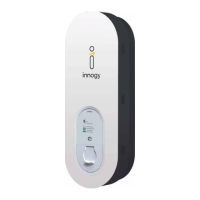
Do you have a question about the Innogy eBox smart and is the answer not in the manual?
Covers DANGER, IMPORTANT, NOTE categories with safety advice and precautions.
Lists items included in the eBox smart package: instructions and PUK.
Identifies and describes eBox smart components via numbered labels and diagrams.
Steps 01-02 for connecting data cables between eBox and eClick, including port identification.
Steps 03-05 for physically mounting the eBox onto the eClick, ensuring proper bracket engagement.
Steps 06-07 for securing the eBox with grub screws and powering on the circuit.
Details private user configuration via electrician and app (innogy eCharge+ or third-party).
Explains commercial setup via innogy eMobility or third-party backends (eOperate, OCPP).
Outlines the four steps of charging: connecting, authenticating, charging, and disconnecting the vehicle.
Specifies proper use of charging cables, prohibiting adapters and extensions.
Addresses issues like no power, incorrect cable connection, and restarting the eBox.
Explains disruptions due to overheating and vehicle charging issues.
Describes LED status for authentication, vehicle connection, and Bluetooth faults.
Details device errors requiring immediate disconnection and electrician consultation.
Lists technical details: charging points, cable length, IP code, weight, dimensions.
Details operating temperature, air humidity, altitude, and protection class.
Specifies input power, charging power, output power, and plug assembly.
Covers fault monitoring, overvoltage protection, vehicle/backend communication.
Describes display elements and recommended external protective accessories.
Key notes on eBox/eClick compatibility, AC mains, and vehicle charging modes.
Info on maintenance-free eBox, disposal regulations, and cleaning guidelines.
Steps for safely disassembling the eBox from the eClick, including grub screw removal.
 General
| Brand | Innogy |
|---|---|
| Model | eBox smart |
| Category | Automobile Accessories |
| Language | English |

 To Next Page