Using the Diagnostic Tool
CODE RETRIEVAL PROCEDURE
3150e 35
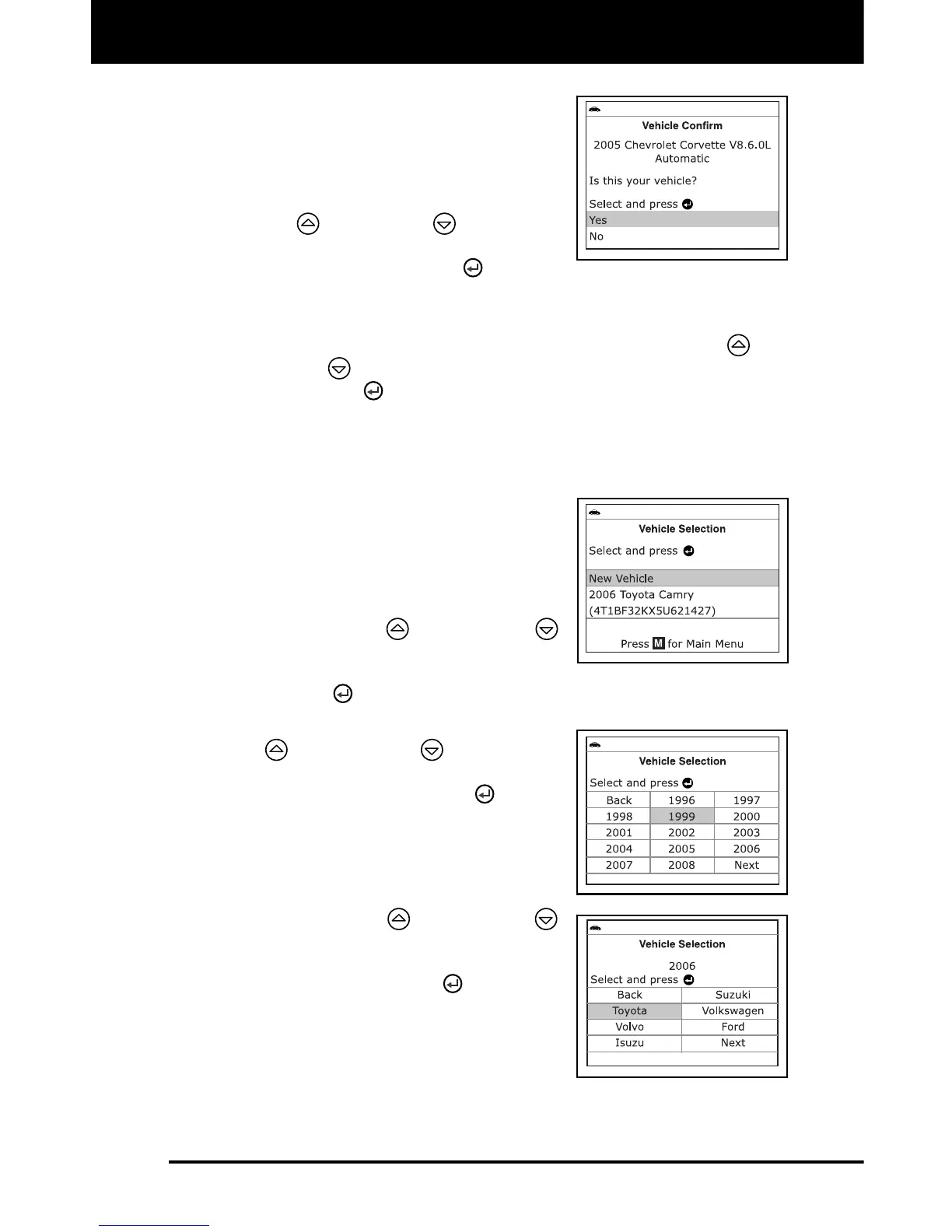
7. If the Diagnostic Tool can decode the
Vehicle Identification Number (VIN) for
the vehicle under test, the Vehicle
Information screen displays.
If the information shown is correct
for the vehicle under test, use the
UP
and DOWN buttons, as
necessary, to highlight Yes, then
press the ENTER
button.
Proceed to step 10.
If the information shown is not correct for the vehicle under text,
or if you wish to manually select the vehicle, use UP
and
DOWN
buttons, as necessary, to highlight No, then press
the ENTER
button. Proceed to step 8.
If the Diagnostic Tool cannot decode the Vehicle Identification
Number (VIN) for the vehicle under test, the Select Vehicle
screen displays. Proceed to step 8.
8. When No is selected from the Vehicle
information screen, the Select Vehicle
screen displays. The Select Vehicle
screen lists the three most recently
tested vehicles.
To select a previously tested vehicle,
use the UP
and DOWN
buttons, as necessary, to highlight
the desired vehicle, then press the
ENTER
button. Proceed to step 10.
To select a new vehicle, use the UP
and DOWN buttons, as
necessary, to highlight New Vehicle,
then press the ENTER
button.
Proceed to step 9.
9. When New Vehicle is chosen from the
Select Vehicle screen, the Select Year
screen displays.
Use the UP and DOWN
buttons, as necessary, to highlight
the desired vehicle model year, then
press the ENTER
button to
continue. If necessary, select Next
to view additional options.
- The Select Make screen dis-
plays.


 To Next Page