Product analysis: innovaphone VoIP products 2010
Copyright © 2010 by ComConsult Technologie Information GmbH Page 19
Concept
A lab environment was set up in the Com-
Consult laboratory in order to test the new
functions, as mentioned above. Two charac-
teristics were picked out as examples for the
lab project: on the one hand, the new pres-
ence functionality and on the other hand, in-
tegration of the Microsoft Exchange 2007 as
a UM service.
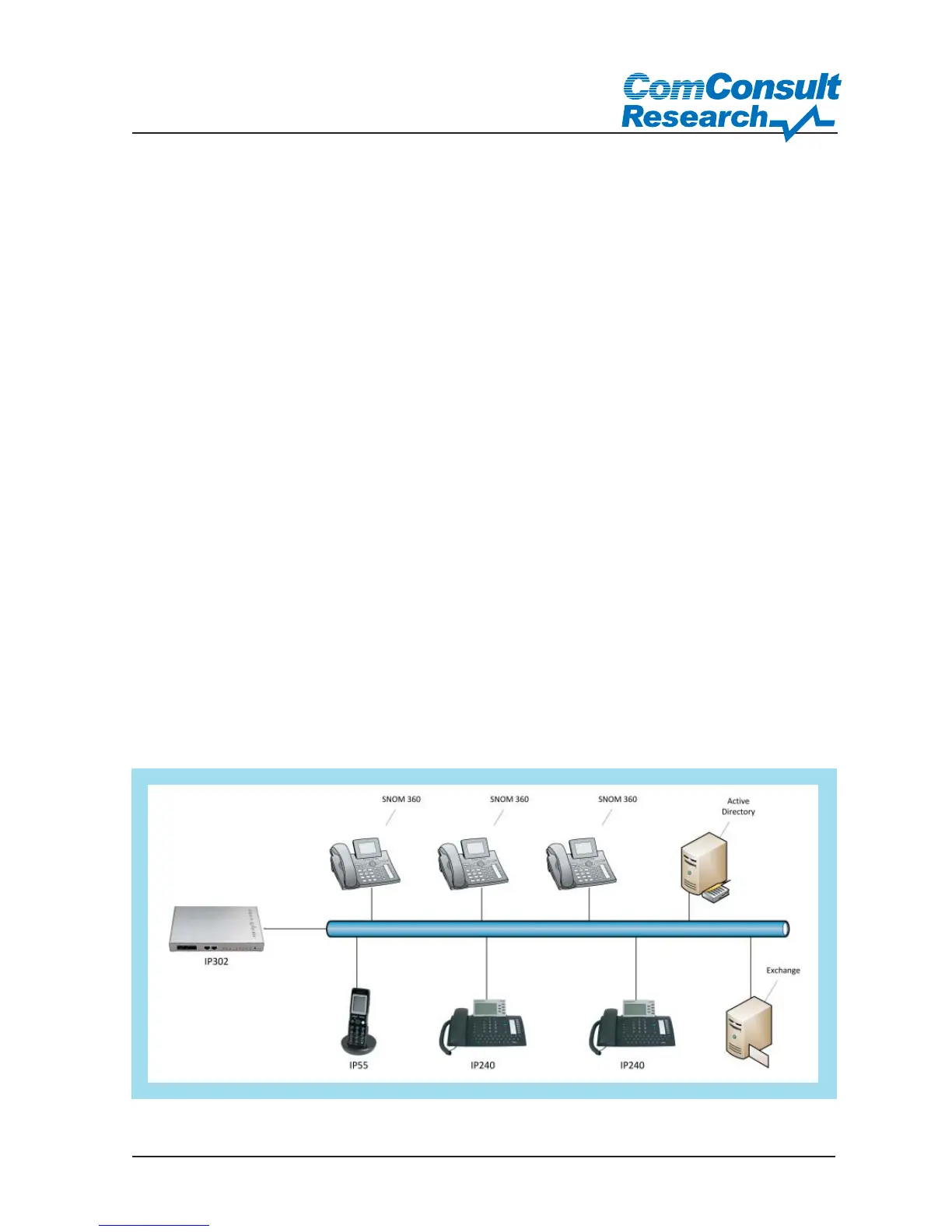
Lab set-up
The telephone system IP302 served as the
basis for the setup. The firmware used was
the version “8.00 hotfix1”. The IP55 and IP240
models were used as terminals. A few SNOM
360 terminals were added for interoperabili-
ty testing. All models were powered using a
PoE capable switch. The IP302 also had the
role of a DHCP server and ISDN gateway for
the break-out into the public telephone net-
work. The DECT telephone IP55 was registe-
red to the relevant DECT station IP1200. A Mi-
crosoft server 2008 was used as the domain
controller in order to show the connection to
the Microsoft Unified Messaging solution, as
well as Exchange 2007 on a Microsoft Hyper-
V platform.
Commissioning and administration
After the device was commissioned, all the
steps were carried out using the web based
management interface. There were no re-
strictions in selecting a browser; in addition
to the obligatory Internet Explorer support,
Mozilla Firefox is also supported (tested with
Version 3.6). The system is compatible and
easy to service due to the fact that no Java-
Applets and other browser plug-ins have
been used.
Practical installation in the ComConsult Laboratory
Figure 19: Lab set-up



 To Next Page