Errors excepted, subject to availability and modifications.
E 05/2020 | A 05/2020, Copyright © 2000-2020 innovaphone® AG
innovaphone® AG | Umberto-Nobile-Str. 15 | D-71063 Sindelfingen | Phone +49 7031 73009-0 | www.innovaphone.com | E-Mail: info@innovaphone.com
4 / 12
innovaphone IP101/102 – User Guide
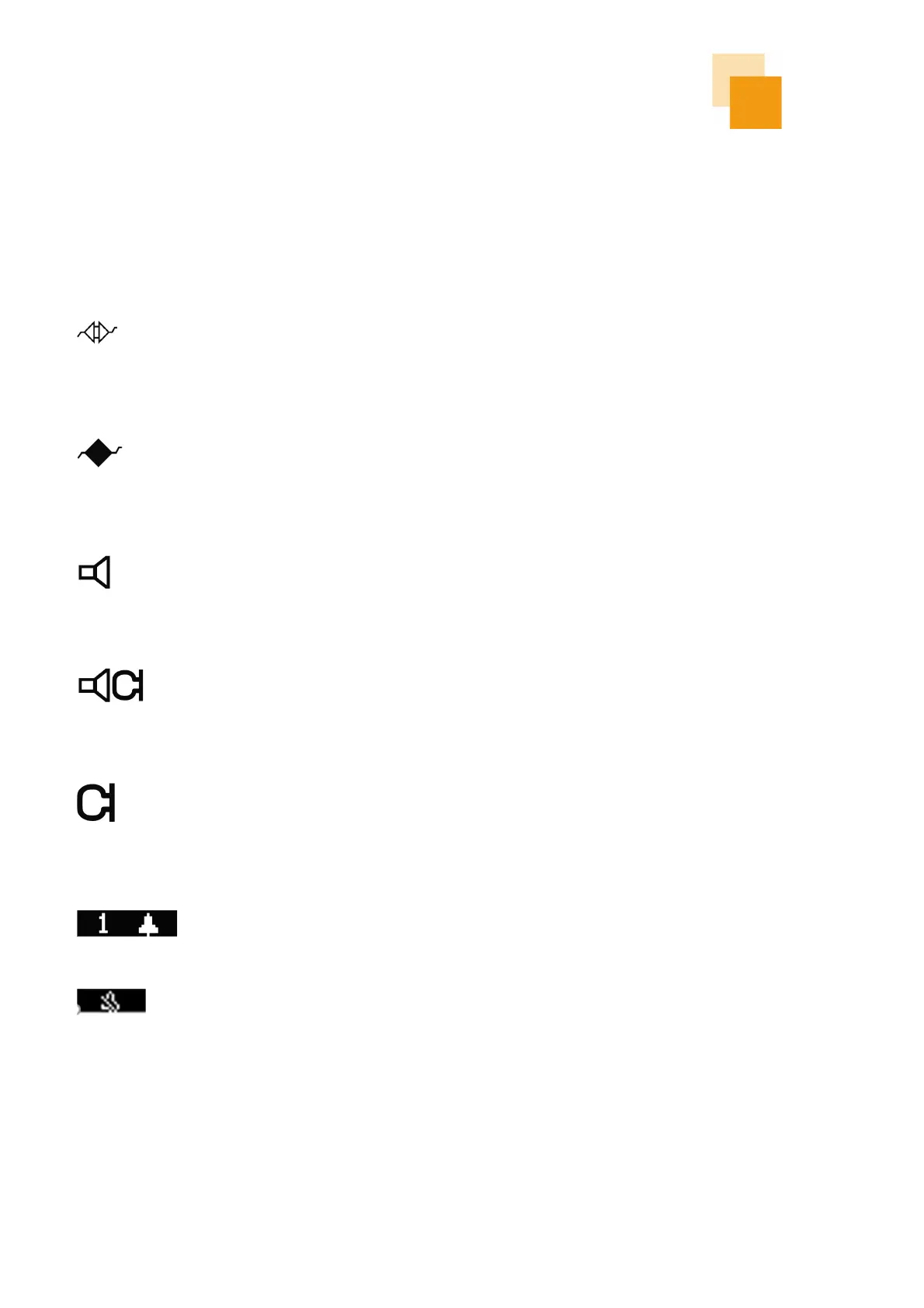
Symbols on the Phone Display
The status of the phone is shown on left side of the display with a corresponding symbol. In the case of
symbols that rule each other out, only the symbol that is currently active will be shown.
Not registered
Error: The phone is not connected to the telephone system
(PBX) and does not work!
Registration active
The phone is connected to the telephone system (PBX).
Speaker
The speaker is turned on.
Handsfree
Microphone and speaker symbol both symbolize hands-free
function.
Symbol is flashing
Microphone is turned off
The microphone is switched off on the audio device that is
currently in use (handset, hands-free, headset). Other audio
devices are not active. The other party cannot hear you.
Missed calls
There are missed calls. The number of missed calls is indicated.
Do not disturb
Depending on the configuration, the ringing is turned off. In the
default setting, ringing is switched off for all calls. The setting
can be changed to be limited to one call, answered with busy or
completely ignored. In addition, the setting can be limited to
internal or external calls.



 To Next Page