DA2 Installation Guide
2.2 Windows 2000
Before connecting your DA2 insert the DA2 CD-ROM into
your PC.
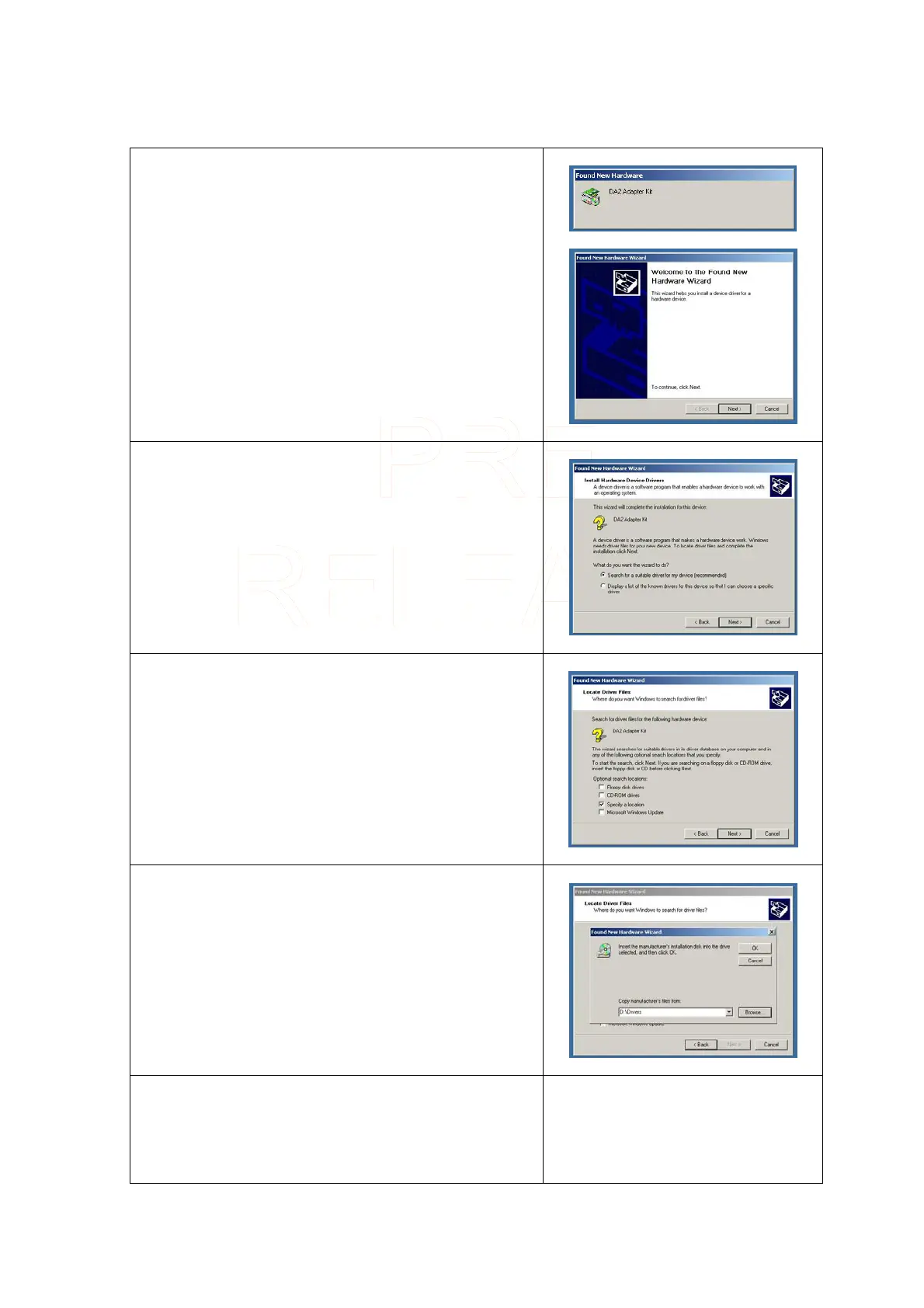
Once you have connected your DA2
a window open
showing your PC has found a new device.
When the Add New Hardware Wizard starts the following
screen will be displayed.
Click on Next >
Make sure that Search for a suitable driver for my device
is checked.
Click on Next >
On the following screen make sure that Specify a location
is checked.
Click on Next >
A browser window will open to allow you to select the
driver’s location. In the location box type “χ:\drivers”
where χ represents your CD-ROM drive letter (usually D).
Click on Next >
A box will be displayed indicating that the driver has been
found.
Innovative Technology Ltd Page 6 of 12



 To Next Page