DA2 Installation Guide
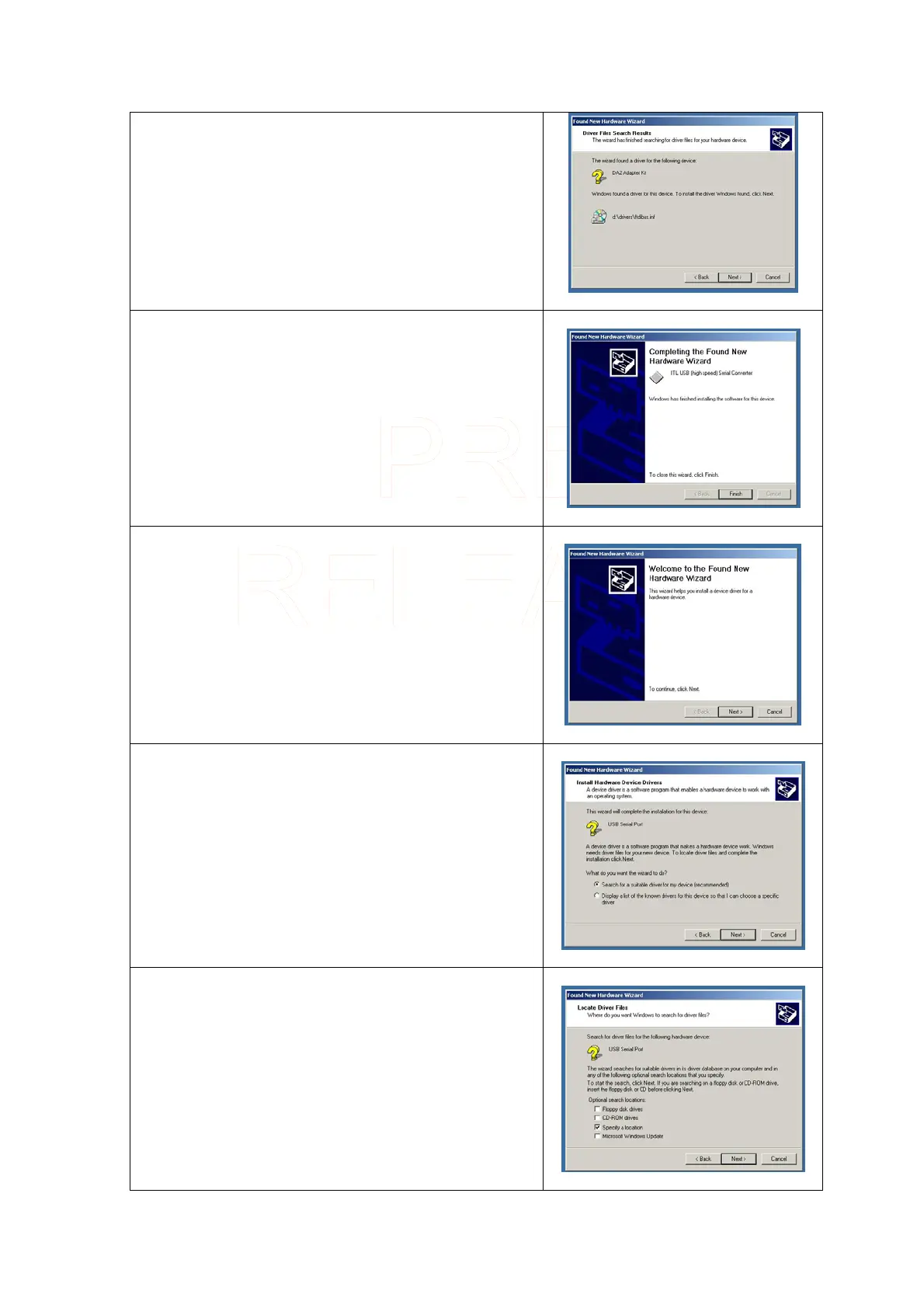
Click on Next >
When the driver has been successfully installed, the
following screen will be shown.
Click on Finish
A second New Hardware Wizard will open.
Click on Next >
Make sure that Search for a suitable driver for my device
is checked.
Click on Next >
On the following screen make sure that Specify a location
is checked.
Click on Next >
Innovative Technology Ltd Page 7 of 12



 To Next Page