NO TOC CD-RW
AUTO TRACK
PHONO AUX
TAPE
-dB 30 12 6 3 0 OVER
L+R
TR
NO TOC CD-RW
AUTO TRACK
PHONO AUX
TAPE
-dB 30 12 6 3 0 OVER
L+R
TR
Recording
Audio from the PHONO, TAPE or AUX sources can be recorded on the CD recorder.
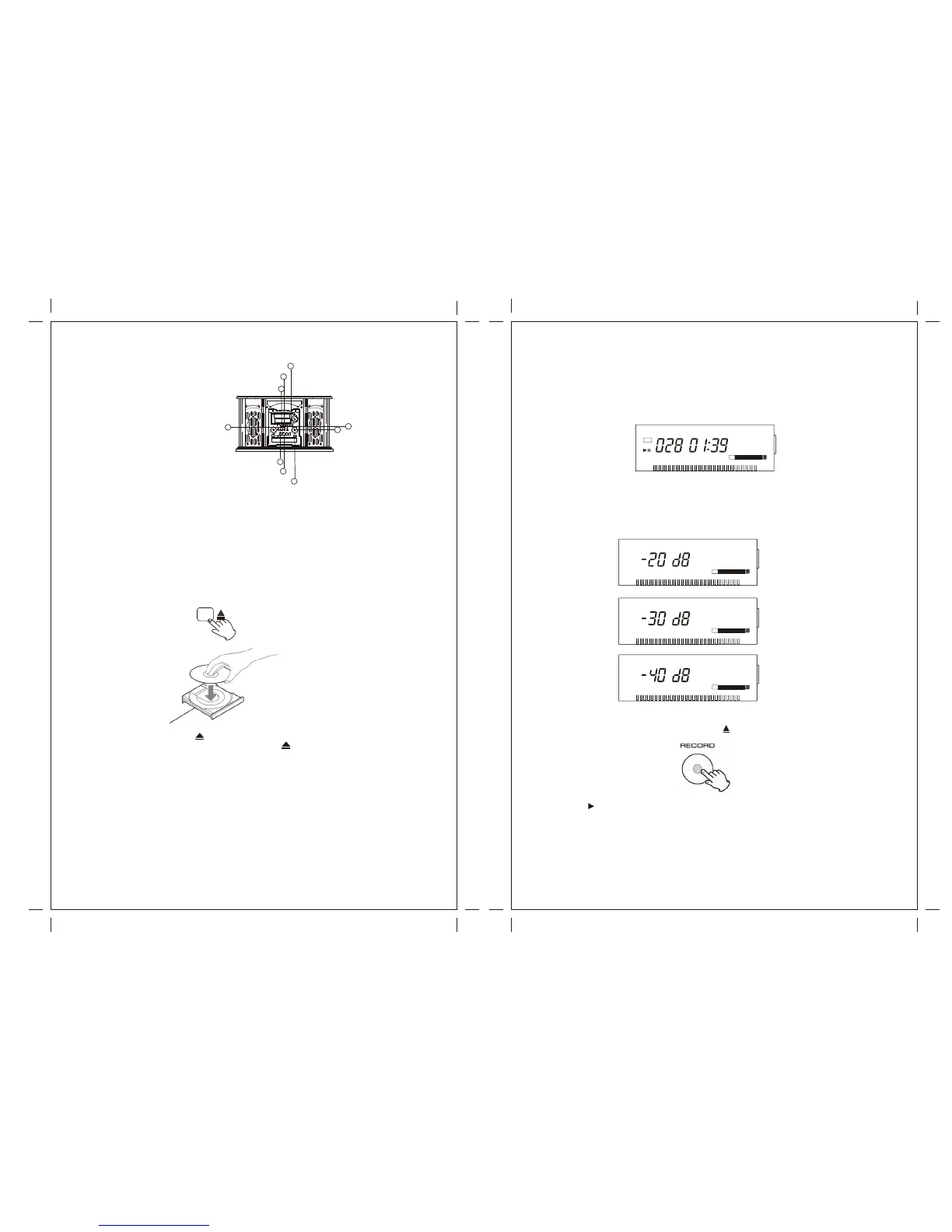
1. To record a record, select PHONO.
2. Record an external source, press the AUX button and connected the cable to the AUX IN
jacks at the back, Select AUX.
3.
4. Load a recordable CD-R or CD-RW disc into the unit.
Press the OPEN/CLOSE button( ), place a disc on the disc tray with the printed
label side up, and then press the OPEN/CLOSE button( ) to close the disc tray.
Make sure “NO TOC” and “CD-R”(or “CD-RW') indicators lights on the display, or the
RECORD button in step 4 will not work.
To record the cassette tape.
The display will show “Busy CD” and the disc is reading, waiting until the reading is
complete before next step.
A. Select the more of track number assignment with Track Increment.
The unit will record the next track when you press the TRACK INCREMENT button every
time. Maybe the current track doesn't finish the recording, but if you press the TRACK
INCREMENT button, the unit will record the next track.
B. Select tracks automatically division assignment with AUTO MANUAL.
If you are busy, select tracks automatically division assignment with AUTO MANUAL button,
when the sound level has dropped below the -20db/-30db/-40db (record signal) for more
than 2 seconds, the current track will automatically stop, and record another one. And you
only can set a sort of record signal every time.
to adjust the recording level using the REC level knob, The
display will show from 00 to 79, then press the ( ) button.
TRACK INCREMENT
The unit doesn't divide tracks.
5. Press the RECORD button
“REC” and ( ) will appear on the display, and the unit enters record pause mode.
No button will work while “busy” is displayed. Wait a few seconds until “busy” disappear
from the display.
Reload a recordable disc, wait a few seconds until “NO TOC” and “CD-R” (or “CD-RW”)
indicators light on the display, and press the RECORD button again.
26 27
NO TOC CD-RW
AUTO TRACK
REC
PHONO AUX
TAPE
-dB 30 12 6 3 0 OVER
L+R
TR
NO TOC CD-RW
AUTO TRACK
PHONO AUX
TAPE
-dB 30 12 6 3 0 OVER
L+R
TR
8
5
1
2
4
3
6
B
A
AUX IN


 To Next Page