Preparation for Use to the mains
1. Connect the AC power cord to the mains.
2.Remove white protective needle cover by gently pulling towards front of unit.
3. Release TONE ARM by gently pushing hold-down clip to the right. This will unlock tone
arm from its arm rest. Re-lock the hold-down clip when moving the unit to another
location.
26 MANUAL/AUTO REC
Use this button to select the mode of track number assignment.
27 CASSETTE EJECT
12
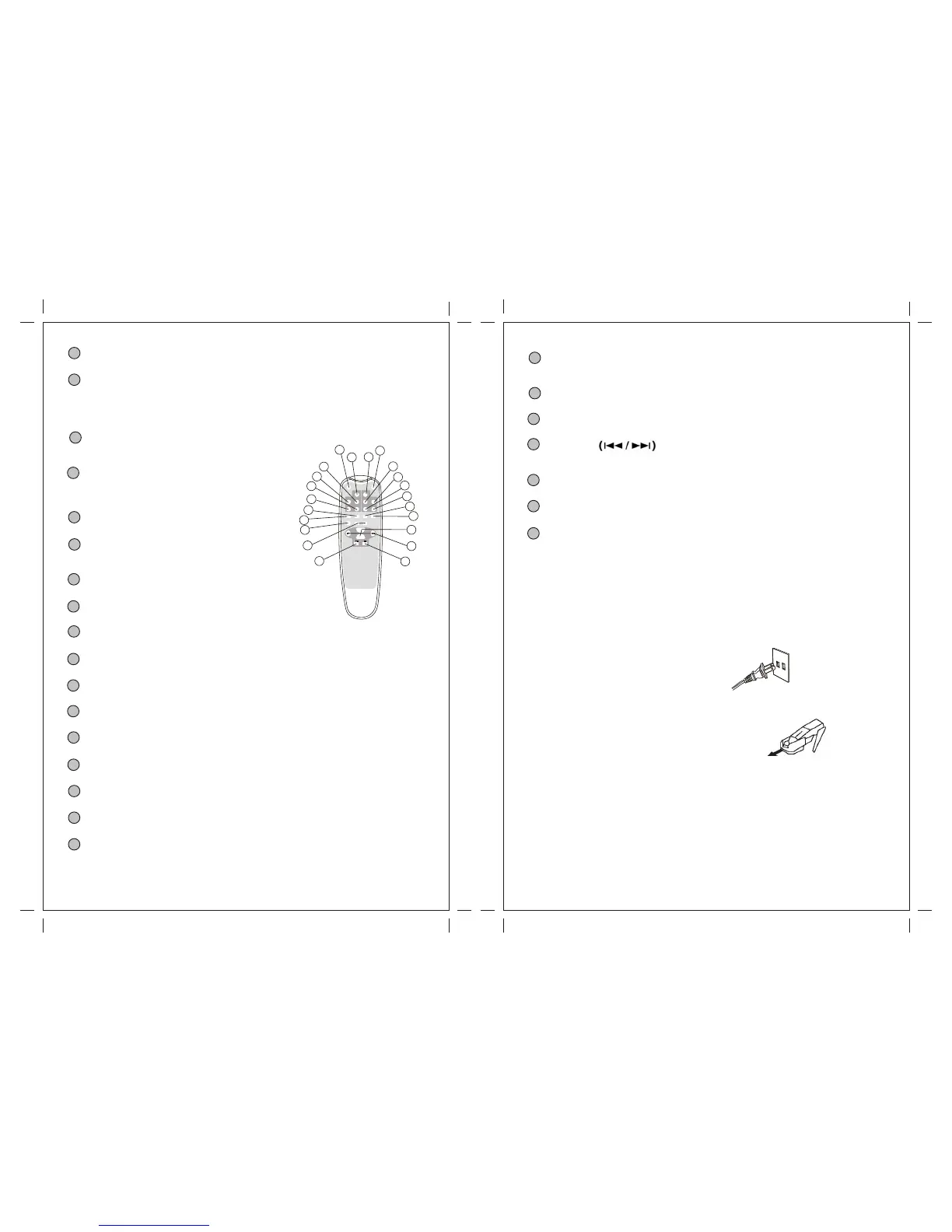
Remote Control
OPEN/CLOSE
In CD,PHONO or AUX mode, use this button to
open and close the disc tray.This button don't
work I n FM/AM mode.
CD
Press the CD button to play a CD.
REPEAT
In CD mode, use this button to select a repeat
Mode of CD.
PROGRAM
In CD mode, use this button to program tracks.
SHUFFLE
In CD mode, use this button for shuffle playback.
DISPLAY
In CD mode, use this button to change the display.
TRACK INCREMENT
During recording, use this button to divide tracks.
MANUAL/AUTOINCREMENT
Use this button to select the mode of track number assignment.
Record
Use this button to record CD.
FINALIZE
Use this button to finalize a CD-R/CD-RW disc.
ERASE
Use this button to erase or unfinalize a CD-RW disc.
Clear
In CD mode, use this button to clear programmed tracks.
PHONO
Press the PHONO button and select PHONO to play a record.
STAND BY
Press the STAND BY button, the display is lighted
During stand by mode(but nothing show on the display);
REC VOL+/REC VOL -
Use this button to adjust the record volume.
A
B
C
D
E
F
G
H
I
J
K
L
M
N
O
13
AUX
Press the AUX button and select AUX to listen to the external source connected to the
AUX IN jacks.
Radio
Press the FM/AM button to listen to the radio.
TAPE
Press the TAPE button to play cassette.
MUSIC SKIP
In CD mode, use these buttons to skip tracks. Hold down these buttons to search for a
Part of a track.
PLAY/PAUSE
Use this button to play/pause recording, finalizing and erasing.
STOP
Use this button to stop playback or recording.
VOL+/VOL-
Use this button to adjust the volume.
P
Q
R
S
T
U
V
STAND BY
REPEAT
SHUFFLE
PROGRAM
OPEN/
CLOSE
CLEAR
DISPLAY
PHONO
TAPE
AUX
RADIO
CD
RECORD
REC VOL- REC VOL+
MANUAL/
AUTOINCREMENT INCREMENT
TRACK
FINALIZE
ERASE
VOL-
VOL+
A
B
G
O
P
C
Q
R
H
I
F
D
N
E
M
L
J
K
U
S
V
T


 To Next Page