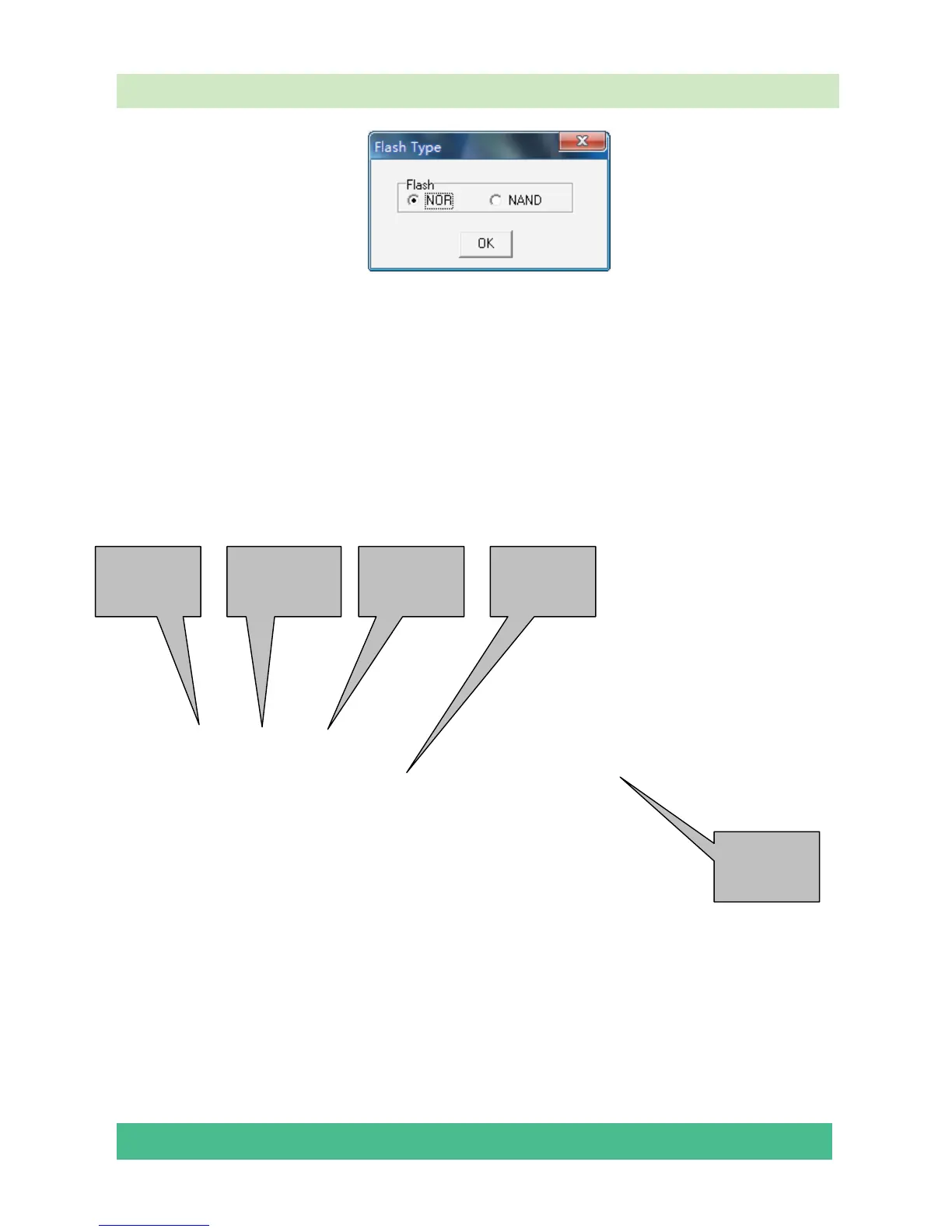
selsect “NOR”,click “OK” and enter the MtkTool main interface, see the following
picture.
Flash chip model
Please refer to follow steps to update the software:
1—Select mode of Flash chip to MT5387 as the below picture.
2—Refer to the next page instruction to select the communicate port.
3—Press the icon beside the baud rate and make sure it is green as the below picture.
4—Set the flash baud rate to 115200 as the below picture.
5—Click the browse button to select the *.bin file that will be updated.
6—Click the “start” button to update software.
Select mode
of Flash chip
Communicate
port
Set Flash
Baud Rate
Select *.bin
file
Start upgrade









 To Next Page