6.3 Upgrading with the MtkTool
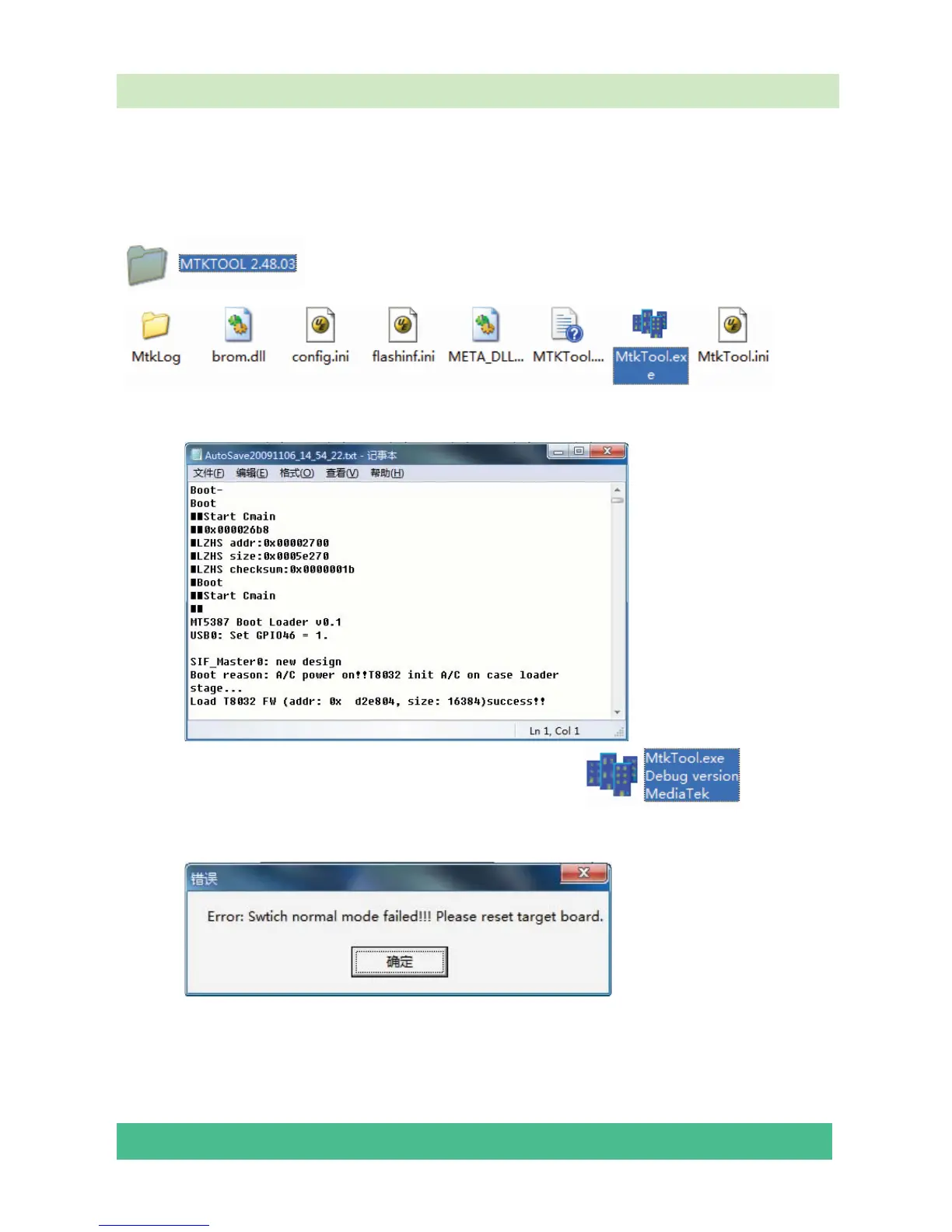
MTKtool is a green program needing no installation. It is saved in the folder
. There are five folders/files in this folder altergether.
The MtkTool using log is restored in the MtkLog folder. It records the running time and date
whenever the tool is used. The log will be a txt file named by the date and time.
After connecting the TV with your PC, double click icon, open the
MtkTool.
If following error appears, it means the related port is not be set properly.
Ignore these errors, click “Confirm” and enter the Flash Type interface:





 To Next Page