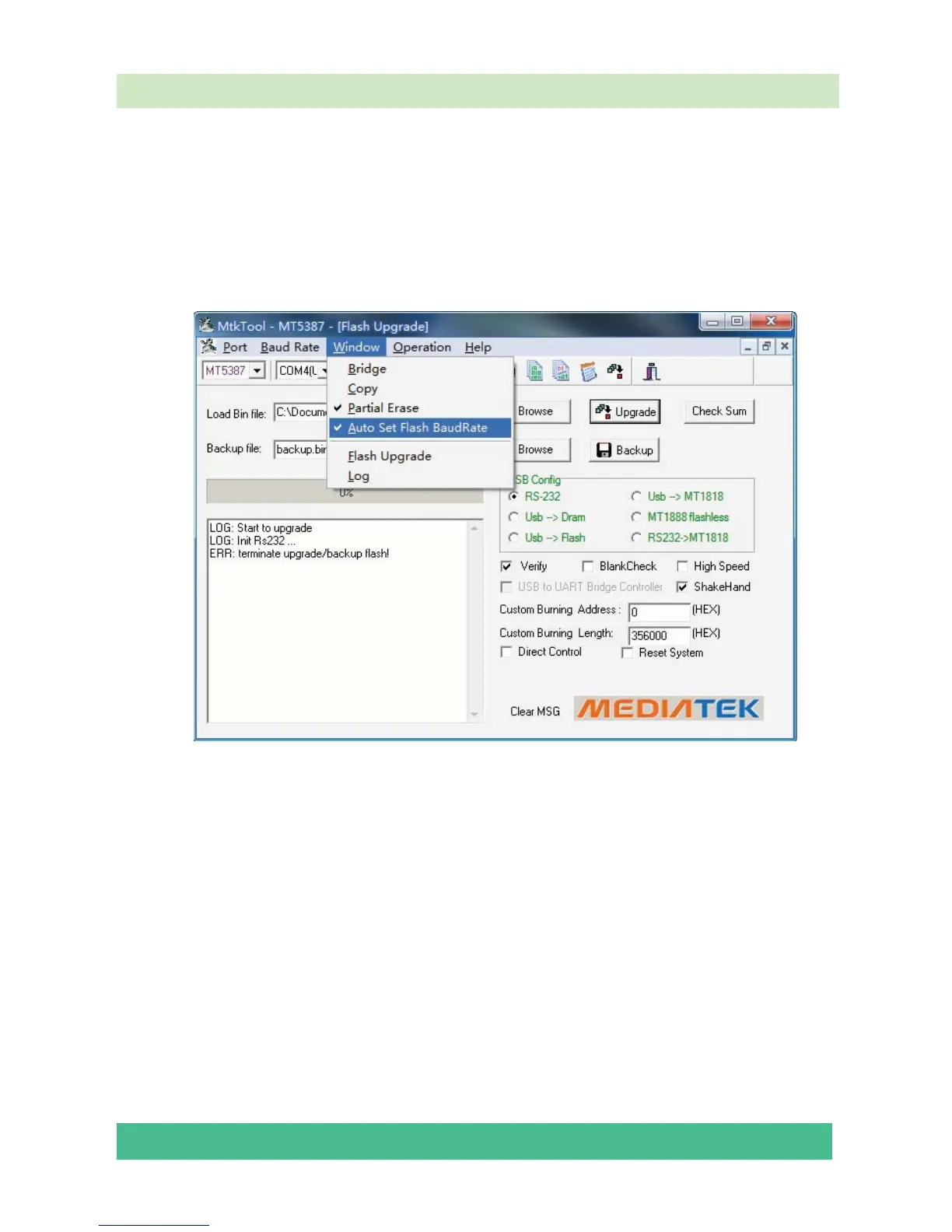
Open “Device Manager” and find which port is connected with the TV. In above picture, COM4
is connected to the TV; so, select “COM4” in the MtkTool main interface. Select the right baud rate
according to chip model. For this unit( chip model is MT5387), select 115200.
Note: Where or not click the “Auto Set Flash Baud Rate” in the “window” menu depends
on the chip type. If the flash chip does not support high speed transport, do not select this option;
otherwise, reserve the selected mood.
Click “Browse” button, find the upgrading program file, and select it. Press “Upgrade” button
and start upgrading.
The following interface appears on the screen, indicating upgrading successfully.




 To Next Page