EasyManua.ls Logo

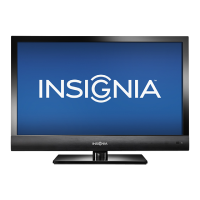
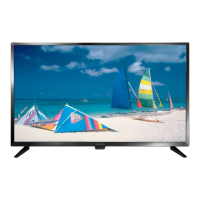
Insignia NS-32E321A13 - User Manual

Insignia NS-32E321A13
55 pages
Print Icon
To Next Page IconTo Next Page
Loading...
NS-32E321A13
User Guide
32" LED TV

Table of Contents

Other manuals for Insignia NS-32E321A13

Questions and Answers

  • K
    kellydarleneAug 28, 2025
    Why is the color wrong on my Insignia NS-32E321A13 LED TV?
    • T
      Terry PonceAug 28, 2025
      If your Insignia LED TV displays no color, has a dark picture, or the color is incorrect, try switching to another channel. Adjust the color settings in the TV's menu. Ensure the video cables and the antenna or cable TV connections are securely connected. If you are using an antenna, the digital channel signal may be low, so adjust the antenna or use a highly directional outdoor antenna or set-top antenna with a built-in amplifier.
  • B
    Brittney JensenAug 27, 2025
    Why is the picture dark on my Insignia NS-32E321A13 LED TV but the sound is fine?
    • L
      Linda RamirezAug 27, 2025
      If your Insignia LED TV has a dark, poor, or no picture (but the screen is lit) and the sound is good, try switching to another channel as the station itself may be experiencing issues. Ensure that your antenna or cable TV is securely connected. Adjust the brightness and make sure the correct picture mode is selected. If you're using an antenna, the digital channel signal may be weak, so adjust the antenna or use a better one with an amplifier. Also, ensure your video cables are securely connected or try a new set of video cables.
  • N
    Nathaniel YuAug 27, 2025
    Why does my Insignia LED TV have good picture but no sound?
    • L
      Leah ParkerAug 27, 2025
      If your Insignia LED TV has good picture but no sound, try increasing the volume and making sure that the sound is not muted. Also, ensure headphones are not connected, as this will prevent sound from coming out of the TV speakers. Verify that the correct audio mode is selected, and the audio cables, antenna, or cable TV are securely connected. A bad audio cable may also be the cause, so try a new set. If you are using an antenna, the digital channel signal may be low.
  • S
    steven58Aug 25, 2025
    Why does my Insignia NS-32E321A13 keep turning off?
    • S
      sarah11Aug 26, 2025
      If your Insignia LED TV keeps turning off, make sure that the sleep timer is not turned on.
  • D
    Debra HaleAug 25, 2025
    Why don't the control buttons work on my Insignia NS-32E321A13?
    • J
      justinbennettAug 25, 2025
      If the control buttons on your Insignia LED TV do not work, ensure that the Button Lock option is set to Off. If that doesn't work, unplug the power cord, wait a few seconds, then plug the cord back in and turn on your TV.

Summary

CHILD SAFETY

Tune into safety

Safety tips for TV placement and use to prevent injury.

Important Safety Instructions

Warnings and Precautions

General safety warnings, electrical hazards, handling, and power source advice.

Servicing

Outdoor antenna grounding

Installing the stand or wall-mount bracket

TV components

Remote control overview

Making connections

Connecting power

Connecting a cable or satellite box

Connecting cable;satellite via DVI

Connecting cable;satellite via component video

Connecting cable;satellite via composite video

Connecting cable;satellite via coaxial

Connecting antenna or cable TV

Connecting a DVD or Blu-ray player

Connecting DVD;Blu-ray player via DVI

Connecting DVD;Blu-ray player via component video

Connecting DVD;Blu-ray player via composite video

Connecting a VCR

Connecting camcorder or game console

Connecting a computer

Connecting a computer via HDMI

Connecting a USB flash drive

Connecting a basic home theater system

Using analog audio for home theater

Using the remote control

Turning on your TV for the first time

Initial TV setup

Selecting the video input source

Selecting a channel

Adjusting the volume

Viewing channel information

Viewing system information

Adjusting the picture

Adjusting the TV picture

Adjusting picture settings like brightness, contrast, and color.

Adjusting the computer image

Adjusting the sound

Adjusting sound settings

Customizing audio settings like sound mode and balance.

Advanced Audio Settings

Changing channel settings

Setting up a favorite channel list

Checking the digital signal strength

Setting parental controls

Setting or changing the password

How to set or change the parental control password.

Locking control buttons

Blocking unrated TV

Setting parental control levels

Setting parental control levels (continued)

Using closed captioning

Adjusting menu settings

Turning Input Sensor on or off

Restoring settings to the defaults

Using INlink

Using a USB flash drive

Troubleshooting

Video and audio problems

Solutions for picture and sound problems.

Troubleshooting (continued)

Remote control problems

Solutions for remote control issues.

General troubleshooting

Solutions for power and signal error messages.

Specifications

Specifications (continued)

Programming universal remote controls

Common universal remote control codes

Insignia NS-32E321A13 Specifications

General IconGeneral
BrandInsignia
ModelNS-32E321A13
CategoryLED TV
LanguageEnglish

Related product manuals