EasyManua.ls Logo

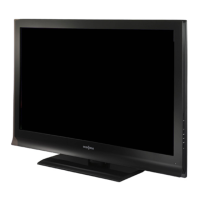
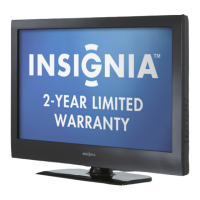
Insignia NS-50L260A13 - User Manual

Insignia NS-50L260A13
63 pages
Print Icon
To Next Page IconTo Next Page
Loading...
NS-50L260A13
User Guide
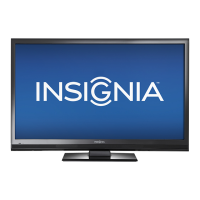
50" LCD TV

Table of Contents

Other manuals for Insignia NS-50L260A13

Questions and Answers

  • D
    Donald JonesAug 20, 2025
    How to fix sound on Insignia LCD TV when there is a good picture but no sound?
    • H
      Heather GonzalezAug 20, 2025
      If you're getting a good picture but no sound on your Insignia LCD TV, first, increase the volume and make sure that the sound is not muted. Also, check that headphones are not connected, as this will prevent sound from coming from the TV speakers. Ensure the correct audio mode is selected and the audio cables are connected correctly and securely to your TV. Finally, confirm that the antenna or cable TV is connected correctly and securely.
  • S
    Steven MillerAug 22, 2025
    What to do if my Insignia LCD TV has no picture and no sound?
    • G
      gwhiteAug 22, 2025
      If your Insignia LCD TV has no picture and no sound, start by pressing the power button on the TV or the remote control. Make sure that the Audio Only option is set to Off. Verify that the video cables are connected securely to your TV, and adjust the contrast and brightness. Ensure that the power cord is plugged in and that the correct video input source is selected. Try another channel to rule out station issues. Confirm that the incoming signal is compatible and that the antenna or cable TV is connected correctly and securely. Also, check the closed caption settings, as some TEXT modes can block the screen.
  • V
    Victoria JohnsonAug 25, 2025
    How do I fix a 'no signal' error message on my Insignia LCD TV?
    • S
      Sharon HallAug 25, 2025
      If your Insignia LCD TV displays a 'no signal' error message, press the INPUT button and ensure you've selected the correct input for the device or service you're using. If you're using a cable or satellite box, use its remote to change channels and make sure you have the correct input selected to view channels from that box.
  • W
    Wanda FisherAug 26, 2025
    Why is there no color on my Insignia LCD TV, or why is the color dark or incorrect?
    • Z
      Zachary WoodAug 26, 2025
      If your Insignia LCD TV has no color, a dark picture, or incorrect color, try changing to another channel to rule out station problems. Adjust the color settings. Also, make sure that the video cables are connected correctly and securely to your TV, and that the antenna or cable TV is connected correctly and securely. If you're using an antenna, the digital channel signal may be low; consider adjusting the antenna or using a more powerful one.
  • J
    Jessica BrownAug 28, 2025
    Why is the picture dark or poor on my Insignia NS-50L260A13, but the sound is good?
    • B
      Brandon SandovalAug 28, 2025
      If you have sound but the picture on your Insignia LCD TV is dark or poor, try changing to another channel to rule out station issues. Ensure the antenna or cable TV is connected correctly and securely. Adjust the brightness and make sure the correct picture mode is selected. If you're using an antenna, the digital channel signal may be low. If the signal strength is low, adjust the antenna or use a more directional antenna. Also, make sure that the video cables are connected securely to your TV, and consider trying a new set of video cables.
  • A
    aprilrobertsAug 29, 2025
    Why won't my Insignia LCD TV turn on (no power)?
    • B
      bmillerAug 29, 2025
      If your Insignia LCD TV has no power, ensure that the power cord is correctly connected to both the TV and a power outlet. Try unplugging the power cord, waiting 60 seconds, then plugging it back in and turning on your TV. Other devices may be interfering with your TV. Try turning off one device at a time to determine which device is causing interference and, after you have determined which device is causing interference, move it further from the TV to eliminate the interference.
  • E
    Eric FisherAug 31, 2025
    How to remove black bars on Insignia NS-50L260A13?
    • G
      garciarichardAug 31, 2025
      To remove black bars around the picture on your Insignia LCD TV, change the aspect ratio. Digital TV and movies are often presented in wide screen (16:9).
  • A
    adavisSep 2, 2025
    Why are some channels not displaying on my Insignia NS-50L260A13?
    • G
      Gregory WilsonSep 2, 2025
      If one or more channels are not displaying on your Insignia LCD TV, make sure that the channels are not blocked. Also, ensure that the channels are not hidden, as they may have been deleted from the channel list. If you are using a cable or satellite box, use the remote that came with that box to change channels and make sure that you have the correct input selected to view channels from the cable or satellite box. If you are using an antenna, the digital channel signal may be low.
  • R
    Robert GarciaSep 4, 2025
    How do I get rid of dotted lines or stripes on my Insignia LCD TV screen?
    • T
      timothyvegaSep 4, 2025
      To eliminate dotted lines or stripes on your Insignia LCD TV screen, make sure that the antenna or cable TV is connected correctly and securely. If you are using an antenna, the digital channel signal may be low. Also, ensure that the video cables are connected securely to your TV, and consider trying a new set of video cables. Other devices may be interfering with your TV. Try turning off one device at a time to determine which device is causing interference and, after you have determined which device is causing interference, move it further from the TV to eliminate the interference.
  • S
    Sara ReillySep 6, 2025
    Why is the picture quality on my Insignia LCD TV good on some channels but poor on others?
    • J
      Joshua SanchezSep 6, 2025
      The problem may be caused by a poor or weak signal from the broadcaster or cable TV provider. If you connect to cable or satellite TV without a set-top box and experience poor picture quality, you may need to install a set-top box to improve signal reception and picture quality. Contact your cable or satellite TV provider about upgrading to a set-top box.

Summary

CHILD SAFETY

Important Safety Instructions

Essential guidelines for safe operation and setup.

Installing the TV

Installing the Stand

Steps for attaching the TV stand.

Installing a Wall-Mount Bracket

Guide to wall-mounting the TV.

Making Connections

What Connection Should I Use?

Guide to selecting the best video connection type.

Connecting Power

Steps to connect the TV to a power outlet.

Connecting a Cable or Satellite Box

How to connect TV signal sources.

Connecting a Computer

How to connect a computer to the TV.

Basic TV Operation

Turning On Your TV for the First Time

Initial setup process using the Setup Wizard.

Turning Your TV On or Off

How to power the TV on/off and standby mode.

Selecting the Video Input Source

How to switch between connected devices.

Picture and Sound Settings

Adjusting the TV Picture

How to fine-tune picture quality settings.

Adjusting Sound Settings

How to configure audio output and modes.

Channel Management and Controls

Changing Channel Settings

Options for managing TV channels.

Setting Parental Controls

How to restrict access to certain content.

Troubleshooting

Video and Audio Problems

Solutions for common picture and sound issues.

Insignia NS-50L260A13 Specifications

General IconGeneral
Screen Size50 inches
Display TypeLCD
Resolution1920 x 1080
Refresh Rate60 Hz
Backlight TypeLED
HDMI Ports3
USB Ports1
Smart TVNo
InputsComposite

Related product manuals