EasyManua.ls Logo

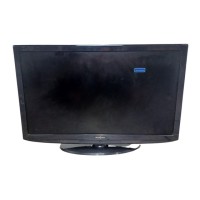
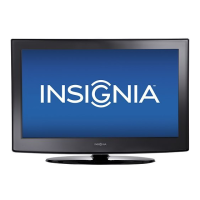
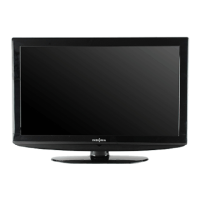
Insignia NS-LCD32 - User Manual

Insignia NS-LCD32
100 pages
Print Icon
To Next Page IconTo Next Page
Loading...
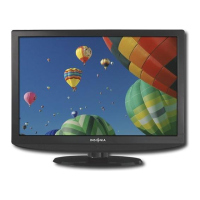
LCD TV | Téléviseur ACL | Televisor con pantalla LCD
NS-LCD32
User Guide | Guide de l’utilisateur | Guía del Usuario

Other manuals for Insignia NS-LCD32

Questions and Answers

  • L
    Leslie TurnerSep 8, 2025
    How to eliminate audio noise from Insignia NS-LCD32 LCD TV?
    • B
      Bobby LawrenceSep 8, 2025
      If you're experiencing audio noise with your Insignia LCD TV, it could be due to infrared communication equipment (like cordless headphones) nearby. Move the equipment away from the TV until the noise stops.
  • S
    Steven PattersonSep 9, 2025
    How to fix dotted lines or stripes on Insignia NS-LCD32?
    • S
      Sarah MoralesSep 10, 2025
      If your Insignia LCD TV displays dotted lines or stripes, try adjusting the antenna. Additionally, move the TV away from noise sources like cars, neon signs, or hair dryers.
  • A
    Anthony FloresSep 12, 2025
    How to resolve double images on Insignia LCD TV?
    • J
      Jeffrey WilkinsSep 12, 2025
      If your Insignia LCD TV is showing double images, consider using a highly directional outdoor antenna or subscribing to a cable television provider.
  • T
    Tiffany LeeSep 13, 2025
    What does black box on screen mean on Insignia NS-LCD32?
    • J
      Justin HuberSep 14, 2025
      If a black box appears on your Insignia LCD TV screen, it means you've selected a text option but no text is available. Turn off the Close Caption feature or select a different option.
  • M
    Mandy RodriguezSep 15, 2025
    What to do if Insignia NS-LCD32 LCD TV control buttons do not operate?
    • J
      Jason CarsonSep 15, 2025
      If the control buttons on your Insignia LCD TV do not operate, disconnect the power cord, wait a few seconds, then reconnect it and turn the TV back on.
  • K
    kathleenwaltonSep 18, 2025
    Why does my Insignia LCD TV cabinet creak?
    • D
      David PerrySep 18, 2025
      When an Insignia LCD television is in use, the cabinet may creak due to temperature changes causing expansion or contraction. This is normal and not a malfunction.

Summary

Introduction and Safety

Product Introduction

Welcome message and overview of the Insignia NS-LCD32 television.

Safety Information and Safeguards

Covers general safety warnings, electric shock precautions, and key operational safeguards.

Electrical and Environmental Safety

Precautions for power cords, grounding, ventilation, heat, and liquid exposure.

Features and Controls

Television Features and Controls

Details about product features, front and side control panels.

Remote Control Overview

Explanation of the remote control's buttons and their operations.

Setup and Connections

Installing Remote Control Batteries

Instructions for installing batteries in the remote control.

Connecting External Devices

Guides for connecting antennas, audio/video devices, computers, and more.

Television Operation and Settings

Using the Remote and Navigating Menus

How to operate the television, navigate menus, and display information.

Channel Management

Procedures for searching, adding, deleting, and labeling channels.

Picture and Sound Customization

Guides for adjusting picture settings, sound modes, and audio language.

Advanced Settings

Configuring clock, sleep timer, closed captions, and parental controls.

Troubleshooting and Specifications

Troubleshooting Common Issues

Solutions for common problems like no picture, no sound, or remote control issues.

Product Specifications

Technical details including panel type, dimensions, power, and input/output terminals.

Remote Control Programming

Programming and Searching for Device Codes

Instructions for programming the remote to control other devices and search for codes.

Manufacturer Codes List

Lists of codes for various audio and video equipment manufacturers.

Legal Notices and Warranty

FCC Compliance and Legal Notices

Information regarding FCC Part 15 compliance, warnings, and copyright.

Warranty Information

Terms and conditions of the one-year limited warranty.

Insignia NS-LCD32 Specifications

General IconGeneral
BrandInsignia
ModelNS-LCD32
CategoryLCD TV
LanguageEnglish

Related product manuals