EasyManua.ls Logo

Insignia NS-LTDVD26-09CA - User Manual

Insignia NS-LTDVD26-09CA
64 pages
Print Icon
To Next Page IconTo Next Page
Loading...
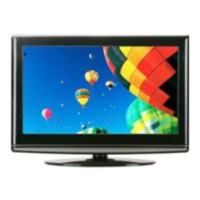
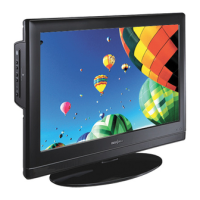
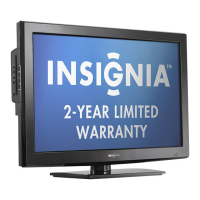
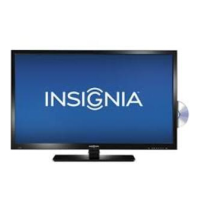
26" LCD TV/DVD Combo
Ensemble lecteur DVD/TV ACL de 26 po
NS-LTDVD26-09CA
User Guide | Guide de l’utilisateur
08-1156 NS-LTDVD26-09CA - combined.fm Page 1 Tuesday, April 1, 2008 1:25 PM

Table of Contents

Other manuals for Insignia NS-LTDVD26-09CA

Questions and Answers

  • D
    Dominique AndersonAug 18, 2025
    What to do if my Insignia NS-LTDVD26-09CA remote control does not work?
    • D
      dyoungAug 19, 2025
      If the Insignia TV DVD Combo remote control isn't working, try the following: * Remove any obstacles between the remote and the player. * Point the remote at the TV's IR sensor. * Install new batteries.
  • S
    Shannon BrooksAug 21, 2025
    What to do if my Insignia NS-LTDVD26-09CA disc cannot be played?
    • A
      andersonkimberlyAug 21, 2025
      If your Insignia TV DVD Combo disc cannot be played, make sure that the disc is inserted with the label facing forward. You can also try cleaning the disc. If moisture has condensed in the player, remove the disc and leave the player on for about an hour to dry out.
  • D
    desireetaylorAug 23, 2025
    How to troubleshoot an Insignia NS-LTDVD26-09CA that doesn't operate normally?
    • A
      Andrew BarnettAug 23, 2025
      If the Insignia TV DVD Combo player doesn't operate normally, disconnect the power plug, then reconnect it.
  • J
    John HardinAug 26, 2025
    What to do if 'Unsupported' appears on my Insignia TV DVD Combo screen?
    • R
      Rodney ArnoldAug 26, 2025
      If your Insignia TV DVD Combo displays 'Unsupported' on the screen, check the resolution and frequency of your computer and adjust it to the optimum resolution for this TV: 1360×768 at 60Hz.
  • A
    Ann PearsonAug 28, 2025
    Why does my Insignia NS-LTDVD26-09CA TV DVD Combo have no sound?
    • B
      Bryan PerezAug 28, 2025
      If your Insignia TV DVD Combo has no sound, make sure that your TV or amplifier is working correctly and that the amplifier is set to receive DVD signal output.
  • M
    Matthew HarperAug 30, 2025
    What does 'No Sync' mean on my Insignia NS-LTDVD26-09CA TV DVD Combo?
    • S
      Sarah BellAug 30, 2025
      If your Insignia TV DVD Combo displays "No Sync" on the screen, make sure that the cable is firmly connected to the computer and TV.
  • M
    miranda27Sep 1, 2025
    Why is there no image on my Insignia NS-LTDVD26-09CA?
    • O
      obarkerSep 1, 2025
      If your Insignia TV DVD Combo has no image, make sure that your TV is working correctly and that the color system is set correctly.
  • A
    Andrea WatsonSep 3, 2025
    Why is the sound quality bad on my Insignia NS-LTDVD26-09CA TV DVD Combo?
    • A
      Austin PierceSep 4, 2025
      If the sound quality on your Insignia TV DVD Combo is bad, make sure that the audio output mode is set correctly and that the audio connection between your TV and amplifier (if used) is secure.
  • T
    thompsonmarkSep 6, 2025
    How to fix stripes on the picture of my Insignia TV DVD Combo?
    • D
      Daniel HillSep 6, 2025
      If you see stripes on the picture of your Insignia TV DVD Combo, check for interference from other electronic devices, such as radios and televisions, and keep magnetic or electronic devices away from your TV.
  • S
    srodriguezSep 8, 2025
    Why does my Insignia TV DVD Combo have bad stereo or SAP sound?
    • D
      daniel92Sep 9, 2025
      If the stereo or SAP sound on your Insignia TV DVD Combo is bad due to a long broadcast distance, or interference from radio waves, change the mode to Mono.

Summary

Child Safety Guidelines

Tune Into Safety Tips

Essential tips for safe TV setup and use, focusing on stability and child access.

Wall Mounting Precautions

Guidance on safe wall mounting, including bracket selection and professional installation.

General Safety Precautions

Electrical Safety and Warnings

Covers risk of electric shock, proper plug use, and laser safety.

Environmental and Operational Safety

Remote Control Operation

Installing Remote Control Batteries

Step-by-step guide for inserting batteries into the remote.

Operating the Remote Control

Setting Up Your TV Connections

Basic Controls and TV Operation

Powering On;Off and Volume Control

Steps to power the TV on/off and adjust volume/mute.

Using Your TV Functions

Channel Management and Settings

How to change channels, memorize, and adjust channel settings.

On-Screen Menu Operations

Guides users on navigating menus, memorizing channels, and settings.

TV Picture and Audio Settings

Channel Labeling and Picture Adjustments

How to label channels and adjust picture settings like mode, contrast, brightness.

Advanced TV Settings

Advanced Settings and Parental Controls

Guide to advanced settings, including sleep timer, system lock, and parental controls.

Parental Control Configuration

Password Management and TV Ratings

How to change the TV password and set parental control levels for TV ratings.

Movie Ratings and Parental Lock

How to set parental control levels for movie ratings and manage the lock system.

Canadian Parental Control Ratings

How to set parental controls for Canadian English and French ratings.

PC and OSD Settings

Computer Video Resolution

Using the DVD Player

Playing DVDs and Audio CDs

Instructions for inserting and playing DVDs and audio CDs.

DVD Player Navigation and Search

DVD Subtitles and Display

DVD Audio Configuration

DVD Player Options and Security

Setting DVD Parental Password

How to set or change the password for parental controls.

Troubleshooting

TV Troubleshooting Issues

Solutions for common TV problems like no picture, no sound, or color issues.

DVD Player Troubleshooting

Solutions for common DVD player problems like no sound, no image, or disc errors.

Insignia NS-LTDVD26-09CA Specifications

General IconGeneral
Screen Size26 inches
Resolution1366 x 768
Display TechnologyLCD
Refresh Rate60 Hz
Built-in DVD PlayerYes
Aspect Ratio16:9
HDMI Ports2
Composite Input1
Coaxial Input1
USB Port1
VGA Input1
Headphone Jack1
Built-in SpeakersYes
Weight15.4 lbs

Related product manuals