EasyManua.ls Logo

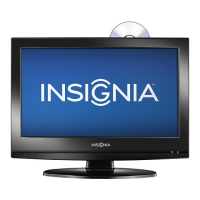
Insignia NS-19ED200NA14 - User Manual

Insignia NS-19ED200NA14
78 pages
Print Icon
To Next Page IconTo Next Page
Loading...
NS-19ED200NA14
NS-24ED200NA14
User Guide
19/24" LED TV/DVD Combo
Before using your new product, please read these instructions to prevent any damage.

Table of Contents

Other manuals for Insignia NS-19ED200NA14

Questions and Answers

  • M
    Mary TaylorDec 1, 2025
    How to fix dotted lines or stripes on my Insignia NS-19ED200NA14 TV DVD Combo screen?
    • S
      Samantha CombsDec 1, 2025
      If you're seeing dotted lines or stripes on your Insignia TV DVD Combo screen, try these solutions: - Make sure that the antenna or cable TV is connected correctly and securely. - If you are using an antenna, the digital channel signal may be low. If you are using an antenna and the signal strength is low, adjust the antenna or use a highly directional outdoor antenna or set-top antenna with a built-in amplifier. - Make sure that the video cables are connected securely to your TV. - The video cable(s) you are using may be bad. Try a new set. - Other devices (for example, a surround sound receiver, external speakers, fans, or hair dryers) may be interfering with your TV. Try turning off one device at a time to determine which device is causing interference. After you have determined which d...
  • S
    Shirley YoungAug 25, 2025
    Why is there no picture and sound on my Insignia NS-19ED200NA14?
    • T
      Thomas GilbertAug 25, 2025
      If your Insignia TV DVD Combo has no picture and no sound, try the following: - Press the power button on the TV or the remote control. - Ensure the power adapter is plugged in. - Check that the video cables are securely connected. - Make sure that the correct video input source is selected. - Try another channel as the station may be experiencing problems. - Confirm the incoming signal is compatible. - Ensure the antenna or cable TV is correctly and securely connected. - Verify that the Audio Only option is set to Off. - Adjust the contrast and brightness. - Check the closed caption settings, as some TEXT modes can block the screen.
  • X
    xscottAug 25, 2025
    Why is there good picture but no sound on my Insignia NS-19ED200NA14?
    • M
      Matthew LloydAug 26, 2025
      If your Insignia TV DVD Combo has a good picture but no sound, try the following: - Increase the volume. - Make sure that the sound is not muted. - Ensure that headphones are not connected, as this will prevent sound from coming from the TV speakers. - Make sure that the correct audio mode is selected. - Make sure that the audio cables are connected correctly and securely to your TV. - Make sure that the antenna or cable TV is connected correctly and securely. - If you are using an antenna, the digital channel signal may be low. - The audio cable(s) you are using may be bad. Try a new set.
  • E
    Eric JohnsonAug 27, 2025
    What to do if my Insignia NS-19ED200NA14 has dark, poor, or no picture but sound is good?
    • P
      Philip MasonAug 27, 2025
      If you're getting sound but the picture on your Insignia TV DVD Combo is dark, poor, or nonexistent, here's what to try: - Try another channel as the station may be experiencing problems. - Make sure the antenna or cable TV is connected correctly and securely. - Adjust the brightness. - Make sure the correct picture mode is selected. - If you are using an antenna, the digital channel signal may be low. If the signal strength is low, adjust the antenna or use a highly directional outdoor antenna or set-top antenna with a built-in amplifier. - Make sure that the video cables are connected securely to your TV. - The video cable(s) you are using may be bad. Try a new set.
  • J
    James FowlerAug 27, 2025
    How to fix Insignia NS-19ED200NA14 TV DVD Combo with no color, dark picture, or incorrect color?
    • T
      tanyaporterAug 27, 2025
      If your Insignia TV DVD Combo is showing no color, a dark picture, or incorrect colors, try these steps: - Try another channel. The station may be experiencing problems. - Adjust the color settings. - Make sure that the video cables are connected correctly and securely to your TV. - Make sure that the antenna or cable TV is connected correctly and securely. - If you are using an antenna, the digital channel signal may be low. If you are using an antenna and the signal strength is low, adjust the antenna or use a highly directional outdoor antenna or set-top antenna with a built-in amplifier.
  • K
    Karen BrewerSep 14, 2025
    Why does my Insignia NS-19ED200NA14 cabinet creak?
    • C
      Chad DukeSep 15, 2025
      If your Insignia TV DVD Combo cabinet creaks, it's because when the TV is in use, the temperature rises naturally and may cause the cabinet to expand or contract which can cause a creaking noise. This is not a malfunction.
  • C
    Christopher HollandSep 12, 2025
    Why are some channels not displaying on my Insignia TV DVD Combo?
    • J
      Joshua CisnerosSep 12, 2025
      If one or more channels are not displaying on your Insignia TV DVD Combo, make sure that the channels are not blocked. Also, make sure that the channels are not hidden. The channel may have been deleted from the channel list. You can tune to the channel by pressing the number buttons or you can add the channel back to the channel list. If you are using a cable or satellite box, use the remote that came with that box to change channels. Make sure that you have the correct input selected to view channels from the cable or satellite box. If you are using an antenna, the digital channel signal may be low.
  • S
    Sandra AdamsSep 13, 2025
    Why can't I access some settings on my Insignia TV DVD Combo?
    • V
      Veronica FergusonSep 13, 2025
      If a setting is grayed out on your Insignia TV DVD Combo, it is not available in the current video input mode.
  • J
    Joshua RodriguezSep 5, 2025
    Why is the color poor but sound is good on my Insignia TV DVD Combo?
    • G
      ginaenglishSep 5, 2025
      If your Insignia TV DVD Combo has good sound but poor color, adjust the contrast, color, and brightness settings.
  • A
    Adam OwensSep 3, 2025
    Why does my Insignia NS-19ED200NA14 have double images?
    • A
      Angelica TurnerSep 3, 2025
      If your Insignia TV DVD Combo is displaying double images, use a highly directional outdoor antenna, cable TV, or satellite TV.

Summary

Child Safety

Tune Into Safety

Provides safety tips for TV placement and use to prevent tipping and injury.

Wall Mounting

Provides guidelines for safely mounting the TV to a wall.

Important Safety Instructions

TV Components

Connecting a Cable or Satellite Box

Using HDMI (Best)

How to connect a cable or satellite box using an HDMI cable for optimal quality.

Using DVI (Same as HDMI but Requires an Audio Connection)

How to connect a cable or satellite box using DVI with an audio connection.

Connecting an Antenna or Cable TV (No Box)

Connecting a DVD or Blu-ray Player

Connecting a Game Console

Using HDMI (Best)

How to connect a game console using an HDMI cable.

Connecting a Computer

Using VGA (Most Common)

How to connect a computer to the TV using a VGA cable.

Connecting Headphones

Connecting a Basic Home Theater System

Using Digital Audio

How to connect a home theater system using a digital coaxial audio cable.

Connecting Power

Using the Remote Control

Turning on Your TV for the First Time

To Set Up Your TV

Guide to the initial TV setup wizard for language, time, and source selection.

Understanding the Basics

Turning Your TV On or Off

Instructions for powering the TV on and putting it into standby mode.

Selecting the Video Input Source

How to choose the active video input source from the INPUT SOURCE list.

Adjusting the Picture

Adjusting the TV Picture

Detailed guide to adjusting various picture settings like mode, brightness, and contrast.

Setting the Power On Picture Mode

How to configure the default picture mode used when the TV is turned on.

Adjusting the Sound

Adjusting Sound Settings

Guide to modifying sound settings such as mode, balance, bass, and treble.

Selecting a Channel

Setting Parental Controls

Setting or Changing the Password

How to set or change the parental control password.

Locking Control Buttons

Blocking Unrated TV

Setting Parental Control Levels

Using Closed Captioning

Adjusting Time Settings

Troubleshooting

Restoring Settings to the Defaults

Process to reset all TV settings back to their factory defaults.

Remote Control

Programming Universal Remote Controls

Insignia NS-19ED200NA14 Specifications

General IconGeneral
BrandInsignia
ModelNS-19ED200NA14
CategoryTV DVD Combo
LanguageEnglish

Related product manuals