EasyManua.ls Logo

Insignia Rocketboost NS-RSW211 - User Manual

Insignia Rocketboost NS-RSW211
21 pages
Print Icon
To Next Page IconTo Next Page
Loading...
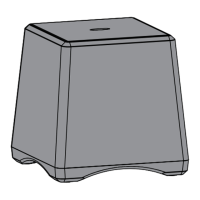
Rocketboost™ Wireless Subwoofer
NS-RSW211
User Guide
NS-RSW211_11-0334_MAN_V1.fm Page 1 Monday, May 9, 2011 7:01 PM

Other manuals for Insignia Rocketboost NS-RSW211

Questions and Answers

  • O
    omccoyJul 30, 2025
    What to do if my Insignia Rocketboost NS-RSW211 Speakers have no sound?
    • L
      Lindsay JohnsonJul 31, 2025
      If your Insignia speakers are producing no sound, there are several things to check: * Verify the volume level of the wireless subwoofer or audio sources connected to the wireless sender. * Ensure all audio cables are correctly connected. * Confirm the power indicators on the Rocketboost wireless sender and wireless receiver devices are steadily lit. If they're blinking, consult the section on connecting your subwoofer for wireless mode. * Make sure the audio source connected to your wireless sender is powered on. * Check that the wireless sender or wireless receiver devices are not muted. A blinking receive mode indicator light indicates a muted device.
  • S
    Scott RamirezAug 8, 2025
    Why is there sound interference with my Insignia Rocketboost NS-RSW211?
    • K
      Kristin DavenportAug 8, 2025
      Sound interference with your Insignia speakers can often be resolved with these steps: * Try different positions or locations for your wireless sender device. * Keep your wireless sender device at least 18 inches away from any WiFi routers. * Reduce the distance between the Rocketboost wireless devices. While the maximum distance is 150 feet (45 m), walls and obstructions can shorten this range. * Other devices like cordless phones, microwaves, or wireless routers might be causing interference. Try turning them off one by one to identify the culprit. * If a cordless phone or wireless router is causing the problem, try changing its channel. Refer to the device's owner manual for instructions.
  • B
    boyerrobinAug 19, 2025
    How to fix no communication between Rocketboost sender and subwoofer on Insignia Speakers?
    • H
      Holly DavenportAug 19, 2025
      To troubleshoot communication issues between the Rocketboost sender and subwoofer of your Insignia speakers: * Check that the power indicators on both the Rocketboost wireless sender and the subwoofer are on with a solid light. If the indicators are blinking, refer to “Connecting your subwoofer for wireless mode”. * If the joining process fails, ensure that only one of your Rocketboost devices has the Hub switch enabled. The hub device has a green power indicator, while non-hub devices have a blue power indicator.

Summary

Introduction and Safety

Introduction

Overview of the Rocketboost Wireless Subwoofer and user guide purpose.

Package Contents

Lists all items included in the product box for the user.

Important Safety Instructions

Crucial safety guidelines to follow during setup and operation.

What is Rocketboost?

Explanation of Rocketboost expandable wireless digital audio technology.

Features and Setup

Product Features

Details on the subwoofer's amplifier power, woofer size, and range.

Connecting Your Subwoofer

Steps for connecting the subwoofer to power and selecting operating modes.

Connecting the Power

Steps to connect the subwoofer to a power source and turn it on.

Wired or Wireless Mode Selection

Guidance on choosing between wired and wireless operation modes.

Using the Subwoofer

Wired Mode Setup

Instructions for connecting and setting up the subwoofer in wired mode.

Wireless Mode Setup

Guide for connecting and setting up the subwoofer for wireless operation.

Setting the Low Pass Filter

How to adjust the low pass filter for optimal sound reproduction.

Listening and Volume Control

Guidance on adjusting the subwoofer volume for music and movies.

System Management and Support

Turning Off the System

Instructions on how to properly power down the subwoofer.

Maintaining Your System

Guidance on cleaning and caring for the subwoofer.

Troubleshooting

Solutions for common problems encountered with the subwoofer.

Specifications

Technical details and measurements of the wireless subwoofer.

Warranty Information

Details about the product's limited warranty coverage and terms.

Insignia Rocketboost NS-RSW211 Specifications

General IconGeneral
ModelNS-RSW211
BrandInsignia
TypePortable Bluetooth Speaker
Product TypeSpeaker
ConnectivityBluetooth
Bluetooth Version4.2
Water ResistanceIPX5
ColorBlack
Weight1.5 pounds

Related product manuals