EasyManua.ls Logo

Insignia NS-SBAR21F20 - User Manual

Insignia NS-SBAR21F20
28 pages
Print Icon
To Next Page IconTo Next Page
Loading...
Before using your new product, please read these instructions to prevent any damage.
USER GUIDE
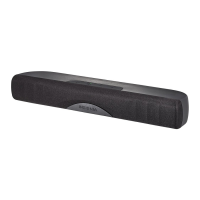
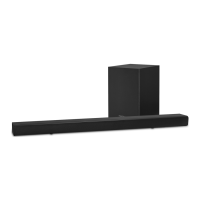
2.1 Channel
Soundbar System
NS-SBAR21F20

Other manuals for Insignia NS-SBAR21F20

Questions and Answers

  • J
    Jerry OlsonSep 8, 2025
    Why is my Insignia Speaker System remote control not working?
    • B
      beckerstephenSep 8, 2025
      If your Insignia Speaker System remote isn't working, remove any obstructions between the remote and the soundbar's sensor. Replace the remote batteries, as they may be exhausted. Ensure you're within 26 ft (8 m) of the soundbar and within 30° on either side.
  • J
    Jeffrey SmithAug 23, 2025
    What to do if Insignia Speakers remote control does not work?
    • M
      Mackenzie JohnsonAug 23, 2025
      If the remote control for your Insignia Speakers isn't working, first remove any obstacles between the remote and the IR sensor on the soundbar. If that doesn't work, the batteries in the remote control may be exhausted, so replace them. Finally, make sure that you are not too far from the soundbar. The remote control is only effective to approximately 26 ft. (8 m) of the soundbar and within 30° on either side.
  • J
    John RiveraAug 25, 2025
    Why is there no sound in Bluetooth mode on my Insignia NS-SBAR21F20?
    • C
      Christopher HarrisAug 25, 2025
      If you're experiencing no sound or low volume in Bluetooth mode on your Insignia Speakers, ensure that your Bluetooth device is turned on, Bluetooth is enabled, and “NS-SBAR21F20” is selected. Also, turn up the volume on both your soundbar and your Bluetooth device. Make sure that your Bluetooth device is not muted and that you are playing music from it. Finally, ensure that you have selected the Bluetooth source on your soundbar and that neither your soundbar nor your Bluetooth device is paired with another device.
  • D
    David YuAug 26, 2025
    Why doesn't my TV remote control my Insignia NS-SBAR21F20 soundbar?
    • N
      Noah PerezAug 26, 2025
      If your TV remote isn't controlling your Insignia Speakers soundbar, and you're using a universal remote control, ensure it's programmed to your soundbar. Note that universal remotes typically only control volume. Use the soundbar's controls or its original remote to change the audio source or sound mode. Make sure that you aim your universal remote at the remote sensor on the front of your soundbar and that you select the correct source on your universal remote.
  • E
    Emily MooreAug 27, 2025
    Why does my Bluetooth device keep disconnecting from Insignia Speakers?
    • J
      Jennifer HunterAug 28, 2025
      If your Bluetooth device keeps unpairing from your Insignia Speakers, try shortening the distance between your soundbar and your Bluetooth device. If the battery on your Bluetooth device is low, recharge it.
  • A
    April LeonSep 22, 2025
    How to fix sound lagging on Insignia Speaker System?
    • R
      Richard BairdSep 22, 2025
      If you hear lagging or an echo with your Insignia Speaker System, turn off or mute the internal speakers of your TV. Refer to your TV’s manual for instructions.
  • J
    Joshua BlanchardSep 16, 2025
    Why won't my TV remote control my Insignia Speaker System?
    • V
      Victoria PaulSep 16, 2025
      If your TV remote isn't controlling your Insignia Speaker System, ensure the universal remote is programmed to your soundbar. Note that universal remotes only control volume. Use the soundbar's controls or its remote to adjust the audio source or sound mode. Aim the universal remote at the soundbar's remote sensor and select the correct source on the remote.
  • H
    Haley BowenSep 18, 2025
    What to do if NS-SBAR21F20 does not appear on my Bluetooth device?
    • C
      christinaortizSep 18, 2025
      If NS-SBAR21F20 does not appear on your Bluetooth device, shorten the distance between your soundbar and your Bluetooth device. Put your soundbar into pairing mode, then refresh your list of Bluetooth devices. For more information, see the documentation that came with your Bluetooth device. Make sure that your Bluetooth device is visible to other devices. For more information, see the documentation that came with your Bluetooth device.
  • J
    Jennifer RamseySep 7, 2025
    What to do if there is no sound from Insignia Speaker System?
    • J
      Joan MaciasSep 7, 2025
      If your Insignia Speaker System isn't producing sound or the volume is very low, ensure you're connected to an audio OUT jack on your sound source. Verify that the soundbar volume is at an adequate level. If using Bluetooth, increase the volume on your Bluetooth device and ensure it's not paired with other devices. Check that the volume isn't muted. Select the correct audio source using the remote or soundbar buttons. Confirm the power is on and connections are secure. Also, ensure your sound source device is outputting sound and the audio cable isn't damaged. If using OPTICAL, set the source device’s audio to “PCM” format.
  • C
    Christine RogersSep 4, 2025
    How to fix sound lagging on Insignia NS-SBAR21F20?
    • B
      Brandon SummersSep 4, 2025
      If you're experiencing sound lagging or an echo with your Insignia Speakers, turn off or mute the internal speakers of your TV.

Summary

Getting Started

Connecting Your Sound Source

Connect a TV, DVD/Blu-ray player, or smartphone for sound output.

Connecting Your Soundbar

Connect your sound source to the soundbar using the correct cable.

Connecting the AC Power

Connecting and Positioning Subwoofer and Soundbar

Connecting the Subwoofer

Connect the subwoofer using Bluetooth to enhance low frequency sounds.

Important Safety Instructions

Placement Guidelines

Remote Control Functions

Operating the Remote Control

Installing Remote Control Batteries

Setting Up Your Soundbar

Connecting Your Soundbar

USB Sound Source Connection

Bluetooth Sound Source Setup

Bluetooth Reconnection Steps

AC Power Connection

Subwoofer Wireless Connection

Subwoofer Re-pairing

Soundbar Placement Guidance

Positioning the Subwoofer for Best Bass

Wall Mounting the Soundbar (Optional)

Using the Soundbar System

Troubleshooting Common Issues

Insignia NS-SBAR21F20 Specifications

General IconGeneral
Speaker TypeSoundbar
BrandInsignia
ModelNS-SBAR21F20
Number of Channels2.1
Total Power Output80W
Wireless ConnectivityBluetooth
HDMINo
Optical Audio InputYes
Auxiliary InputYes
InputsOptical, Auxiliary
Remote ControlYes
Wall MountableYes

Related product manuals