6
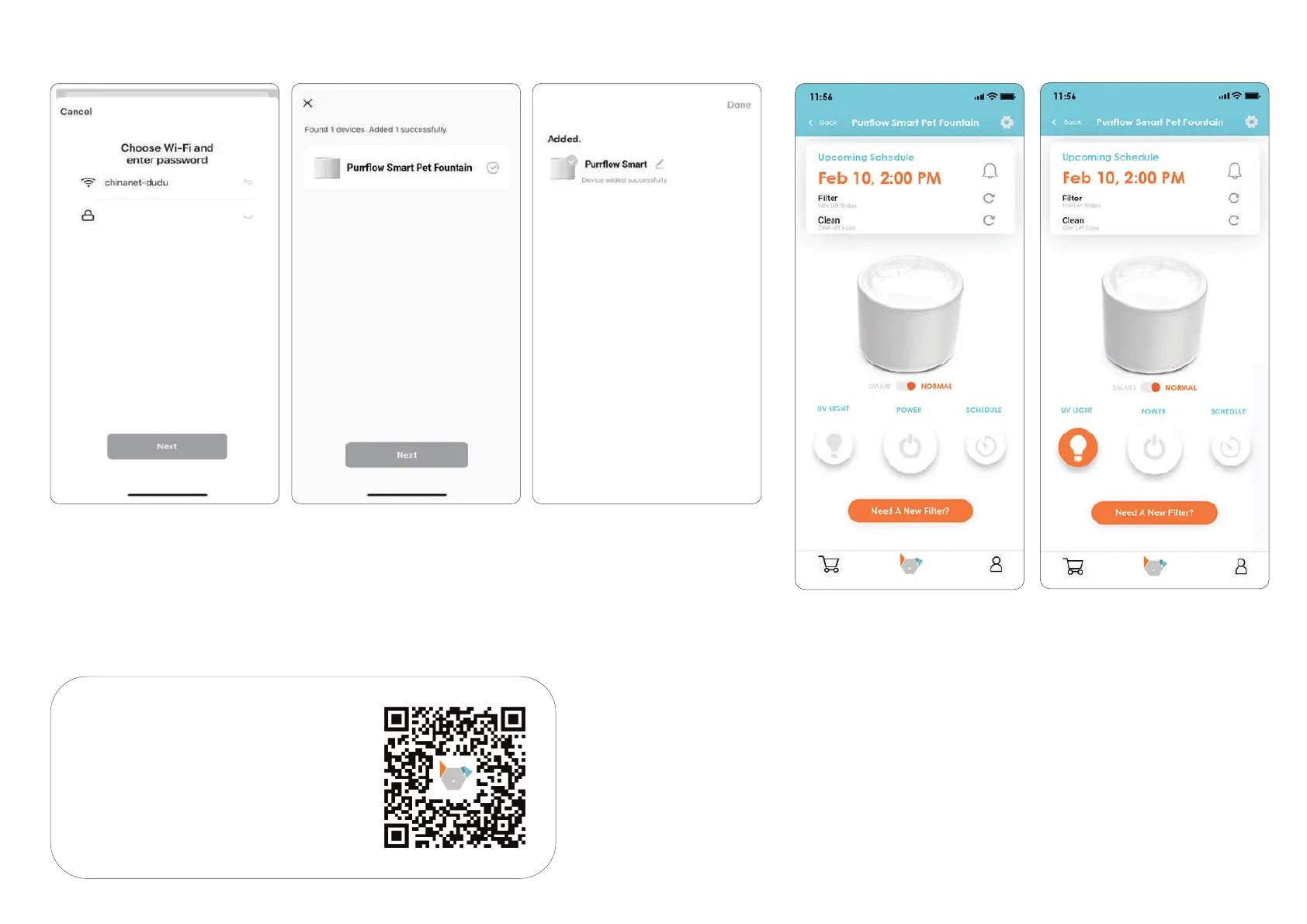
9. Enter the main interface of the
fountain. You can choose to
instantly water by clicking POWER.
6. Choose your Wi-Fi and enter
the password.
7. Wait for the device to connect
to the network. Once successfully
added, proceed with the next step.
8. You can customize the name
of the device, once added, click
the upper right corner to finish
this step.
10. You can turn on the UV light and
make sure the Purrflow is being
cleaned by clicking the UV
Light button.
SCAN THE QR CODE TO DOWNLOAD
THE INSTACHEW INFINITY APP
AND COMPLETE THE INSTALLATION.


 To Next Page