APP SETUP
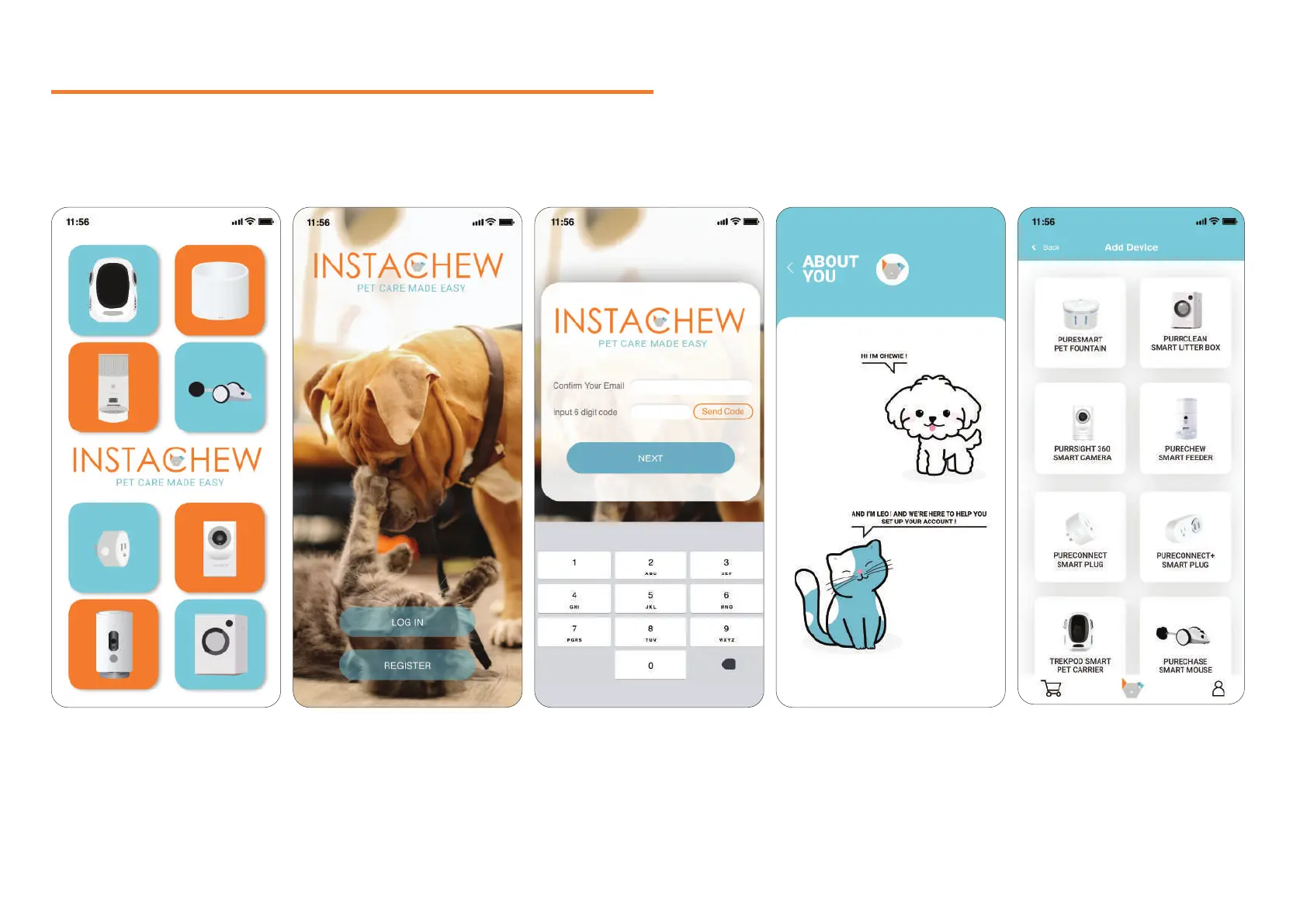
1. Launch the Instachew Infinity App. 2. Click “Register” to create a new
account.
3. After registering a new email,
input the received verification
code to continue creating your
new account.
4. Start setting up your profile,
adding your and your pet’s
informations.
5. You’re all set! It’s now time to link
your device, by clicking “Add
Device” in your homepage
5


 To Next Page