EasyManua.ls Logo

Instant Ace - User Manual

Instant Ace
21 pages
Print Icon
To Next Page IconTo Next Page
Loading...
User Manual
Download the Free
Instant Pot Recipe App
Original Recipes
New User Tips
Getting Started Videos
Important Safeguards
Product Specifications
What’s Included
Product Overview
Getting Started
Controls & Features
Stacking Food Ingredients
Blending Programs
Tamping Food Ingredients
Care & Cleaning
Troubleshooting
Warranty
Ace

Questions and Answers

  • C
    chelsey82Jul 27, 2025
    What to do if my Instant Ace Blender will not power on?
    • L
      Lori NguyenJul 28, 2025
      If your Instant Blender won't power on, ensure the pitcher is correctly placed on the base. Also, check that the power cord is fully inserted into a 120V outlet and try a different outlet. If these steps don't work, the fuse may have blown, and you should contact Customer Care.
  • S
    Samantha FoxAug 3, 2025
    What to do if the Error Indicator blinks on my Instant Ace Blender?
    • C
      carterangelicaAug 3, 2025
      If the Error Indicator on your Instant Blender is blinking and an error code appears, it could mean several things. The motor might have overheated from running too long, in which case you should remove the pitcher and let the motor cool. The contents might be too thick, so try removing and reseating the pitcher, adding thin liquid, or using the tamper. It could also be a thermostat sensor error; try reseating the pitcher, contacting Customer Care, or letting the blender rest for 5 minutes between blending hot and cold items. Dry heat in the pitcher can also cause this, so add liquid when using a hot blending program. Unplug the blender and allow it to cool if the motor is too hot. Finally, ensure the lid is secure by removing and repositioning it.
  • Z
    zgonzalezAug 8, 2025
    How to fix contents stop blending in Instant Ace Blender?
    • L
      Lori ShepherdAug 8, 2025
      If the contents stop blending in your Instant Blender while it's still powered on, it's likely because the contents are too thick. Try adding liquid to the recipe, using the food tamper to agitate the contents, or using the Pulse/Clean program.
  • A
    Anita GarciaAug 14, 2025
    Why does my Instant Ace Blender have a smoky smell?
    • X
      xdiazAug 14, 2025
      If your Instant Blender is emitting a smoky smell, especially during its first use, it's likely due to the heating of a non-toxic element coating. This is normal and harmless, so no action is needed. However, if the smell persists, it could be due to the motor overheating from running for too long or blending contents that are too thick. In this case, press Cancel and wait a few minutes for the motor to cool down. You might also need to add thin liquid to the pitcher or use the tamper to help blend thicker foods.
  • A
    Alex ThomasAug 20, 2025
    Why are my Instant Ace results too watery?
    • M
      Melanie EstesAug 20, 2025
      If your Instant Blender results are too watery, it could be due to too much liquid in the recipe. Try reducing the amount of liquid. Alternatively, the food might be over-processed. Use the Pulse/Clean function to prevent over-blending.

Summary

Important Safeguards

Product Specifications

Whats Included

Getting Started

Controls & Features

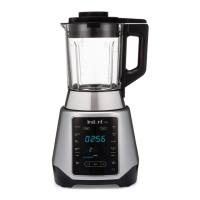
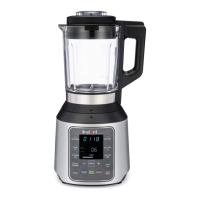
Cook Time Display

Shows the elapsed time in minutes and seconds during operation.

Error Indicator

Displays error codes and blinking lights when issues occur.

LED Indicators

Illuminate to indicate when specific programs are selected.

Real-Time Temperature Display

Shows the current temperature in Fahrenheit or Celsius during hot blending.

Manual Blending Keys

Allows selection of blending speeds: Low, Medium, or High.

Control Keys

Includes Pulse/Clean, Start/Pause, and Cancel functions for operation.

Smart Programs

Pre-set programs for Cold and Hot Blending operations.

Stacking Food Ingredients

Manual Blending

Cold Blending

Hot Blending

Tamping Food Ingredients

Care & Cleaning

Pulse Cleaning

Removes superficial food debris and residue from the pitcher.

Deep Cleaning

Removes mineral deposits from the pitcher using vinegar or citric acid.

Troubleshooting

Limited Warranty

Limitation and Exclusions

Disclaimer of Implied Warranties

Limitation of Remedies and Consequential Damage

Warranty Registration

Warranty Service

Instant Ace Specifications

General IconGeneral
BrandInstant
ModelAce
CategoryBlender
LanguageEnglish

Related product manuals