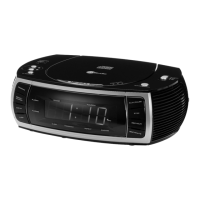
1. CLOCK ADJ: Clock adjustment button
2. ALARM 2: Alarm 2
3. ALARM 1: Alarm 1
4. VOLUME: Volume control
5. PHONES: Headphone jack
6. SNOOZE: Snooze
7. CD door
8. OPEN: Open the CD door
9. STANDBY/ON: Off/On
10. BUZZER/AM/FM/CD: Function selector
11. TUNING: Tuning control
(frequency is shown on the rotary knob)
12. Speaker
13. STOP: Stop CD playback
14. >>I / HOUR: Next track/search track forward/set
hours
15. I<< / MINUTE: Previous track/search track
backward/set minutes
16. PLAY/PAUSE: Start/pause playback
17. Display
18. SLEEP: Sleep function
19. DISPLAY: Track indication during CD play-back
20. REPEAT/RANDOM: Repeat tracks/random
playback
21. PROGRAM: Program tracks
22. Power cord
23. Battery compartment
Introduction
Setting a Safe Volume Level
• Ifyoucontinuallylistentoloudmusic,yourhearinggraduallyadaptstoitandgivesyoutheimpression
that the volume is lower.
• Whatseemsnormaltoyoumaybetooloudandposearisktoyourhearing.
• Toprotectyourselffromthis,setthevolumetoalowlevel.Increasethevolumeslowly.
• Damagetoyourhearingcanbeextensiveandcannotbereversed.
Condensation
• Condensationmayoccurwhenmovingthedevicefromacoldtoawarmenvironment.Ifthereismoisture
insidetheplayer,itmaynotoperateproperly.Don’tturnonthedeviceandwaitaboutonehourforthe
moisture to evaporate.
Saving Energy
• Duringnonuseoftheunititisadvisabletoturnofftheplayerwiththepowerswitch.
• Iftheunitisnotusedforalongperiodoftime,itshouldbeunpluggedfromtheACsocket.
Unpacking
• Carefullyremovetheunitfromthepackaging.Pleasekeepthepackagingforfurtheruse.
• Carefullyremovepossibleprotectioncardboardsandslipcovers.
Location of Controls and Functions


 To Next Page