4
Illumination Lamp
If you are in a dark environment, please
turn the LED lamp on to make better
exposure.
Anti-glare
Anti-glare sheet is a transparent
plastic that is overlaid on top of
shiny object or glossy surface to
reduce the glare.
To use, simply place the
anti-glare sheet on top of shiny
object to glossy surface such
as magazine to reduce light
reflectio
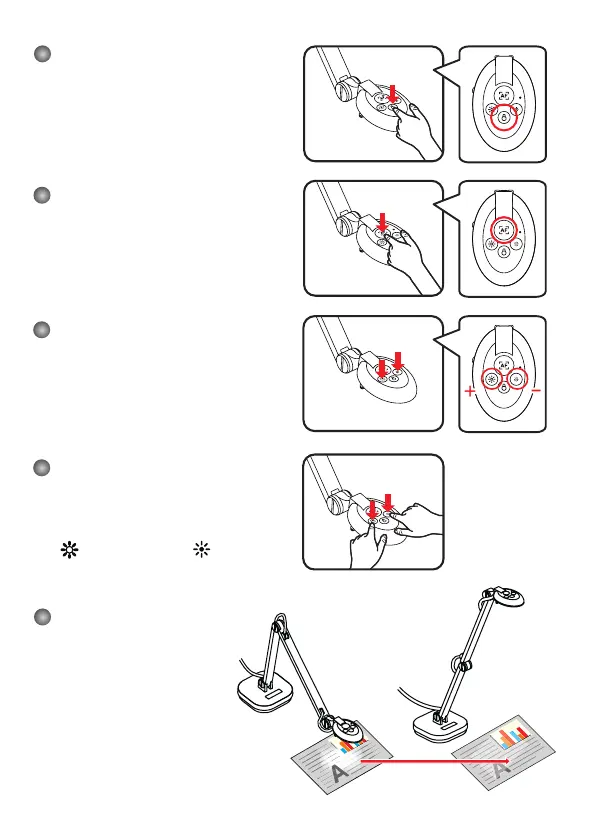
Adjusting the Focus
Press Focus button to do an one-time
auto focus.
Adjusting the Brightness
Press Brightness button to increase or
decrease the brightness level.
Change the image
orientation
If your image is upside down, change the
image orientation by simultaneously pressing
the( brightness+) and ( brightness-)
buttons.
+ Anti-glare



 To Next Page